What Is Automated Staff Rostering? A Construction Manager's Guide to Smarter Crew Scheduling
Automated staff rostering is basically software that uses AI systems, plus some set, pre-defined rules, to put together publish and run employee work schedules pretty much on its own.

Share this article
Streamline your frontline operations
See how WMS simplifies scheduling, compliance and workforce management in one powerful platform.
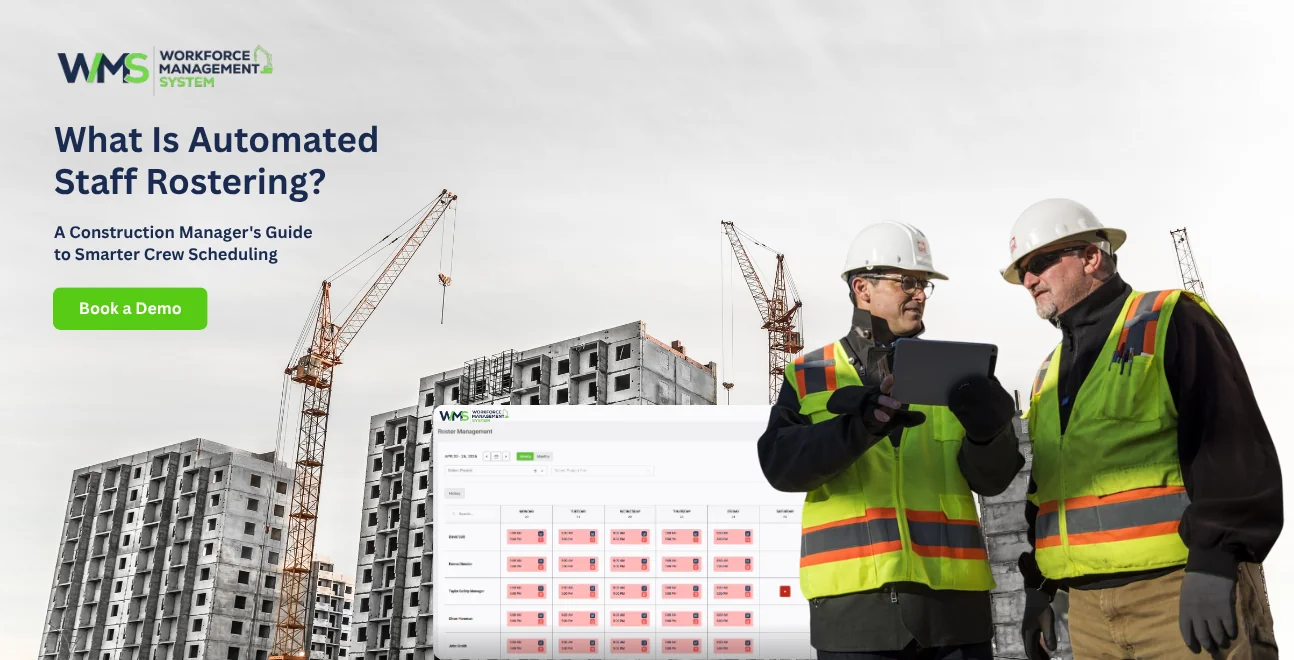
Automated staff rostering is basically software that uses AI systems, plus some set, pre-defined rules, to put together publish and run employee work schedules pretty much on its own. Rather than typing shifts into spreadsheets all day, the platform, kind of “collects” info about who is available, what skills they have, which certifications are valid, and also what compliance needs to be met, then it generates the roster in minutes, like optimized for the current situation
- You get huge admin savings, often 70%+ compared to manual rostering
- It helps stop compliance failures too, by catching expired licences, and award or policy clashes before they become a problem
- It supports multi site crew allocation across several construction projects, not just one location
- It can update fast when weather delays happen, when someone is sick, or when the project scope shifts
Introduction
If you're still building crew rosters in Excel, you are not alone, but honestly you are losing hours every week to something that was never designed for construction, really. Automated staff rostering swaps out spreadsheet chaos for smarter software that quietly builds compliant, optimised crew timetables by itself.
It checks who's available, what competencies each tradesperson holds, which accreditations are current, and how project timelines keep shifting, then it spits out a roster that keeps every worksite properly covered and legally aligned.
For construction managers juggling multiple jobs, weather disruptions and the Building and Construction General On-site Award (MA000020), this isn't just "nice to have". It's the line between a site that stays on the programme and one that slowly bleeds cash via overtime mistakes, compliance breaches, and the classic problem of not enough people.
This guide explains what automated staff rostering actually is, how it works for construction teams in practice, and why moving on from Excel could save your business thousands of dollars and hundreds of hours every year.
What Is Automated Staff Rostering?
Automated staff rostering is basically Workforce Management System that kind of uses algorithms, business rules and employee data to put together work schedules without someone doing the whole manual thing over and over.
It assigns shifts by looking at availability, skills, qualifications, plus those compliance needs, and then it publishes rosters while also notifying staff. Compared to manual spreadsheets, this sort of system updates in real time, catches clashes before they actually happen, and can scale across multiple locations, sometimes all at once.
How auto rostering differs from manual spreadsheet rostering
With manual rostering, a person has to check availability line by line, confirm certifications, total up hours, apply penalty rates, and keep redistributing the roster across several sheets, chats, or those long, text thread style messages. it can become chaotic really fast if someone changes a shift, asks for a swap, or calls in sick at the last moment.
Auto rostering kind of bundles all of that in one place. The platform maintains a "live" database of each worker status, automatically applies relevant award rules like MA000020 penalty rates, and can generate the roster in one run, no big ceremony. If something changes, notifications go out right away, so you don't get stuck with that usual question "which version is current?" and then someone quietly edits the wrong file.
The core components of a roster automation system
Most automated rostering platforms include four parts you'll usually see together: an employee database (contact details, employment type, skills, and certification dates), a rules engine (award conditions, overtime limits, required rest periods), a scheduling algorithm (it matches people to shifts based on skills, location, cost, and compliance), and a communication layer (it sends rosters through a mobile app, SMS, or email).
For construction in particular, you often need a fifth piece too: multi-site allocation logic, so you're tracking not just when a worker is scheduled, but also which project site they are assigned to.
Why Construction Rostering Is Fundamentally Different
Construction rostering is, like, fundamentally different because it's not only shift timing or whatever, workers actually move between physical sites, and yeah weather can wreck everything with very little notice.
Also compliance is more than the usual "standard rosters" stuff, its trade licences, White Cards , and MA000020. So tools that are generic, like ones made for fixed-location shift work, just can't really handle site allocation, RDO accrual, or those weather-driven reschedules.
Multi-site crew allocation vs single-location shift scheduling
In retail, you know, every employee basically works at one store. In construction though, a chippie might frame at Site A on Monday, then lock up at Site B on Wednesday. That means the rostering tool has to track which site the worker is on, not just the start and finish times.
A generic tool might show something like "9am–5pm" but then it totally omits which site, and that's where the whole thing gets messy, and induction gaps can happen. Construction-specific auto rostering can assign workers to sites using GPS verification, so it's clear and auditable.
Weather disruptions and reactive roster adjustments
There's research published in MDPI Sustainability that says 45% of construction projects worldwide get affected by weather delays. In Australia, summer storms can shut down a site with 20 minutes' notice. A static spreadsheet can't really adapt fast enough but automated rostering can, it adjusts without making everyone re-enter stuff manually.
Then site managers can cancel or reschedule entire days from a mobile app, and it pushes instant notifications, plus it recalculates weekly hours and RDO accrual automatically. Which is kind of the entire point, because the roster can't be "revised later" when the day is already gone.
The Building and Construction Award (MA000020) compliance layer
MA000020 is not a casual afterthought. The Building and Construction General On-site Award has specific rules like 38-hour weekly averages, ordinary hours from 7am–6pm, RDO accrual at 0.4 hours per 8-hour day, and penalty rates that can land around 150–250% for weekends.
Generic tools don't understand RDOs, or casual loading either. Construction-specific auto rostering basically encodes those rules directly, then it flags overtime before it occurs, and keeps track of RDO balances without manual checking every week.
For the full award text, it's in the official Fair Work Commission documentation.
How Automated Staff Rostering Works (kinda the 5-Step Process)
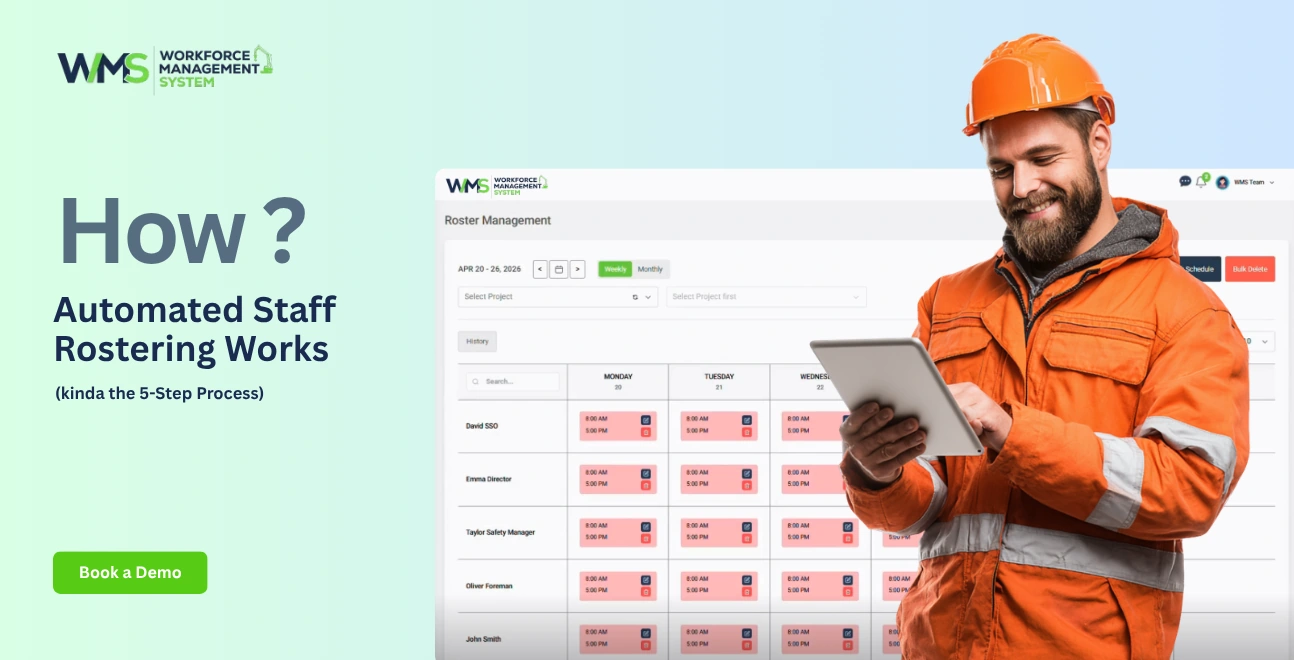
Automated staff rostering is basically done in five stages: first you feed it the right inputs, then you describe rules, then you set what people can do, after that the algorithm does its thing, and finally you review and push it out… all without too much manual fuss, or at least that's the idea.
Collect project requirements and crew data
Define skills, certifications, and compliance rules
Set availability, RDO accrual, and employment type parameters
Run the algorithm to build the "best fit" roster
Review, publish, and notify crews automatically
Step 1 Input Project Requirements and Crew Data
For each project phase like concrete pour dates, framing timelines, lock-up schedules define what matters. Add crew size requirements per phase and tie them back to your Work Breakdown Structure. Then enter each worker's classification (CW1–CW5 under MA000020), their employment type, and the base rate so the system works out real labour costs while it constructs the rosters.
Step 2 Define Skills, Certifications, and Compliance Rules
Upload white cards, high-risk work licences, and any relevant trade qualifications. Turn on expiry alerts so if a credential runs out, the person cannot be rostered, not even by accident. Configure the rules engine with MA000020 parameters, including ordinary hours span, overtime triggers, and rest period minimums.
Step 3 Set Availability, RDO Accrual, and Casual/Permanent Rules
Workers send availability through a mobile app. The system keeps track of RDO accrual automatically (0.4 hours per 8-hour day, 19-day cycle, max 5 banked). It also separates casuals from permanent staff. Casual workers get 25% loading, no RDOs, and can refuse shifts, while permanent employees get the proper entitlements applied to each roster line.
Step 4 Let the Algorithm Build the Optimal Roster
The algorithm lines up available workers with shifts using multiple checks: skills that are actually needed, site location and travel time, whether certifications are still valid, labour cost optimisation, plus compliance adherence. What you get back is a draft roster, with conflict flags, cost projections, and compliance warnings, and you can see all of that before anything is published.
Step 5 Review, Publish, and Notify Crews Automatically
Managers review the draft, make adjustments if needed, and publish using one click. Crews then get instant mobile notifications, including shift details, site addresses, and induction requirements. If anything changes, the system triggers re-notifications and recalculations, so the roster stays in sync.
7 Business Benefits of Automated Rostering for Construction Teams
70%+ admin time reduction
Elimination of RDO and overtime errors
Prevention of compliance breaches from expired licences
Labour cost reductions up to 15%
Improved crew morale
Instant weather adaptation
Real-time multi-site visibility
1: Cut Roster Admin from Days to Minutes
Manual rostering for a 50-person crew across three sites consumes 6-8 hours weekly. Automated rostering reduces this to 1.5-2 hours a 70-80% time saving. At $35/hour for a site supervisor, that's $9,555 reclaimed annually.
2: Eliminate RDO Accrual Errors and Overtime Miscalculations
Manual systems miscount the 0.4-hour daily accrual, miss the 19-day cycle trigger, or exceed the 5-banked-RDO cap. Automated rostering tracks accrual in real time, flags when an RDO is due, and prevents rostering someone beyond their banked limit.
3: Prevent Compliance Breaches from Expired Licences
Under WHS laws, head contractors face penalties up to $10.4 million for Category 1 offences when unlicensed workers perform regulated work. Automated rostering blocks assignments for expired credentials and alerts compliance managers to organise retraining.
4: Reduce Labour Costs by Up to 15%
Real-time labour cost visibility prevents budget overruns. As you build rosters, the system displays projected costs against project budgets flagging before you commit to expensive overtime. Construction businesses report 12-18% labour cost reductions and margin improvements up to 15%.
5: Improve Crew Morale with Transparent, Predictable Schedules
Research demonstrates that scheduling flexibility and advance visibility correlate directly with job satisfaction and reduced turnover. Automated rostering gives tradies 24/7 mobile access to upcoming shifts and fair shift distribution addressing the #1 cause of construction worker dissatisfaction.
6: React Instantly to Weather and Project Changes
When rain cancels a concrete pour, managers cancel shifts and reassign crews from their phone within minutes. The system recalculates weekly hours and overtime automatically, preventing payroll surprises.
7: Gain Real-Time Visibility Across All Project Sites
A single dashboard shows every site's crew allocation, shift coverage, and labour costs updated live. Regional managers identify surpluses at one site that could cover shortages at another. Project directors track actual labour deployment against planned budgets in real time.
Automated Rostering vs. Excel: A Side-by-Side Comparison
Excel cannot handle multi-site crew allocation, real-time compliance checking, automatic RDO tracking, or weather-driven rescheduling. Automated rostering does all four plus integrates with payroll, sends mobile notifications, and provides live cost visibility.
| Capability | Excel Spreadsheets | Automated Rostering Software |
|---|---|---|
| Multi-site crew allocation | ❌ Separate files | ✅ Single dashboard, drag-and-drop |
| MA000020 compliance | ❌ No built-in rules | ✅ Auto-applies penalty rates, RDO accrual |
| Real-time cost visibility | ❌ Post-roster calculation | ✅ Live display as you schedule |
| Weather rescheduling | ❌ Manual rebuild + individual alerts | ✅ Bulk changes with instant notifications |
| Certification expiry alerts | ❌ Separate tracking, easy to miss | ✅ Blocks rostering of expired credentials |
| Version control | ❌ Conflicting files | ✅ Single source of truth, audit trail |
| Mobile access | ❌ Desktop-only | ✅ Mobile app, offline function |
| Payroll integration | ❌ Manual export and re-entry | ✅ Direct flow to Xero, MYOB |
| RDO tracking | ❌ Manual calculation | ✅ Automatic 0.4hr/day accrual |
| Casual vs permanent rules | ❌ Manual distinction | ✅ Automatic loading application |
Where Excel Fails Construction Teams
Excel breaks down for five reasons: version control collapses with multiple supervisors; no real-time compliance checking means errors are caught too late; no certification linkage allows unlicensed workers to be rostered; static files cannot adapt to weather changes; and no mobile access forces managers back to the office.
What Automated Rostering Does That Spreadsheets Cannot
Automated rostering maintains one live database accessible to all managers simultaneously. Compliance rules are encoded into the scheduling engine, preventing violations before they occur. Certification expiry triggers automatic roster blocks. Weather-driven changes are handled via mobile app with bulk notifications. Payroll data flows directly from roster to payslip without re-entry.
Key Features to Look for in Construction Auto Rostering Software
Quick Answer: The best construction auto rostering software includes: MA000020 award interpretation, multi-site crew allocation with GPS verification, certification and white card expiry tracking, mobile-first design for site managers, RDO accrual automation, and direct payroll integration.
1: MA000020 Award Interpretation and Penalty Rate Automation
The software must understand the Building and Construction Award natively. Test this by creating a roster for a permanent CW3 and casual labourer. Does it calculate RDO accrual? Flag Saturday afternoon shifts at 200%? Distinguish casual loading from permanent entitlements?
2: Multi-Site Crew Allocation with GPS Clock-In
Workers should be assignable to specific sites, not just time blocks. The roster view must show which site each person is on, with drag-and-drop between projects. GPS clock-in verifies attendance at the correct location, preventing disputes and ensuring accurate job costing.
3: Certification and White Card Expiry Alerts
Compliance integration means the rostering tool connects to a certification database. When a worker's white card or high-risk work licence expires, they disappear from the available pool. Automated alerts 30, 14, and 7 days before expiry give time to organise retraining.
4: Mobile-First Design for Site Managers
Site managers operate from dusty job sites with gloved hands and patchy data. The app needs large buttons, offline functionality, and automatic sync. If a manager cannot cancel tomorrow's shift and reallocate the crew in under 60 seconds from a phone at 6:30am, the tool fails the construction reality test.
5 Roster Mistakes That Automated Software Prevents
RDO miscounts leading to underpayment claims
Scheduling unqualified workers on high-risk tasks
Double-booking crews across sites
Missing casual loading rules
Failing to consult workers before roster changes
1: RDO Miscounts Leading to Underpayment Claims
Manual tracking miscounts the 0.4-hour daily accrual, misses cycle triggers, or exceeds the 5-banked-RDO cap. Each error is a potential underpayment claim. Automated rostering tracks accrual in real time and prevents rostering someone who has exceeded their limit.
2: Scheduling Unqualified Workers on High-Risk Tasks
A scaffolder without a current high-risk licence cannot legally erect scaffolding. If rostered manually from a spreadsheet that doesn't link to certification data, this violation goes unnoticed until an inspector arrives. Automated rostering blocks the assignment entirely.
3: Double-Booking Crews Across Multiple Sites
A chippie rostered for Site A and Site B on the same day is a disaster. Excel cannot detect this across separate files. Automated rostering flags double-bookings instantly, showing which shift creates the conflict and suggesting replacements.
4: Missing Casual Loading and Minimum Engagement
Casual workers under MA000020 receive 25% loading and minimum engagement periods. Manual rosters often apply permanent rates to casuals. Automated rostering applies correct loading automatically and flags shifts below minimum thresholds.
5: Failing to Consult Before Roster Changes
MA000020 requires consultation before published roster changes. Manual systems have no audit trail. Automated rostering logs change requests, manager responses, and worker confirmations creating a defensible record if disputes arise.
How to Choose the Right Automated Rostering Tool
Choose by asking six questions: Does it handle MA000020 natively? Can it manage multi-site allocation? Does it track RDOs automatically? Is the mobile app usable on-site? Does it integrate with your payroll? Does it include certification alerts?
6 Questions to Ask Before You Buy
Does it understand MA000020? Test with a permanent CW3 and casual labourer.
Can I see all sites on one screen? Verify multi-site allocation with drag-and-drop.
How does RDO tracking work? Check 19-day cycle alerts and banked balance visibility.
Is the mobile app usable on-site? Try changing a roster from your phone on patchy data.
Does it connect to payroll? Confirm direct Xero or MYOB integration.
What happens when a licence expires? Set a test worker's white card to expire.
Red Flags of Generic Tools
- No mention of MA000020, RDOs, or the Building and Construction Award
- "Multi-location" means store addresses, not construction sites with shared workers
- Mobile app designed for office workers, not site managers in high-vis
- No certification or licence tracking
- "Customisable rules" instead of pre-built Australian award compliance
Real Results: Construction Teams Cut Admin Time by 70%
Construction businesses using automated rostering report 70% admin time reductions, 12-18% labour cost savings, and elimination of roster conflicts. A multi-site builder saved 14 hours weekly. A civil contractor reduced payroll reconciliation from three days to four hours monthly.
Multi-Site Builder Saves 14 Hours Weekly
A residential builder with three sites and 28 tradespersons previously spent 16 hours weekly on roster creation across Excel and WhatsApp. After implementing automated rostering with multi-site allocation, admin dropped to 4.5 hours weekly. Site supervisors now adjust rosters from their phones, and crews receive instant updates.
Civil Contractor Eliminates Roster Conflicts
A civil earthworks contractor with 45 workers struggled with double-bookings and RDO miscalculations. Automated rostering introduced real-time conflict detection, automatic RDO tracking, and GPS-verified clock-in. Payroll reconciliation fell from three days to four hours monthly. Zero compliance breaches since implementation.
The Future of AI in Construction Workforce Management
AI is transforming construction rostering through predictive demand forecasting tied to project phases, automated compliance monitoring with real-time audit trails, and adaptive scheduling that learns from historical patterns.
Future systems will predict labour shortages before they occur, suggest optimal crew mixes for each project phase, and automatically adjust rosters based on weather forecasts and material delivery schedules.
Predictive Demand Forecasting for Project Phases
AI rostering systems will analyse historical project data to predict labour needs for each construction phase. A system that knows your concrete pours typically require 6 labourers and 2 dogmen, while framing needs 4 chippies and a leading hand, can pre-build rosters weeks in advance adjusting automatically when project timelines shift.
Automated Compliance Monitoring and Audit Trails
Future platforms will maintain continuous compliance monitoring, not just point-in-time checks. The system will track certification expiry trends across your workforce, predict which licences need renewal in the next 90 days, and automatically enrol workers in retraining courses, preventing the "surprise expiry" scenario entirely.
Start Building Smarter Rosters Today
Automated staff rostering transforms construction workforce management from a time-consuming administrative burden into a strategic advantage. By replacing Excel chaos with intelligent, compliance-aware scheduling, you save hours weekly, prevent costly breaches, and keep every project site fully staffed regardless of weather, changes, or complexity.
If you're ready to cut roster admin by 70%, eliminate compliance risks, and gain real-time visibility across all your construction sites, WorkforceMS is built for Australian construction teams. Our platform handles MA000020 compliance, multi-site crew allocation, RDO tracking, and mobile roster management all in one system.
Start your free trial today no credit card required. See how automated staff rostering works for your crew in under 10 minutes.
Optimise your operations with WMS
Streamline scheduling, compliance, and workforce management in one platform.
FAQ Automated Staff Rostering Answered
In construction, rostering is where you assign people to job sites and shifts across a set repeating cycle, usually 4 weeks (under MA000020). Scheduling though is more like mapping out the project plan, the order of trades, and tasks over the build timeline. So rostering is people , scheduling is the actual work plan. In Australia people often just say "roster" like that's the normal term for workforce planning.
Nah, not really. Rostered Days Off (RDOs) are for full time employees and some part time roles under the Building and Construction Award. Casual workers instead get a 25% loading, not leave entitlements. They can also decline shifts without penalty, which is kind of the whole point. So your rostering software has to separate casual from permanent, and apply the rules right for each group.
Yes, construction focused automated rostering usually supports bulk shift cancellation, automatic crew reallocation, and push style mobile alerts. If weather stops a site, managers cancel that day's shifts from their phone, and the system re-calculates weekly hours, overtime forecasts, and even RDO accruals on the fly.
Costs vary a lot in Australia. You can see free tiers for small teams under 10, then mid market tools might land around $9 per user monthly. Larger enterprise systems are quote based. But honestly, the bigger real question is what it costs when you dont have it: 14+ hours of manager work each week, plus the compliance breach risk that can climb to $10.4 million for Category 1 WHS offences.
If you use a solid vendor, they should have bank level encryption, servers that are Australian hosted or GDPR aligned, and role based access controls. Try to find SOC 2 certification, ongoing security reviews, and clear backup procedures. Also, cloud storage is usually safer than Excel files sitting on one computer , or shared around by email.
Most switch overs are about 4 to 12 weeks. Usually 1–2 weeks to clean and prepare data, 2–3 weeks for picking the software and configuring it, then 1–2 weeks for training. After that, 2–3 weeks of running both systems in parallel. Most managers start feeling okay with the main features after about 2–3 weeks of steady use.
Yes. Many Australian construction rostering platforms plug in to Xero, MYOB, and other accounting systems. Rostered hours, approved timesheets, and leave details usually flow straight into payroll calculations, so you cut out manual transfer and those annoying reconciliation mistakes.
The system should block them from being rostered onto shifts that need that licence, and it should notify the compliance manager. Theyre still visible for tasks that dont require the licence. Then once the licence is renewed and uploaded, they pop back into the available pool quickly.
Related Articles
Explore more insights on workforce management, compliance, and operations.

Security Operations and Monitoring Workforce Planning
Plan guard rosters, track live attendance and cover every shift with WorkforceMS. Strengthen security operations and monitoring with smarter workforce planning.

Muhammad Asim
09 Oct 2026

Telehealth and Digital Healthcare Scheduling WMS
Simplify telehealth and digital healthcare scheduling with WorkforceMS. Manage rosters, remote clock-ins and compliance records in one easy-to-use platform.
Muhammad Asim
08 Oct 2026

Healthcare Workforce Management for Aged Care
Simplify rostering, credential tracking and payroll for aged care healthcare teams. Discover how WorkforceMS gives your carers more time with residents.
Muhammad Asim
05 Oct 2026
Ready to secure your operations?
