Facilities Management Through Digital Operations Mapping
Map your sites, staff, shifts and tasks in one view. See how digital operations mapping helps facilities teams plan rosters, track work and cut manual admin.

Share this article
Streamline your frontline operations
See how WMS simplifies scheduling, compliance and workforce management in one powerful platform.
Facilities Management Through Digital Operations Mapping
A facilities team never deals with just one thing. There’s a lift service at Riverside Tower, a cleaning crew running late at Central Plaza and a security officer who needs cover tonight, all at the same time. Most of that information sits in spreadsheets, text threads and a few people’s heads.
That’s where digital operations mapping comes in. It puts your sites, people, tasks and shifts into one connected picture, so you can see what’s happening now and what’s coming next. Below, we’ll look at how it works, what to map first and how WorkforceMS helps keep it all together.
Digital Mapping for Facility Operations
Digital mapping is no good if it involves drawing floor plans. It means creating an agreed, transparent model of your operation that really reflects it.
Consider the questions that you need to answer daily. This week, which sites should be covered? But what does it take to do the job?
When does the store open for service? If the answers are in different locations, then someone is always chasing them! These answers are brought together in a good map. You begin with the basics: your sites, the services offered at each site, the hours they operate and who serves the services.
Thereafter, each roster, task and timesheet relates to it. Everyone can see the change, and you don't have to spend as much time double-checking. Double bookings and missed services can gradually and unnoticed seep into service without a map.
Facilities Management and Resource Mapping
Resources are more than equipment. In facilities work, your biggest resource is time, and your most important one is people. Resource mapping simply records what you have, where it is and when it’s free. Most teams find it useful to map four things first:
| What you map | What it shows | Why it helps |
|---|---|---|
| Sites | Buildings, floors, service windows | Cover matches real site hours |
| People | Skills, licences, availability | The right person gets the job |
| Tasks | Cleaning, checks, patrols | Nothing slips between teams |
| Hours | Shifts and attendance | Pay and planning use the same data |
Once these four sit side by side, gaps become obvious. A cleaner might be rostered at two sites at once, or a maintenance job might have nobody with the right licence. Spotting that on a map takes a minute. Finding out on the day takes a lot longer, and usually costs more too.
Real-Time Asset and Task Visibility
There is a need for regular attention to be paid to plant rooms, lifts, air-conditioning units and/or fire panels. It's the next level of control to know the status of each job related to them.
One Live View
A live view answers the simple questions fast. Who’s on site right now? Has the morning clean started? Is the evening patrol covered? When staff clock on and tasks are updated as the work happens, managers don’t need to ring around to find out.
A quick note on scope. A workforce platform shows the people and task side: who’s working, where and when. Equipment histories are generally kept in a separate asset register that is detailed. The two go hand in hand, and both the workplace and work crews are kept honest on what really happened.
Mapping Maintenance Workflows
There is a pattern to any chaos when it comes to maintenance. A request is made, a person is assigned, they go to the request, complete it and record it. There are owners and time limits associated with each step. Write those steps down and give each one a name. Then ask where jobs usually stall. Often it’s the handover between the person who takes the request and the person who does the work.
Seeing that on paper makes it much easier to fix. It also helps to map planned and reactive work separately. Planned jobs, like routine HVAC and electrical checks, can be set up as recurring shifts. Reactive jobs need a quick way to find the next available person with the right skills. When both sit on the same map, your team stops mixing them up, and urgent calls stop wrecking the planned schedule.
WMS for Integrated Facility Operations
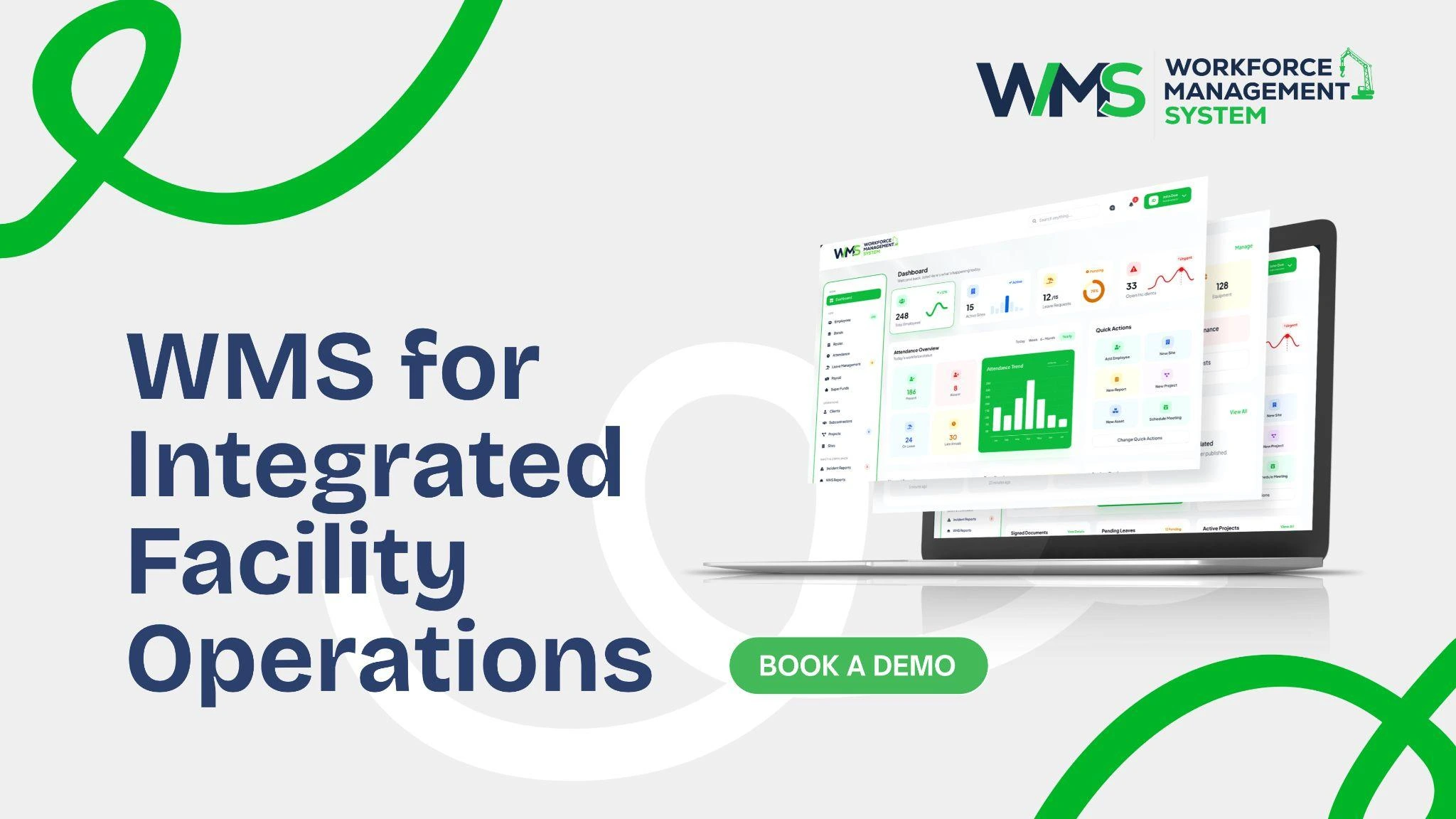
A map is only useful if it stays current. That’s the job of a WMS: it keeps your people, schedules and hours in one connected place, so the picture updates as the day unfolds. WorkforceMS is built around the workforce side of facilities management. The main points include:
- Rostering and staff scheduling across sites and services
- Recurring shifts and service windows
- Time and attendance, with hours recorded in one place
- Timesheets linked to rostered shifts
- Award-compliant payroll for shift teams
- Licence tracking and renewals
Instead of juggling separate tools, managers see a roster, an attendance record and a pay-ready timesheet that all come from the same data. You can read more about the scheduling and time features on our site.
Facilities Management and Workflow Analysis
Once you map your operations, patterns start to appear. You’re no longer guessing why a site runs over budget. You can see it. Look for the usual suspects: overtime that keeps creeping up, shifts that start late, tasks that get repeated because they weren’t finished the first time. Compare planned hours with actual hours for each site.
If a morning clean regularly takes an hour longer than rostered, the roster is probably wrong, not the cleaner. Small fixes add up. Moving a start time, adding one person to a busy window or changing a handover can smooth out a whole week. The map gives you evidence to make those calls with confidence, rather than relying on gut feel or whoever complains the loudest.
Location-Based Workforce Allocation
Facilities staff don’t stay in one spot. A technician might cover a tower in the morning and a shopping centre after lunch. Allocating by location means assigning people with the site, travel time and skills all in mind.
Right Skills, Right Site
Some jobs require a specific licence or qualification, such as electrical checks or security patrols. When licence details sit with each employee’s record, you can see who’s eligible before you roster. Approved leave and availability appear on the same view, so you’re not offering a shift to someone who’s away.
Fewer last-minute swaps follow, and fewer calls at 5 am. You can see how this works across sites on our facilities management page.
Tracking Maintenance Tasks Across Sites
Running several sites multiplies the paperwork. Each building has its own rules, contacts and service times, and tasks easily drift out of step. Give every task the same few details: site, owner, due time and status. When all sites use the same format, managers can compare them side by side.
A task that’s overdue at Northpoint stands out straight away, instead of hiding in someone’s inbox. Recurring work benefits the most.
Monthly checks and weekly patrols can be set once and repeated, with attendance records showing they actually happened. That’s handy when a client asks for proof at contract review time. For wider planning tools, take a look at the operations and delivery features.
Data-Led Facility Performance Insights
Mapped operations create a steady stream of useful data. The goal isn’t more reports. It’s better decisions.
Numbers Worth Watching
Keep it simple. These will give you the majority of your information: Planned hours per site versus actual hours per site; overtime and late starts; shifts covered versus missed; tasks completed on time versus not completed on time.
Review them weekly rather than once a year. Trends show up early, and small problems are cheap to fix. Over time you’ll also have solid numbers to back up quotes, contract reviews and staffing requests, which makes those conversations a lot easier.
Conclusion
While facilities work is going to be very busy, it doesn't need to be disjointed. Problems are revealed earlier, and fixes are easier when all your sites, people, tasks and hours are located on one connected map. Consider starting simple and mapping out your sites and shifts first and adding skills, tasks and reporting later.
Start small: map your sites and shifts first, then add skills, tasks and reporting as you go. That’s the real value of digital operations mapping. It turns daily juggling into a clear, shared view your whole team can trust.
Optimise your operations with WMS
Streamline scheduling, compliance, and workforce management in one platform.
Frequently Asked Questions
It’s a shared picture of your sites, people, tasks and shifts in one place. Everyone can see who’s working where and what’s coming up next.
Start with your sites, service hours, staff and shifts. Once those are sorted, add skills, tasks and reporting as you go.
It covers the workforce side, like whose roster is, when they clocked in and whether recurring shifts happened. Detailed equipment histories usually sit in a separate asset register.
You can see licences, availability and approved leave before you roster anyone. That means you’re not offering a shift to someone who’s away or isn’t qualified.
What you can get from planned versus actual hours, overtime, late starts and missed shifts is most of this. A weekly checkup of their weekly review will get small problems fixed in time before they can grow.
Not at all. Smaller teams with a few sites often notice the difference quickly, because there’s less time lost chasing rosters and timesheets.
Related Articles
Explore more insights on workforce management, compliance, and operations.

Security Management Strategy with Smart Workforce Analytics
Build a stronger security management strategy with smart workforce analytics. Plan guard deployment, track licences and review team data in one place.

Muhammad Asim
30 Oct 2026

Smart Cleaning Roster Management with WMS
Improve cleaning roster management with a smart WMS. Match cleaners to shifts, adjust rosters fast and track hours across all your sites in one place.
Muhammad Asim
29 Oct 2026

Healthcare Risk and Patient Safety Through Smart WMS Automation
Improve healthcare risk and patient safety with smart WMS automation. Plan safer rosters, fill shifts fast and track all staff credentials in one place.
Muhammad Asim
28 Oct 2026
Ready to secure your operations?
