Facilities Management Technology for Faster Work Order Handling
Facilities management technology speeds up work orders with digital requests, smart task assignment and live job updates. See how WorkforceMS helps your team.

Share this article

Streamline your frontline operations
See how WMS simplifies scheduling, compliance and workforce management in one powerful platform.
Facilities Management Technology for Faster Work Order Handling
If any taps are leaking, lights are faulty, or doors aren't working properly, the entire building will be slowed down. Facilities management technology can help teams close those tasks faster, without delays, and allow them to log and assign tasks. This guide will help you understand the benefits of digital work orders, how they save time, how they prevent confusion and how they keep all requests on track.
Understanding Facilities Management in Daily Operations
Facilities management maintains buildings' safety, cleanliness and function. It includes: repairs, inspections, cleaning, security checks, and routine maintenance. Every successful day is the result of a team that is working through small challenges and issues so they don't grow.
They have to begin with a request for most of this work. A fault is reported, and the team needs to decide who is to go, when it is to go, and what tools are required for the fault. If this is done slowly, the issue will tend to worsen.
Where Delays Begin
The use of phone calls, e-mail and handwritten notes is still the norm in many teams. Requests go astray, information is lost, and nobody knows who is doing what.
This leaves managers in the position of having to follow up on updates rather than work planning. The wait time increases for tenants and staff, as does staff trust in the team.
Facilities Management Technology for Work Order Handling
Work Order: A record of a job. It tells what things are wrong, where they're located, how important it is and who will fix it. Digital work orders centralise all this, rather than it being spread throughout messages.
Each order follows clear steps that are facilitated by the appropriate tools: request, review, assignment, repair and review. All can see at any time the position of a job.
Double handling is also eliminated with the use of digital records. Data once inputted is utilised by the manager, the technician and the individual who requested the information.
Less Paper, More Action
If the details are known to begin with, technicians are ready to go. They are aware of where it is, the type of fault, and the approximate tools required.
Digital Work Request Submission
The first step in good work order handling is to have an easy way of requesting help. A quick online form enables employees, residents or site supervisors to notify of a break in a matter of minutes from a phone or a computer. A good request will contain the location, brief description, picture and the urgency.
This information will enable the team to make a rapid decision, without having to call back for more information. Requests can be sorted by site, type and urgency as they come in as well. The automatic confirmation must work, too. The raised request gets a reference number, and when the person who raised the request receives it, he/she knows that the job was received and can check later for the progress.
Fewer Missing Details
This is to stop requests like 'fix the door' since there is no way to determine which door in the house is being referred to. Clean forms save time for all subsequent parties involved with the task.
Assigning Tasks to the Right Employees
Starting fast is not the only aspect of speed. It’s also the matter of sending the right individual. Pumping or plumbing causes should not be assigned to an electrician, and a worker who cannot gain access to the site should not be allocated to a locked area. The digital assignment matches employment with the skills of the worker, the worker’s licence, location of the worker and availability.
The manager can see what’s available, who is available and who has the necessary skills. This would also contribute to fairness. The work is distributed among all the group members, not on a few, thus avoiding burnout and overtime. If a job is assigned, then the technician is immediately notified. The message contains the address, the fault, the safety note(s) and the priority.
WMS for Work Order Scheduling and Tracking
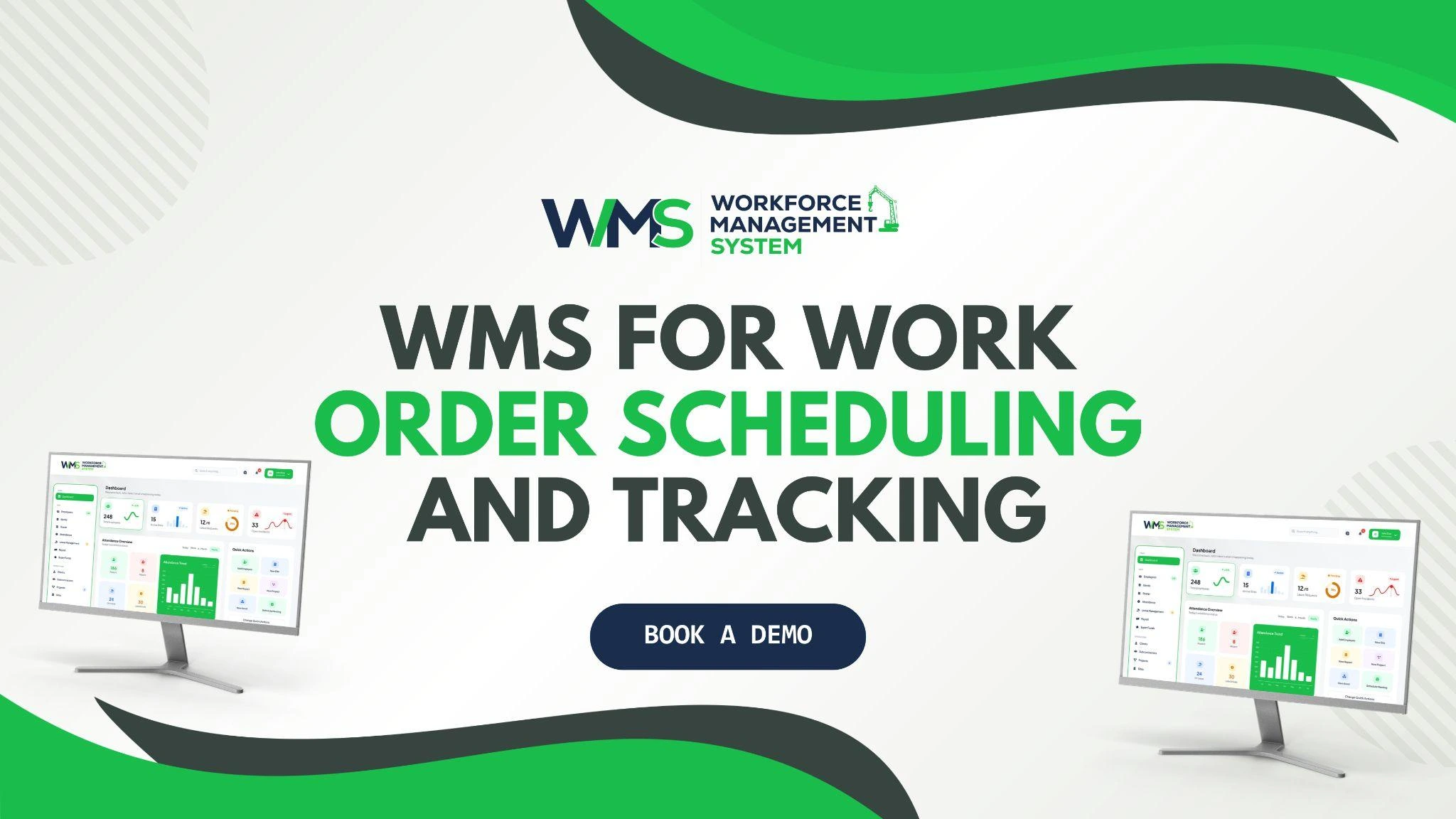
A WMS integrates all the elements of rosters, timesheets, worker records and job schedules in one system. Individuals keep separate shift, repair and attendance records not required for managers.
The right person for the right task is another vital aspect of a good work management system. It displays the rostered job(s) they are rostered for and the number of hours they have worked in the current week. This one shared record is most beneficial to facilities teams.
Built on Construction Experience
Originally, WorkforceMS was created for the construction industry, where workers are on the go to multiple work sites, and all work needs to be documented. It’s a background that is perfect for maintenance teams, who also work across different locations and require clear records. It’s easier to schedule if work orders and rosters are in parallel.
A manager can schedule a repair without any conflicts in the schedule or hours cap and can also schedule it to run in a free time period. Every order is displayed with its status, who owns it and the hours that it has been owned. Having a WMS will result in hours spent on repairs being recorded in timesheets. This helps ensure accurate pay and provide managers with an accurate picture of the labour cost for each job.
Facilities Management Technology for Maintenance Coordination
When it comes to maintenance, it’s usually not a single job. A repair will require a repairman, a contractor, parts and a restricted space. Have common digital schedules to avoid team overlap. The repair can be scheduled for the afternoon if the cleaning crew is using the room in the morning.
The planned maintenance is also in the same system. This is frequently known as preventive maintenance, and it prolongs equipment functioning. They can be scheduled ahead with regular inspections, safety checks and equipment servicing, thus minimising the number of emergencies involving equipment breakdowns.
Repeat visits are avoided due to good communication between supervisors, technicians and contractors. Planning needs to be done for access and safety. Site induction, permits and keys can be recorded on the job to ensure the appropriate person is on site ready to work.
Real-Time Job Status Updates
Not knowing what's going on is frustrating. Status updates are provided in real time to see if a job is new, assigned, in progress, waiting for parts or complete. Workers can make changes to a job from their cell phone while at work. It is suitable for teams that work in an environment where they spend a lot of their time outside of the office.
It allows them to add images, notes and time spent without ever having to get back to the office. Managers can view the information immediately. They can shift resources or inform the requester of the problem, rather than find out at a later date.
Clear News for Requesters
No longer having to call for updates from staff and tenants. A status check can resolve their quandary and enable the team to attend to repairs.
This helps to establish trust as well. If individuals notice steady progress, they will be less of a problem and will not request the same thing again.
Managing Repair Priorities and Deadlines
Not all jobs are of equal priority. Whether it's a water leak or an electrical problem, it needs to be done now, as opposed to a faded sign. Clear levels of priority enable teams to focus on what is important.
Here is a simple sorting of requests, using the table below.
| Priority | Example | Target Response |
|---|---|---|
| Urgent | Water leak, power fault | Same day |
| High | Broken lock, faulty heating | Within 1 to 2 days |
| Normal | Worn fittings, minor repairs | Within a week |
| Planned | Routine servicing | Scheduled date |
All deadlines should be realistic. Targets are site-specific managers need to carefully consider what targets are going to be set and should review them regularly in relation to the contract and safety risk.
In case of an emergency for a minor task, the manager has the option of reordering the list and informing the team immediately. If time is running out, automatic notifications are of assistance. Tasks that are approaching their due date can be marked to alert a supervisor to take action before it becomes a complaint.
Reviewing Completed Work Orders
When a task is not checked, it isn't done. Completion review verifies that the fault has been resolved, the area is now safe, and the requester is happy that the fault has been resolved.
Half-completed work is not considered complete until signed off by a short sign-off step. Technicians can close a job and add notes, photos and the time. The record is then reviewed by the supervisor, and if there was something that was not seen, it is reopened.
Learning From Past Jobs
Patterns are evident in completed orders. If the fault occurs repeatedly, the problem could be that a component is worn or that a repair technique is unsuccessful. Reports of response time, repeat jobs, overtime and workload assist managers to improve. Reports also feature the capacity to have candid discussions with customers regarding their fees and performance.
Well-kept records can also benefit audits and safety inspections. When asked, proof of what and when is ready. Employees should understand the information that is being documented and the purpose of it. Clear rules in keeping with Australian privacy law create trust and maintain the focus on the work, rather than on watching people.
Key points to remember:
- Record all requests in a single electronic system.
- Add "location", "photos" and "urgency" from the beginning.
- Place workers in jobs based on their skills, competency and availability.
- Update the status of jobs in real time.
- Check and correct faults and review completed orders weekly.
Conclusion
Clear requests, the right people and honest records are essential to fast repairs. With facilities management technology, teams have one view of each job, from report to check. Schedule a demo of WorkforceMS and experience for yourself how connected work orders help to keep your sites running smoothly.
Optimise your operations with WMS
Streamline scheduling, compliance, and workforce management in one platform.
Frequently Asked Questions
It is a record of a repair or task that includes location, urgency and the assigned person. No need to make many trips to and from a library.
It logs requests instantly and sends them to the right worker. Delays from calls and paper notes disappear.
Yes, a simple form lets anyone submit a request with photos and details. A reference number confirms it was received.
They show whether a job is assigned, in progress or complete. Requesters stop calling for news.
It prepares and plans for inspections and repairs. This helps to avoid emergency breakdowns and revisits.
Yes, WorkforceMS stores all your rosters, timesheets and job schedules in a central location. Managers can quickly and easily assign and monitor repairs.
Related Articles
Explore more insights on workforce management, compliance, and operations.
NDIS Plan Management Through Participant Journey Mapping
NDIS plan management gets simpler when goals, workers and services are mapped in one place. See how WorkforceMS helps support teams stay organised and on track.

Muhammad Asim
11 Nov 2026
Field Service Scheduling and Despatch Software for Task Tracking
Field service scheduling and despatch software helps managers assign jobs, balance workloads, and track tasks live. See how WorkforceMS keeps visits on time.
Muhammad Asim
10 Nov 2026
Skilled and Specialist Labour Hire with Real-Time Skills Mapping
Skilled and specialist labour hire works best with verified skills, tracked licences and live availability. See how WorkforceMS places the right worker fast.
Muhammad Asim
06 Nov 2026
Ready to secure your operations?
