
WMS
Top AI Solutions To Manage Construction Workforce
14 Sep 2026•1 min read
HR Software - 2026
If you run a construction business in Australia, you know how much is happening every day. Workers need to be managed. Projects kept on track. Subcontractors need to have coordinated safety records updated and invoices sent out on time.
Most businesses handle all this with a mix of spreadsheets, paper forms, phone calls and separate apps that don't talk to each other. The problem with this approach is that it's slow, and things can fall through the gaps.
For example, a licence can. Nobody notices. A subcontractor's insurance can. Your site is exposed. A project can go over budget on labour costs. HR software built for construction is designed to close these gaps. It replaces apps with one connected platform where every part of your business talks to each other.
WorkforceMS is a workforce management system built for construction businesses by G-Tech Solutions. It covers employee records, subcontractor compliance, project management, site safety, asset tracking, invoicing and reporting. All in one cloud-based platform.
This article explains what WorkforceMS is, how it works and what each module does so you can understand how it can help your business run better.
WorkforceMS is a cloud-based HR and workforce management software platform. This means the software is online. It is not just on one computer in the office. You can log in to it using a web browser or a mobile device from anywhere you are, such as your office, a site shed, a jobsite or even your home.
This is really important for construction businesses because your team is usually not all in one place at the same time. For example, your HR manager might be in the office, or your project manager might be at a meeting on a site.
The software uses one database that connects everything. This means that when you put information into one part of the system, it automatically goes to all the parts that need it. So if you put a worker's details into the HR part, it will also go to the part that deals with which projects they are working on, the part that tracks who is on site and the part that deals with paying them.
This is what makes WorkforceMS really different from using a bunch of separate tools. When all the different parts of the system share the information, your business will run more smoothly like one connected operation, instead of a bunch of separate parts that are held together by people doing extra work. WorkforceMS is what makes this possible. That is why it is so useful for construction businesses.
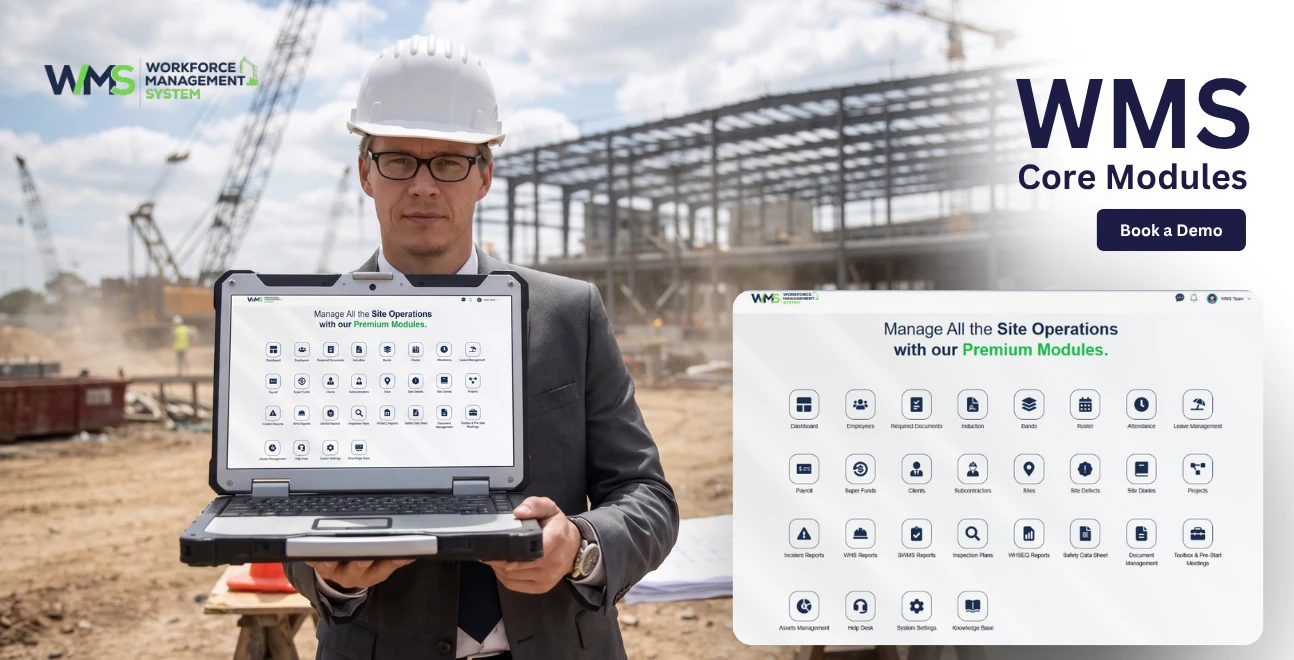
Before going through each module in detail, here is a summary of everything inside the platform and what each part does:
| Module | What It Does |
|---|---|
| HRM | Manages employee records, licences, leave, and onboarding |
| Client | Stores and manages all client information and history |
| Subcontractor | Tracks subcontractor details, compliance, and integration |
| Sites & Projects | Manages site allocations, workforce, and project budgets |
| Tender Management | Tracks the tender pipeline from preparation to outcome |
| Project & Task Management | Plans, assigns, and monitors tasks in real time, like on the fly |
| Safety & Compliance | Manages safety records, incidents, and WHS obligations, keeps a close eye on it all |
| Toolbox & Prestart Meetings | Records digital toolbox talks with worker sign-offs |
| Asset Management | Tracks plant and equipment, maintenance, and depreciation |
| Invoices | Generates and tracks invoices directly from project data |
| Reporting | Produces real-time reports across all areas of the business |
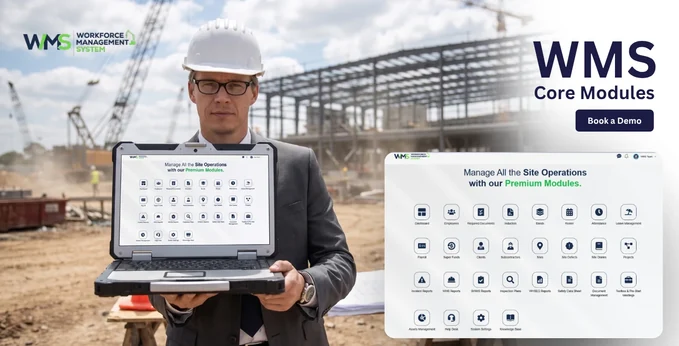
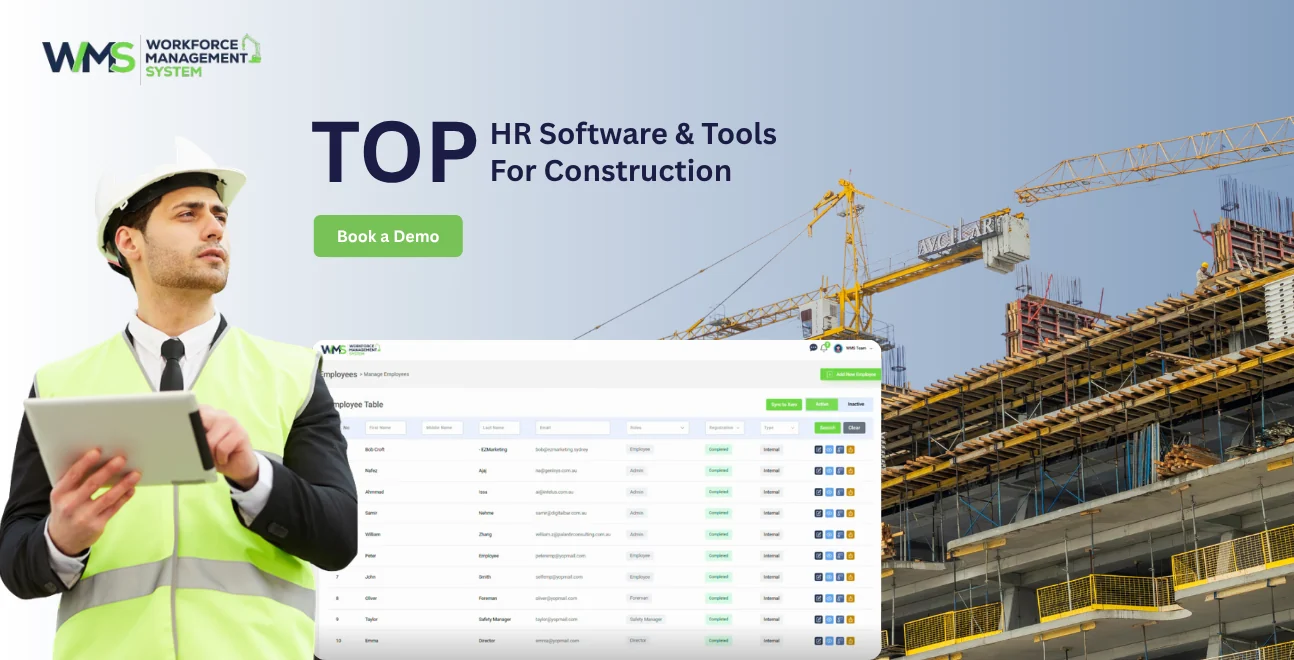
The WorkforceMS platform, sort of, is built around the HRM module. And yeah, that’s basically where you manage your workforce digitally, all from one spot. Each employee gets their own profile, so you can keep their personal information there, along with employment details, the job role, pay rate, plus things like qualifications, licences, certifications, leave history, and key documents.
The centralised employee database means all the information about your workforce is stored in one place and kept up to date promptly. When a worker's details change, like an address or a new qualification, it is updated once and reflected everywhere across the WorkforceMS platform.
The employee payroll is handled by the HRM module. Payroll in construction is more complex than in other industries. Workers may be on pay rates, different award classifications, different shift structures and different site allowances. The HRM module ties payroll calculations directly to attendance data and hours. Individual employment conditions.
Every worker makes a lot of documents when they are working, like contracts and records from when they started. They also make copies of their licences and certifications. They get performance reviews. The document management part of the HRM module is where you can keep all of these documents online for each worker.
Not everyone in your company needs to see all of it. Like a site supervisor should see attendance records, and inductions— but they do not need to look at payroll details. An HR manager should have access to employment records; they probably won't need project financials, though.
For construction businesses, following rules and regulations is very important. Workers must have licences and certifications. Your business must be able to show this at any time. The HRM module tracks every licence and certification.
Every project that your business delivers is for a client. Managing these client relationships well is very important. It has an impact on your ability to get repeat work and keep a healthy cash flow. The Client module is a system for managing every client relationship. It starts from the contact and goes all the way to project completion and beyond.
The Client module generates reports automatically. These reports keep clients informed about the progress of their project. They know about the milestones that have been reached and any issues that have been found. This saves a lot of time for your project managers. It also keeps clients engaged and confident that their project is being managed well.
The Client module has structured communication and approval workflows. This means that every request, change and approval goes through a defined process. Nothing is agreed verbally. Then forgotten. Everything is documented, tracked and stored. This creates a record of what was requested, what was approved and when.
Understanding how your clients feel about the service they get from your business is really important. This is very important for keeping the clients you already have and getting a reputation for new work. The client satisfaction tracking function helps you get feedback at various stages of the project.
The real-time project portal for clients gives your clients a way to see how their project is going. They can see when milestones are reached, tasks are finished, and documents are. What approvals are still needed? They do not have to call or email you to get updates.
The Client module also has document sharing and e-signature integration. This function lets you send documents to clients directly through the platform. You can capture their signature without printing a single page. Everything is stored in the system with an audit trail of who signed what and when. This includes contracts, variation orders, drawings and approval documents.
Every construction project in Australia involves subcontractors. The work gets done by specialist trades. Managing them properly is one of the most difficult parts of running a construction business. The Subcontractor module brings all subcontractor management into the system you use for everything else, with features designed for the way Subcontractor relationships actually work.
For businesses using Xero as their accounting platform, the Subcontractor module connects directly to Xero. Subcontractor payment data flows between WorkforceMS and Xero automatically.
When Subcontractors are engaged on a labour hire basis or as contractors with consistent payment arrangements, the payroll function inside the Subcontractor module handles their payments in the same way it handles direct employees.
Every business has reporting needs when it comes to Subcontractor management. The custom reporting function lets you build reports that show the information your business needs. You can see costs by project hours by Subcontractor, compliance status across the panel or any other combination of data that helps you manage your Subcontractor relationships effectively.
The Subcontractor module generates payment summaries and remittance documents for Subcontractors automatically as PDF salary slips. These are professionally formatted, accurate and available immediately without any document creation. The PDF salary slips are a feature of the Subcontractor module.
When a payment is processed or a document is generated, the system automatically sends the notification or document to the Subcontractor by email. This removes a step from your admin process and ensures Subcontractors are kept informed without your team needing to chase every communication individually.
Construction businesses have to deal with a lot of sites and projects at the same time. This can be really tough to keep track of. It is one of the problems that construction businesses face. The Sites and Projects module is a tool that helps you manage all of your construction sites and projects in one place. You can see what is going on with your construction business.
Every construction project has a timeline with milestones. These milestones include when the construction project is finished, when inspections are supposed to happen, when the client checks the work and more.
The project timeline function helps you plan these milestones at the start of the construction project. You can then track progress against them as the construction project continues. If a milestone is at risk of being missed, the system will show you before it becomes a problem.
Construction workers and subcontractors check in and out of construction sites using the platform. This gives you a record of who's on each construction site at any given moment. This is important for safety and for managing the construction site.
Assigning the people to the right construction projects at the right time is crucial. The resource allocation function helps you plan your workforce across all of your construction projects.
You can adjust allocations as needed to make sure your construction business runs smoothly. The Sites and Projects module helps construction businesses do this.
Project budgets are set in the system. Tracked in real time. Labour costs from attendance and payroll data flow automatically into project cost tracking. This gives project managers and business owners live visibility into how each project is tracking financially.
Regular progress reports can be produced straight from the project data. They show the current state of the project, using real numbers and not just guesses. So you get task wrap-ups, hours that were actually worked, milestones that got reached and costs that were incurred.
Construction projects create a lot of documents. These include drawings, specifications, variations, inspection records, permits and correspondence. The document control function gives you a repository for all project documentation.
Winning work is the beginning of every project for construction businesses. This usually means they have to spend a lot of time and effort making and submitting tenders. If they do not have a system to manage this, they have to rely on emails, shared folders and doing things by hand.
The system tracks every tender from when you start making it to when you submit it and get a result. You can see which tenders are being worked on, which have been submitted and are waiting for a decision, which have been won and which have not been successful.
When you are making a tender, you often have to compare price quotes from subcontractors or material costs to come up with your final bid. The bid management function helps you organise and compare these things inside the system.
All the documents for a tender, such as what work needs to be done, drawings, specifications and correspondence, are stored in one place that is linked to each tender. When you need to look at tenders for similar projects, you can find the information right away instead of having to search through old emails.
The deadlines for the tenders are, well, pretty firm. If you miss them, you basically lose the opportunity to get the job. The system actually sends reminders, and also alerts about upcoming deadlines, so the right people, or the right team members, get a heads up ahead of time.
The system updates the status of every tender in time as it moves through the process. Team members who are working on parts of the tender can see where things are without having to ask for updates. Managers can also monitor all the tenders without having to ask individuals for status reports.
Every tender is given a reference number in the system. This makes it easy to track, search and reference tenders in all communications, documents and reports. This is especially helpful for businesses that are working on a lot of tenders at the same time. Tender management is made easier with this system.
When a project is confirmed and it gets underway, the challenge changes to delivering the project on time and within the budget. The Project and Task Management module gives project managers the tools they need to plan the work at a level, assign it to the right people and monitor the progress in real time across every project that is running at the same time.
The Kanban board gives project managers and team members an intuitive view of all the tasks within a project, organised by status. Tasks that are to be done, tasks that are in progress, and tasks that are complete.
Every project task is assigned to a worker or a team with an idea of what needs to be done and when it needs to be finished. The workers can update the status of their project tasks directly from their devices when they are on site.
Not all the tasks have the level of urgency for the project. The priority and status management function lets the project managers flag the tasks by priority level, ensuring that the critical tasks get the attention they need and that the team members always know what to work on first when there are competing demands for the project.
Many tasks in a construction project cannot start until a previous task is complete for the project. The project dependencies function lets you map these relationships within the system.
Upcoming and overdue deadlines are monitored automatically across all the projects. When a task is approaching its deadline or has passed without being marked complete for the project, the system flags it so the project managers can take action before a small delay becomes an issue for the project.
For businesses that are running sites, the tasks can be organised and filtered by site, making it easy for the site supervisors to see only the tasks that are relevant to their location, while the project managers retain a cross-site view of everything that is happening across the business for the project.
The Australian construction industry has to follow safety rules by law. The Safety and Compliance module puts all safety management in one place, making it easy to use and ready for audits all the time.
When something goes wrong or almost goes wrong on site, you can report it through the platform. The report gets all the details saved forever and starts the process to fix the problem.
In Australia, construction companies have to have Safe Work Method Statements for high-risk work. The SWMS management function lets you make, save and control versions of SWMS documents through the platform.
Before workers can go on site, they have to do the site induction. The induction tracking function keeps track of which workers did the induction for each site. This makes sure that no worker who did not do the induction can go on site without it being obvious.
Safety audits and site inspections are recorded in the system with all the details of what was checked and what was not. What needed to be done. This makes a history of all safety activity, on every site that you can search, which is what you need to show you did everything you could in case of a regulatory investigation or legal issue.
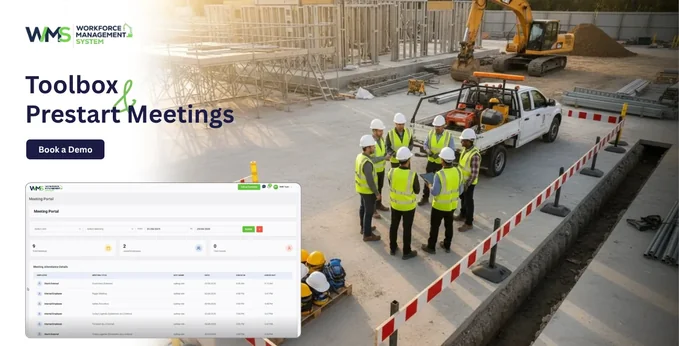
Toolbox talks and prestart meetings are a safety practice on Australian construction sites.
There are briefings at the start of each shift where workers learn about hazards, safety controls and site updates. These talks are both a standard and a legal requirement under WHS regulations.
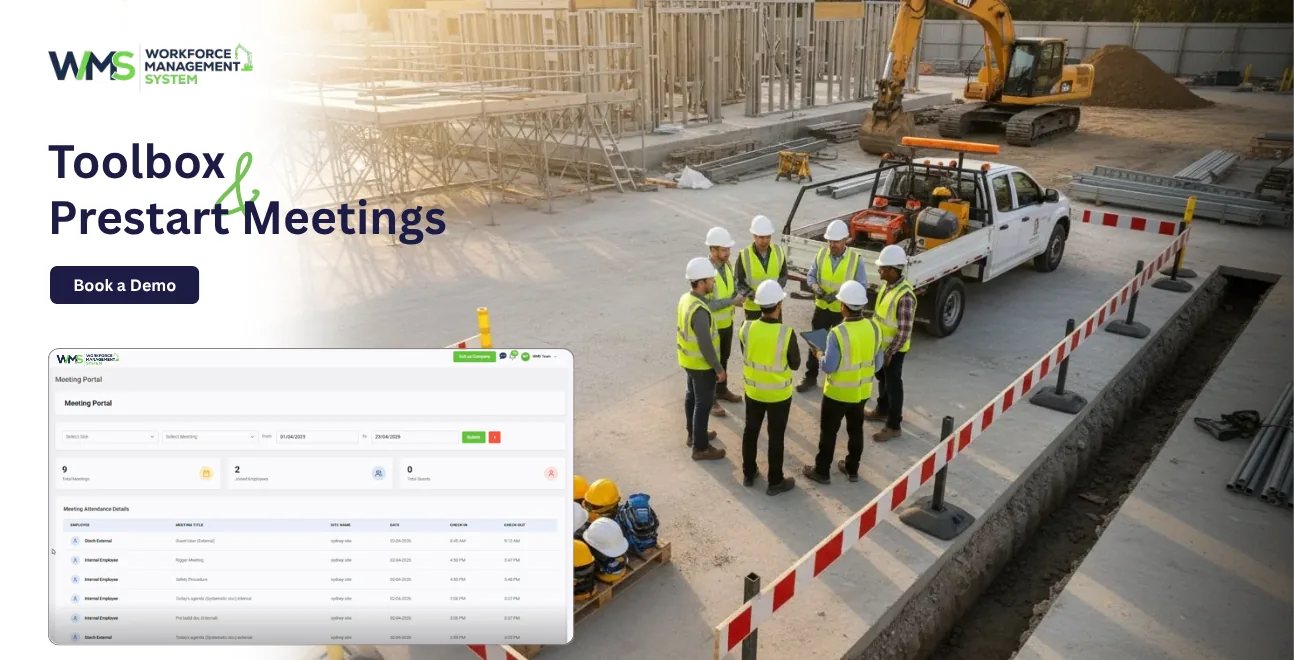
The Toolbox and Prestart Meetings module uses records instead of paper sign-in sheets. Every toolbox talk is recorded with date, site, content and the person who conducted it. Digital records on a platform are permanent and accessible when needed. They do not get. Damaged like paper records.
There are pre-start meeting templates in the module. They help site supervisors run meetings every morning. Templates can be customised for sites or projects. This ensures the content is relevant to the work being done.
Workers sign off on attendance. Meeting content on their mobile device. This creates a record for each worker showing they were present. Acknowledged the content. This record is evidence that workers were briefed on hazards when an incident occurred.
Construction businesses put a lot of money into plants and equipment. Things like excavators, elevated work platforms, power tools, vehicles, concrete mixers, compactors and scaffolding systems are investments and come with serious safety concerns. If you do not manage these things well, you will lose money because of breakdowns.
The Equipment Register is kind of like a logbook for all the plants and gear your business owns, or uses. Each item gets its own page with the details such as when you bought it, what condition it is in when it was last serviced and where it is being used at the moment.
This system helps you stay aware of when each equipment bit needs a proper check. It will send you small reminders when service is coming up, or when it is overdue. That way, you won't end up using a tool past its service date, which can be dangerous and trigger all sorts of issues.
You can assign equipment to jobs or sites using the system. This means you always know where each thing is being used, which saves time searching for equipment and makes it easier to plan and organise things across sites.
The system also helps you keep track of how much value the equipment loses over time. You can choose how you want to calculate this. The system will do it for you. This keeps the value of your equipment accurate. Gives your accountant the information they need to do financial reports and taxes.
Cash flow is really important for any construction business. The speed at which you send out invoices and how accurate they are has an impact on your cash flow. If you send out invoices slowly, you get paid slowly. If your invoices are not accurate, it means you have to deal with disputes and delays. You have to spend time fixing mistakes.
The Invoices module in WorkforceMS helps you send out invoices faster and more accurately. It does this by using the information you already have about your projects and attendance.
WorkforceMS tracks things like labour hours and project progress. This means it already has the information it needs to generate an invoice. The system can make invoices automatically, which saves you a lot of time and reduces errors. You get invoices that're correct and consistent every time.
The platform keeps track of every invoice. It shows you what is going on with payments, so you can glance through it and see which invoices haven't been paid yet, which ones are overdue. Also, you can tell what you are still owed in total, without digging around.
If you work with clients in countries or in different markets, the system can handle invoices in different currencies. This means you do not have to convert currencies or use a separate system.
WorkforceMS calculates taxes like GST automatically on every invoice. It does this based on the work you did and your relationship with the client. This reduces the risk of making mistakes when calculating taxes. Every invoice you send out is correct. Follow Australian tax rules from the start.
The data that goes through WorkforceMS every day is really important. This includes things like attendance records, labour hours, project costs, safety incidents, compliance status, invoice values and asset maintenance records. All this data is only useful if you can read it, understand it and make decisions based on it.
You can get reports on the hours worked by individual employees, teams, sites or projects at any time. This helps project managers and business owners get information about labour deployment.
WorkforceMS makes reports that show attendance records for all sites. These reports show who was there when they were there and how long they stayed. Compliance reports show the status of licences, certifications and inductions for the whole workforce. This helps identify any gaps that need to be fixed before they become a problem.
It is really important to know how labour is spread across projects and where overtime is happening. These reports give you the information you need to have informed talks about resources, project budgets and workforce planning.
The system. Reports on performance metrics for teams and individuals. This gives managers the facts they need to support performance conversations. They can identify people who are doing well and address productivity issues with evidence rather than just what they think.
Every business is different. Has its own reporting needs. The custom report builder in WorkforceMS lets you make reports that get the data you need. You can. Organise the data in the most useful way for your business.
All reports can be exported as CSV files for further analysis in Excel, or other tools, or as PDF documents for sharing with clients, principals, auditors, or even internal stakeholders.
| Report Type | What It Shows | Who Uses It |
|---|---|---|
| Timesheets & Hours | Hours worked by worker, team, project, or site | Project managers, business owners |
| Attendance Report | Check-in and check-out records across all sites | Site supervisors, HR managers |
| Compliance Status | Licence and certification expiry across the workforce | HR managers, safety officers |
| Safety Incident Report | Incidents logged, actions assigned, resolution status | Safety officers, directors |
| Labour Distribution | How labour hours and costs are spread across projects | Project managers, finance |
| Team Performance | Individual and team productivity and task completion | Operations managers |
| Invoice & Receivables | Outstanding and overdue invoices by the client and project | Finance, business owners |
| Asset Maintenance | Upcoming and overdue service intervals by asset | Site managers, operations |
When you read through the eleven modules of WorkforceMS one by one, it is easy to see what each WorkforceMS module does on its own. The main thing to know about WorkforceMS is that the real value of WorkforceMS is not in any single WorkforceMS module. It is in fact that all the WorkforceMS modules are connected and share the same data.
When your HR records are connected to your site allocations and your site allocations are connected to your attendance data and your attendance data is connected to your project costs and your project costs are connected to your invoices, and all of this is connected to your reporting, you get something that separate tools can never give you: an accurate view of your entire business in real time from one place.
This connection between the WorkforceMS modules gets rid of the handling of data that wastes a lot of time every week.
Construction in Australia is a business. You have to follow a lot of rules. It is very complicated. The companies that do well are the ones that have systems in place. WorkforceMS is made for the construction industry in Australia. It covers everything a construction business needs. It connects all of these things in one place on the internet that your whole team can use from anywhere.
Managing the people who work for you, your projects, safety and money should not be a hassle every day. This means you can spend time doing paperwork and more time on the things that actually make your construction business grow. WorkforceMS is a help to construction businesses in Australia.
FAQs
Yes, WorkforceMS can be used by construction businesses of any size. It is good for builders and large contractors. As your business grows, WorkforceMS grows with you.
Yes, you can use WorkforceMS from any device. This includes your phone, tablet or laptop. You can log in directly from the construction site. All team members can see the information at the same time.
WorkforceMS has a Safety and Compliance module. This module helps you manage safety reports, site inductions and audit logs. Workers can sign off digitally on-site. All records are stored, so your business is always ready for audits.
Yes, WorkforceMS works with Xero. The Subcontractor module in WorkforceMS shares data with Xero automatically. This means you do not have to enter information twice. Your accounts will be accurate.
The Invoices module in WorkforceMS creates invoices automatically. It uses data that you already track in WorkforceMS. This includes labour hours and project progress. Invoices are produced quickly and accurately.
Yes, WorkforceMS stores licences and certifications for all workers. It sends alerts before they expire. This ensures your workers meet compliance requirements.
14 Sep 2026•1 min read

11 Sep 2026•1 min read

10 Sep 2026•1 min read