Leave Management Software Australia: A Complete Guide for Construction Teams (2026)
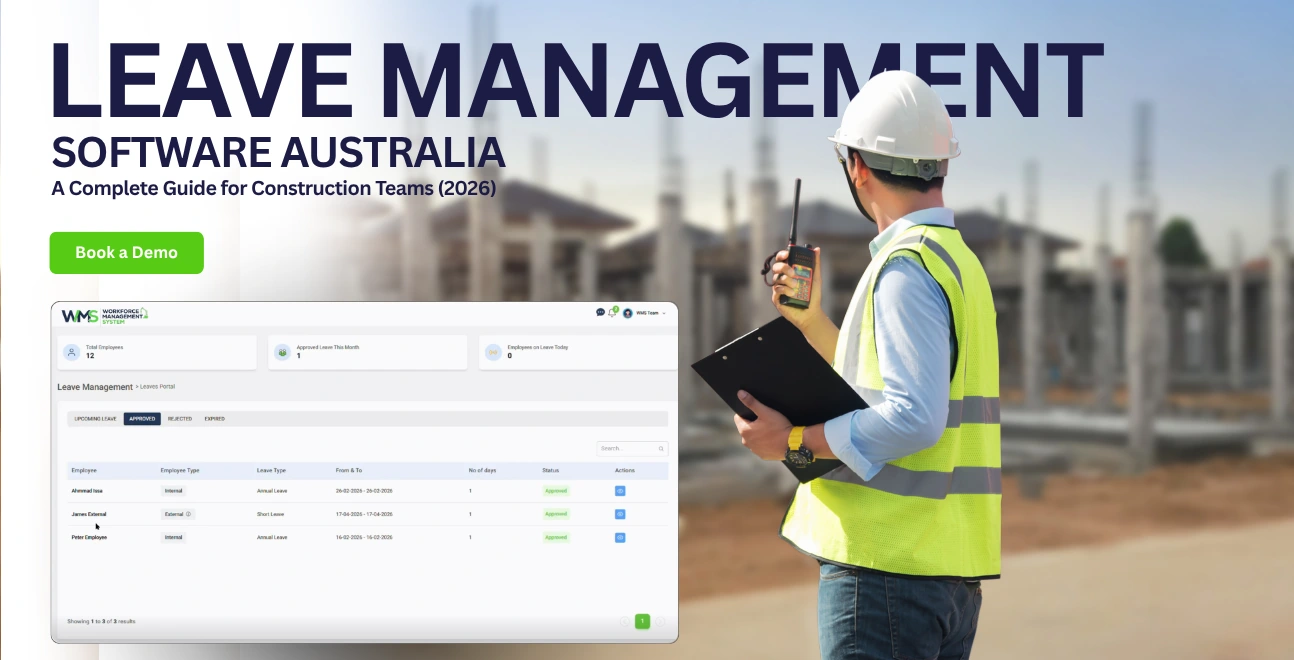
Leave management software automates how Australian construction teams track, approve and manage time off replacing spreadsheets with mobile tools built for Fair Work compliance.

Share this article
Streamline your frontline operations
See how WMS simplifies scheduling, compliance and workforce management in one powerful platform.
Leave management software is basically a digital system that automates how a business tracks, confirms, and handles employee time off. For Australian construction teams it swaps out the paper forms and random spreadsheets for mobile-friendly tools, which can oversee annual leave, personal leave, RDOs and even portable long service leave.
It also aims to keep things compliant with the Fair Work Act and the latest modern awards, which is usually the part that causes the most headaches
- It can automate the leave requests your employees send, usually from their phone, and managers can approve them in one click with fewer back and forths
- It tracks real-time balances so you do not spend the week guessing who has leave left ,or who is already double-booked on a site
- It syncs with payroll workflows so approved leave goes straight to the pay run, cutting out manual data entry and reducing the risk of messy timesheets
Introduction
If you're still running away with paper forms, text messages, or a spreadsheet that only the office manager seems to understand, you're not the only one. Honestly, a lot of Australian construction businesses handle employee time off like it's still a decade ago, and it's quietly costing them more than they think.
Bad leave management tends to start a whole chain reaction: payroll errors, Fair Work compliance risk, project delays when a key crew or trade turns out to be unavailable, and site supervisors who end up spending their mornings chasing approvals, instead of actually running the job. There's research suggesting 40% of Australian employees are dealing with burnout right now, and construction workers are hit particularly hard because of long hours, physical strain, and those irregular shift patterns that never really feel consistent.
So, the good news is… the right leave management software removes these problems pretty much completely. But here's the thing: most of what you find online is written for businesses that are office based. It doesn't really talk to the day-to-day realities of construction teams on site, portable long service leave, award complexity, and the need for mobile-first tools that tradies can use without jumping through hoops.
This guide is different, it's built for Australian construction businesses. You'll learn what to look for, which blunders to avoid, and how WorkforceMS deals with the unique problems of leave across building sites. Our HRM is purpose-built for construction HR workflows, including leave, timesheets, and compliance, all linked into your wider project environment.
What is Leave Management Software ?
Leave management software is a cloud based platform that does all the usual stuff, automates employee time-off requests approvals balance tracking , and can even tie into payroll integration. It sort of replaces the messy manual process with one centralised system, that you can access from almost any device, anytime.
How Leave Management Software differs from spreadsheets
Spreadsheets feel fixed in place. They don't really send notifications, they can't enforce approval rules automatically, and they don't update balances on their own. So when a site supervisor approves leave via text message, someone back in the office ends up updating the spreadsheet manually, and that's where errors creep in . Leave management software cuts out the middle part. Basically every single action triggers an automatic update across the full system, not just the one sheet someone remembers to edit.
Core components every system needs
A solid leave management system australia businesses can rely on should include a few key elements, like:
- Employee self-service portal: request leave check balances , and see approval status
- A manager dashboard to approve, decline, or delegate requests with detailed audit trails
- Automated accruals that calculate entitlements using hours worked awards and service length
- Calendar integration that shows team availability, so you can avoid coverage gaps
- A payroll connector that pushes approved leave straight into your pay run
Why Australian Businesses need localised solutions
Generic global tools often stumble in Australia, mainly because they don't really match how employment works here. Australian businesses generally need software that properly handles the National Employment Standards (NES), the state based long service leave rules, modern awards (for example the Building and Construction General On-site Award 2020), and Single Touch Payroll (STP) reporting to the ATO.
Why Construction Teams struggle with leave management

Honestly, it's never just "find a form and submit it". Construction teams have three pretty specific leave headaches. First, the workers are mostly on site so they do not have easy access to desktop systems all day.
Second, portable long service leave schemes make everything feel like two ledgers at once. Third, the Building and Construction General On-site Award brings calculations that generic hr systems, they just can not handle cleanly.
The Spreadsheet Trap: Why Manual Tracking fails on site
Construction sites are not offices, right. Supervisors are on the tools, not parked at a desk. So when a carpenter wants to leave, it should be simple. They should not have to hunt down a computer, log into some portal, and fill out a form that feels detached from real work.
But that's what most generic leave management hr software for leave management Australia effectively forces them to do. Then requests go missing, approvals drag on, and rosters get published anyway, even with coverage gaps, which is the part nobody wants.
Portable Long Service Leave: A Construction Only Problem
Here's the bit that most generic leave guides do not really explain. In Australia, construction workers accrue portable long service leave through schemes like MyLeave (WA), QLeave (Queensland), and CoINVEST (Victoria).
These schemes let workers carry their entitlements between employers. So the leave management software needs to track portable accruals separately from standard annual leave, and a lot of systems just don't treat it that way, not properly, at least.
Award Complexity: Building and Construction General On-site Award 2020
The Building and Construction General On-site Award 2020 is the rule-set behind everything, from ordinary hours to overtime. It also covers penalty rates, plus the leave entitlements for most people in construction.
And calculating leave pay "correctly" turns into something else entirely when casual loading enters the picture. Then you still have weekend penalties and public holiday rates, and these change by state and even by the project type. Doing it manually can become a compliance minefield.
How Leave Management Software works
It goes like this: employees lodge requests through a mobile app or web portal, then managers review and say yes with one click , after that the balances change by themselves, and any approved leave lines up with payroll in real time.
Step 1 Employees submit requests via mobile or web
Your tradies open the WorkforceMS app, choose a leave category (annual, sick, RDO, or long service), then select the dates and tap submit. The request gets sent straight to their supervisor. There's no paperwork, no annoying text messages, and no lost email threads.
Step 2 Managers review and approve with one click
Site supervisors get a push notification on their phone. They read the request, consider how the team is covered for those days, and approve or decline in seconds. If the request would cause a coverage hole , the system warns them before they even press approve.
Step 3 Balances update automatically in real time
After approval, the employee's leave balance updates instantly. The shared calendar shows the absence immediately. Payroll also picks it up in the next pay run. So everyone is basically looking at the same numbers, no double entry, no weird mismatches.
Step 4 Approved leave syncs to payroll and rosters
Approved leave then feeds directly into your payroll platform (Xero, MYOB, KeyPay) and the roster updates automatically. If a bricklayer is approved for a Friday off , the scheduler sees it before assigning the next week's crew.
7 Must Have features for construction leave management
Construction businesses need mobile-first access, Fair Work compliance automation, portable long service leave tracking, roster integration, multi level approvals, real-time balance visibility, and payroll sync… all in one place, not some patchwork thing
Mobile First design for site based workers
Your team is on-site, not really at a desk. The app should work offline, deal with sun-glare screens, and stay easy to use even when people are wearing work gloves. WorkforceMS is built for this "one tap" request style, with bigger buttons, push notifications that cut through all that site noise
Fair Work Act compliance automation
The system should automatically calculate NES entitlements, including the exact 2.923 hours of annual leave that full-time employees accrue per week, then adjust it for part time and casual workers. It should also flag when leave loading, usually 17.5% , actually applies. so nobody gets surprised later
Long service leave tracking
This is the part that kinda separates construction specific software from generic tools. Your system needs to track portable long service leave accruals, report quarterly to schemes like MyLeave or QLeave, and handle pro-rata calculations when workers move employers. That swap stuff can get messy fast
Roster integration to prevent coverage gaps
When a concreter requests leave, the system should check the roster for that week and warn the supervisor if no other qualified concreter is scheduled. This avoids that all too common scenario where a critical trade is missing on pour day and everybody acts shocked, like really
WorkforceMS connects live data into Sites & Projects scheduling, so project managers know who is available before they promise deadlines, or sign off whatever they're signing
Multi level approval workflows
A labourer's request might only need the supervisor's approval. While a project manager's request may need sign-off from the director. Configure different approval chains based on role, leave type, or project phase, yeah those differences matter
Real time leave balance visibility
Employees should see their exact balance before they request anything, annual leave, sick leave, RDO accruals, and portable LSL. That transparency reduces over-requests and builds trust over time, not just during crunch season
Payroll and STP reporting integration
Approved leave has to flow into payroll automatically, with correct award rates, penalties, and loading. The system should also support STP Phase 2 reporting to the ATO, so compliance happens without manual reconciliation at 6pm the day before the deadline
Leave Management Software vs. Generic HR Tools
Construction-specific software handles portable LSL, site-based mobile access, and award interpretation. Generic HR tools treat construction like any other industry and that is where compliance gaps form.
| Feature | Construction-Specific Software (WorkforceMS) | Generic HR Tool |
|---|---|---|
| Portable LSL tracking | Built-in MyLeave/QLeave/CoINVEST reporting | Not supported |
| Mobile-first UX | Offline-capable, large buttons, push notifications | Web-only or clunky app |
| Award interpretation | BCI Award 2020 automation | Manual configuration |
| Roster integration | Real-time coverage gap alerts | Separate system |
| RDO accrual | Automatic RDO tracking | Not standard |
| Site supervisor approval | One-tap mobile approval | Desktop-only workflow |
5 Costly Mistakes Australian Builders Make with Leave Tracking
The biggest mistakes are relying on manual processes, ignoring state-based LSL rules, skipping payroll integration, missing blackout periods, and failing to train supervisors on the system.
Relying on Paper Forms and Text Messages
Paper gets lost. Texts get forgotten. Neither creates an audit trail. Under the Fair Work Act, you need seven years of compliant record-keeping and a text message thread does not count.
Ignoring State-Based Long Service Leave Rules
Each state has different portable LSL schemes with different accrual rates, reporting periods, and eligibility rules. A system that only tracks standard annual leave will miss these entirely, exposing you to underpayment claims.
Failing to Link Leave Data to Payroll
When leave and payroll are separate, someone has to manually transfer data every pay run. That is where 80% of payroll errors originate. Integrated systems eliminate this risk entirely.
Missing Blackout Periods During Peak Project Phases
Every builder knows there are weeks when nobody can be off concrete pours, crane lifts, inspections. Your software should let you set blackout periods automatically, so requests during critical phases are flagged before they reach a supervisor.
Not Training Site Supervisors on the System
Even the best software fails if supervisors do not know how to use it. Invest in hands-on training focused on practical workflows approving leave, checking coverage, and handling last-minute requests.
How WorkforceMS Solves Construction Leave Management
WorkforceMS is built specifically for Australian construction. It handles portable LSL, mobile approvals, award automation, and roster integration all in one platform.
Built for Australian Construction Awards and Compliance
WorkforceMS comes pre-configured with the Building and Construction General On-site Award 2020. Casual loading, penalty rates, public holiday pay, and leave loading are calculated automatically with no manual formulas, no guesswork.
Mobile App Designed for Tradies and Site Supervisors
The WorkforceMS app is built for real site conditions. Large touch targets, offline mode, and instant push notifications mean your team can request and approve leave from the lunch shed or the ute, not just the site office.
Seamless Roster and Payroll Integration
Leave requests, roster updates, and payroll data live in one system. When a plumber is approved for leave, the scheduler sees it, the roster updates, and payroll calculates the correct pay all without anyone re-entering data.
This level of integration extends across the entire WorkforceMS platform, from Project Task Management to Invoices ensuring every hour of leave is accurately reflected in project costing and billing.
Real Results: How a Sydney Builder Cut Admin Time by 70%
A 45-person Sydney residential builder replaced manual leave tracking with WorkforceMS and reduced admin time from 6 hours to under 2 hours per week while eliminating payroll discrepancies.
The Problem: 45-Minute Leave Approvals and Payroll Errors
Before WorkforceMS, the office manager spent 6 hours per week chasing leave requests via text, updating a spreadsheet, and cross-checking payroll. Payroll errors occurred monthly usually from missed casual loading or incorrect leave balances.
The Solution: Automated Workflows and Real-Time Balances
WorkforceMS was configured with the BCI Award, portable LSL tracking, and two-level approval workflows. Site supervisors now approve leave in under 30 seconds from their phones. Employees check balances before requesting, reducing over-requests by 60%.
The Outcome: 70% Less Admin Time and Zero Payroll Discrepancies
Six months in, admin time dropped to 1.5 hours per week. Payroll errors disappeared. The office manager now spends that reclaimed time on recruitment and safety compliance work that actually moves the business forward.
Advanced Leave Strategies for Construction HR Managers
Three advanced tactics: use leave liability reports for cash flow forecasting, set seasonal blackout rules, and automate RDO accruals to prevent end-of-year surprises.
Using Leave Liability Reports for Cash Flow Planning
Your leave management system should generate liability reports showing the dollar value of accrued but untaken leave. Use this data for quarterly cash flow forecasting especially before EOFY when leave balances spike.
Managing Leave During Peak Construction Seasons
Set automatic blackout periods for critical project phases. Configure the system to require director approval for leave during peak weeks, while allowing supervisor-only approval during quieter periods.
Handling RDO (Rostered Days Off) Accruals Automatically
RDOs accrue differently across awards and EBAs. WorkforceMS tracks RDO banks automatically, alerts supervisors when workers are nearing their maximum accrual, and flags potential overtime liabilities before they compound.
2026 Trends: Where Leave Management Is Heading
Three trends are reshaping the space: AI-powered leave prediction, wearable tech integration for site check-ins, and real-time compliance alerts when awards change.
AI-Powered Leave Prediction and Workforce Planning
Emerging leave management saas tools use AI to predict leave patterns based on historical data. This helps construction managers plan labour coverage months ahead especially around school holidays and EOFY.
Integration with Wearable Tech and Site Check-In Systems
The next frontier connects leave data with site access control. When a worker leaves, their site access pass is automatically deactivated for those dates, preventing accidental no-shows and improving WHS compliance. This dovetails with broader Safety & Compliance platforms that already manage site inductions and PPE tracking.
Real-Time Compliance Alerts for Award Changes
When the Fair Work Commission updates award rates or leave rules, modern systems push compliance alerts instantly. Your payroll and leave calculations update automatically no manual review of gazette notices required.
Get Started with WorkforceMS Today
Book a free demo to see how WorkforceMS handles construction leave management. Implementation takes 2-3 weeks, and most teams are live within 10 business days.
Managing leave should not be harder than pouring concrete. WorkforceMS is the leave management software australia construction teams have been waiting to build for local awards, designed for site conditions, and integrated with the tools you already use.
Beyond leave, WorkforceMS unifies your entire operation: manage Clients and Subcontractors in one database, track Tender Management from quote to award, oversee Asset Management for plant and equipment, and generate detailed Reporting across every project all from a single platform.
Book your free demo today and see why Australian builders are switching from spreadsheets to WorkforceMS.
Optimise your operations with WMS
Streamline scheduling, compliance, and workforce management in one platform.
Leave Management Software FAQ
Honestly, it depends, but the best leave management software for Australian construction teams usually comes down to local compliance, site-based access, and something that can handle portable long service leave without stuffing everything into spreadsheets. WorkforceMS was made for this space, while more generic options like BambooHR or Deputy often need a lot of custom work, and that can drag out setup.
Not required in a strict legal sense, no. But it is strongly recommended. The Fair Work Act still expects accurate record-keeping and the right entitlement payments. When you use manual processes, compliance risk jumps, and when you automate, that risk drops, in a pretty clear way.
Portable LSL works through state-based schemes like MyLeave, QLeave, and CoINVEST. Employers report service days each quarter, and pay a levy. Then, workers carry the entitlement over when they move between employers inside the construction industry , which is why tracking matters so much.
Yes, and this is pretty common now. Good leave management saas platforms tend to have native integrations with Australian payroll tools. For example, WorkforceMS connects with Xero, MYOB, and KeyPay, then sends through approved leave using the correct award rates, not just generic amounts.
If you use WorkforceMS, implementation is usually around 2 to 3 weeks for a team of 50. That time typically covers award configuration, moving existing data across, supervisor training, and rolling out the mobile app. Most teams get to live leave requests within about 10 business days, give or take.
Leave management is about planned time off, like annual leave and RDOs. Absence management is the messy unplanned side, sick leave, no-shows, and similar events. In many hr platforms for leave management australia, both are covered in the same system, so you do not have to juggle tools.
Yes, and it's not just "nice to have." Construction has extra moving parts: portable LSL, award complexity, site-based access, and links to project scheduling. General office tools usually do not quite line up with that, they lack the depth.
Costs usually fall between $2 to $8 per user per month for standalone tools. Full HR suites are often $8 to $15 per user per month. Construction-specific platforms like WorkforceMS are typically priced around team size plus how complex the integrations are, because not everything is the same across sites.
Related Articles
Explore more insights on workforce management, compliance, and operations.

Security Operations and Monitoring Workforce Planning
Plan guard rosters, track live attendance and cover every shift with WorkforceMS. Strengthen security operations and monitoring with smarter workforce planning.

Muhammad Asim
09 Oct 2026

Telehealth and Digital Healthcare Scheduling WMS
Simplify telehealth and digital healthcare scheduling with WorkforceMS. Manage rosters, remote clock-ins and compliance records in one easy-to-use platform.
Muhammad Asim
08 Oct 2026

Healthcare Workforce Management for Aged Care
Simplify rostering, credential tracking and payroll for aged care healthcare teams. Discover how WorkforceMS gives your carers more time with residents.
Muhammad Asim
05 Oct 2026
Ready to secure your operations?
