Time & Attendance Software Australia: The 2026 Construction Buyer's Guide
Time and attendance software records when employees start, pause and finish work, then feeds those hours into payroll, rostering and compliance reporting. For construction, the right system connects clocking data directly to sites, subcontractors and safety records.

Share this article
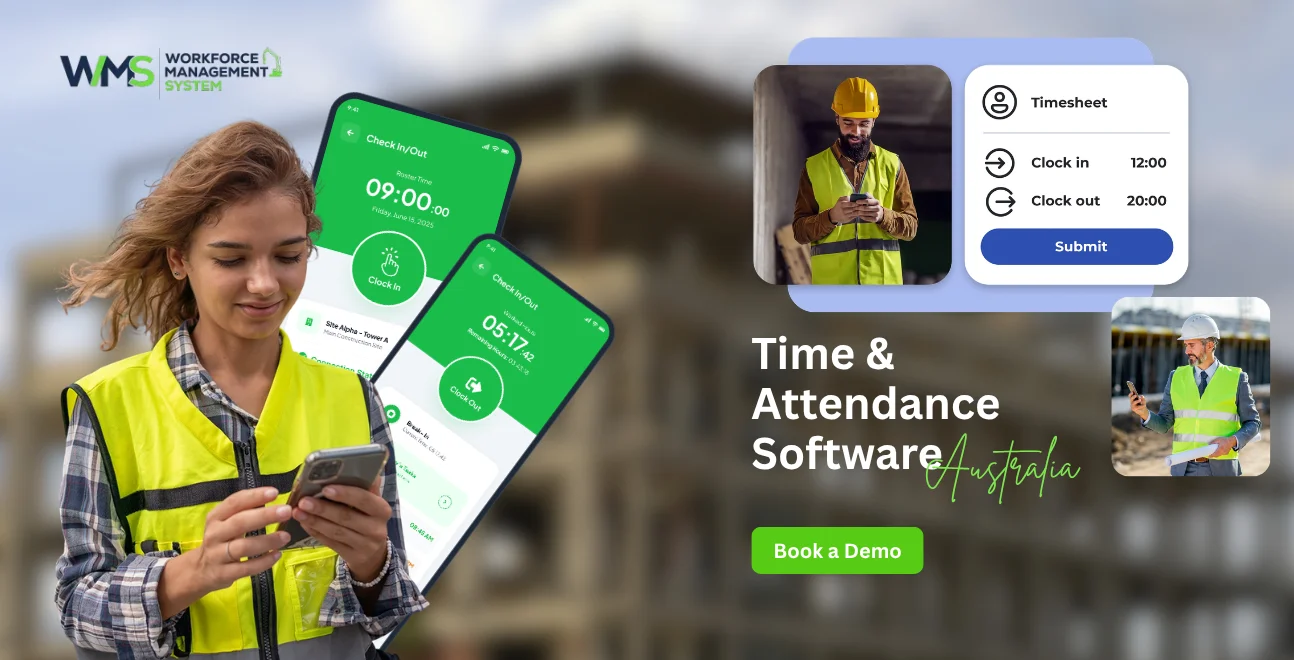
Streamline your frontline operations
See how WMS simplifies scheduling, compliance and workforce management in one powerful platform.
Time and attendance software is a digital system that records when employees start, pause and finish work, then feeds those hours into payroll, rostering and compliance reporting. For construction businesses, the right system connects clocking data directly to Sites & Projects, Subcontractor management and Safety & Compliance records.
- Tracks time via GPS, biometric or kiosk clock-ins
- Automates timesheets and reduces payroll errors
- Supports Fair Work award compliance and audit trails
- Links attendance to HRM, Reporting and Invoices
- Works across multiple sites, crews and Client contracts
Introduction
Manual timesheets don't scale once you're juggling multiple Sites & Projects, a rotating mix of employed staff and Subcontractor crews, and Client reporting obligations. Paper sheets and spreadsheets create payroll disputes, compliance risk and hours of admin every week.
Time & Attendance Software Australia solves this by automating clock-ins, timesheets and award calculations but generic, office-focused tools often ignore construction realities like site-based crews, tender-linked labour costs and safety sign-offs.
WorkforceMS was built specifically for construction, tying attendance data directly into HRM, Tender Management, Asset Management and Reporting, so every clocked hour is accurate, compliant and instantly usable by payroll and project teams.
This guide breaks down how time and attendance software works, what to look for, and how to avoid the mistakes construction businesses commonly make when choosing a system.
Why Construction Crews Still Struggle With Time & Attendance
Construction businesses lose hours each week reconciling paper timesheets, chasing subcontractor hours and correcting payroll errors. Poor time tracking across Sites & Projects leads to disputed pay, weak audit trails and inaccurate job costing problems generic office software rarely solves.
The real cost of manual timesheets on Sites & Projects
Paper-based timesheets across multiple Sites & Projects create duplicate data entry, delayed approvals and inconsistent record-keeping. Supervisors often re-key hours manually before payroll can run, introducing errors that compound across large crews. Without a centralised digital record, job-costing and margin tracking on individual contracts becomes guesswork rather than fact.
Why generic apps fail Subcontractor workforces
Many time and attendance apps assume a single employer and a fixed workplace. Construction businesses need to track Subcontractor hours separately from direct employees, often against different pay rates, insurance requirements and Client billing arrangements. Software without flexible workforce categories forces businesses back into spreadsheets to bridge the gap.
What Is Time and Attendance Software?
Time and attendance software is a system app, biometric device, or both that digitally records employee working hours and converts them into timesheets, payroll data and compliance reports. It replaces manual clock cards and paper registers with accurate, real-time data.
Time attendance machine vs time and attendance app
A time attendance machine is a physical device often a kiosk or tablet installed at a fixed location such as a site office. A time and attendance app runs on a worker's phone and uses GPS to confirm location. Construction sites frequently use both: a machine at the main site office and an app for mobile crews moving between locations.
How biometric attendance machines and face recognition systems work
A biometric attendance machine verifies identity through fingerprint or facial scan before logging a clock-in, preventing "buddy punching" where one worker clocks in for another. Face recognition time attendance systems extend this to touchless verification, which is increasingly preferred on dusty or high-hygiene construction sites.
How Time and Attendance Software Works On-Site
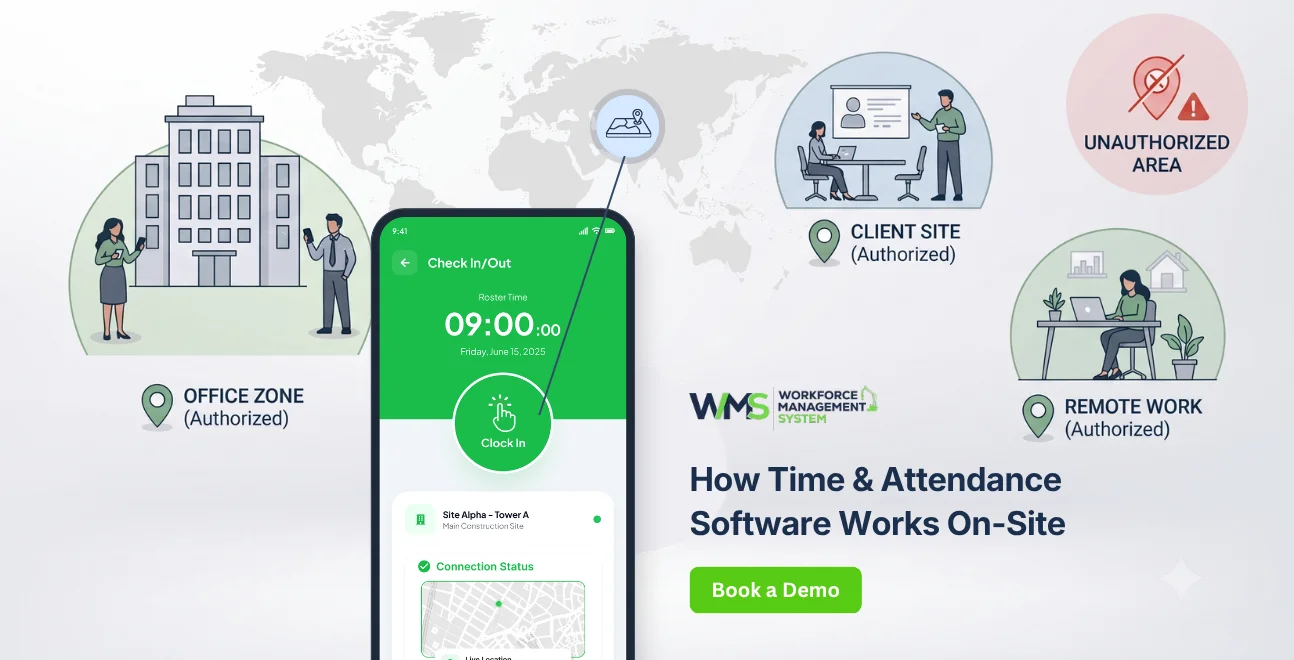
On a construction site, workers clock in via app, kiosk or biometric device. The system verifies location using GPS or geofencing, timestamps the entry, and pushes the data into the linked project and payroll systems in real time with no manual re-entry required.
Clocking in at Sites & Projects with GPS and geofencing
Geofencing draws a virtual boundary around each of your Sites & Projects, so a clock-in only registers when a worker is physically on-site. This prevents early or remote clock-ins and gives supervisors live visibility of who's on-site at any moment useful for both safety headcounts and labour cost tracking.
Linking attendance to Project Task Management
Attendance data becomes far more useful when it's tied to specific tasks. Integrating clock-in data with Project Task Management lets businesses see exactly how many hours were spent on each task or stage of a build, improving both estimating accuracy and future Tender Management pricing.
From Clock-In to Payroll: The Compliance Chain
Once hours are captured, time and attendance software applies award rules, calculates overtime and allowances, and exports the data to payroll, closing the loop from clock-in to compliant, accurate pay with minimal manual handling.
Automating Invoices and payroll accuracy
Accurate attendance data feeds directly into payroll runs and, where labour is billed back to clients, into Invoices. Automating this chain removes the manual reconciliation between timesheets, payroll and client billing that otherwise eats into admin hours every pay cycle.
Safety & Compliance and Toolbox & Pre-start records
Construction sites carry strict obligations around inductions, sign-ons and daily briefings. Linking attendance software to Safety & Compliance records and Toolbox & Pre-start sign-offs means every worker's presence is matched to a completed safety briefing, a critical record in the event of an incident or audit.
Managing People: HRM Built for Construction
Construction workforces mix permanent staff, casuals and subcontracted crews. A strong HRM module handles all three categories, storing qualifications, inductions and availability alongside attendance, so compliance and rostering data live in one place.
HRM for permanent staff, casuals and Subcontractor crews
An HRM system built for construction stores licences, white cards and certifications against each worker profile, flagging expiries before they become a compliance issue. It also separates Subcontractor records from direct employees, so payroll, insurance and reporting obligations are never mixed up.
Client visibility without compromising data
Some construction management platforms allow controlled Client visibility into project progress and labour reporting, without exposing sensitive payroll or personal HRM data. This builds trust with clients on larger contracts while keeping workforce information secure.
Best Time and Attendance Software Australia: Comparison
The best time and attendance software for Australian construction businesses combines GPS/geofenced clocking, biometric options, award-compliant payroll integration and construction-specific features like Tender Management and Asset Management links, not just generic time tracking.
| Feature | Generic Office Apps | Hardware-Only Systems | WorkforceMS (Construction-Built) |
|---|---|---|---|
| GPS / geofencing | Sometimes | No | Yes |
| Biometric / face recognition | Rarely | Yes | Yes |
| Subcontractor management | No | No | Yes |
| Tender Management link | No | No | Yes |
| Safety & Compliance / Toolbox & Pre-start | No | No | Yes |
| Asset Management tracking | No | No | Yes |
| Reporting for multi-site projects | Limited | No | Yes |
5 Mistakes Construction Businesses Make When Choosing a System
The most common mistakes are picking software built for offices rather than sites, ignoring subcontractor workflows, and failing to check integration with existing payroll, tendering and reporting tools.
- Choosing based on price alone, without checking Fair Work award compliance
- Ignoring Tender Management and quoting integration when estimating labour costs
- Overlooking Asset Management tracking for plant and equipment tied to attendance
- Assuming one clock-in method suits every site
- Failing to test offline functionality for remote sites with poor connectivity
Ignoring Tender Management and quoting integration
If attendance and labour cost data doesn't connect back to Tender Management, past project labour costs can't easily inform future quotes leading to underpriced tenders and squeezed margins.
Overlooking Asset Management tracking
Plant, tools and vehicles often need to be signed in and out alongside workers. Systems with built-in Asset Management let businesses track equipment usage against the same site and time records as staff attendance.
Tools & Hardware to Consider
Construction businesses typically combine a fixed kiosk or biometric device at the main site office with a mobile app for crews working across multiple locations, ensuring reliable clock-ins regardless of connectivity.
Biometric attendance machine options for site kiosks
A biometric attendance machine installed at a site entry point is well suited to fixed crews and larger sites with consistent staffing, offering fast, tamper-resistant clock-ins.
Mobile apps for Sites & Projects with poor connectivity
For remote or regional Sites & Projects, look for apps that cache clock-in data offline and sync once connectivity returns, so no attendance record is lost.
Real-World Example: A Multi-Site Construction Rollout
A mid-sized construction business running five active sites reduced payroll processing time significantly after linking attendance software to HRM, Safety & Compliance and Reporting, replacing manual timesheets across all crews.
Reporting outcomes after 90 days
After rollout, Reporting dashboards gave management real-time visibility into labour hours per site, subcontractor cost splits, and safety sign-on completion rates data that previously took days to compile manually was available instantly each pay cycle.
Advanced Features for Larger Builders
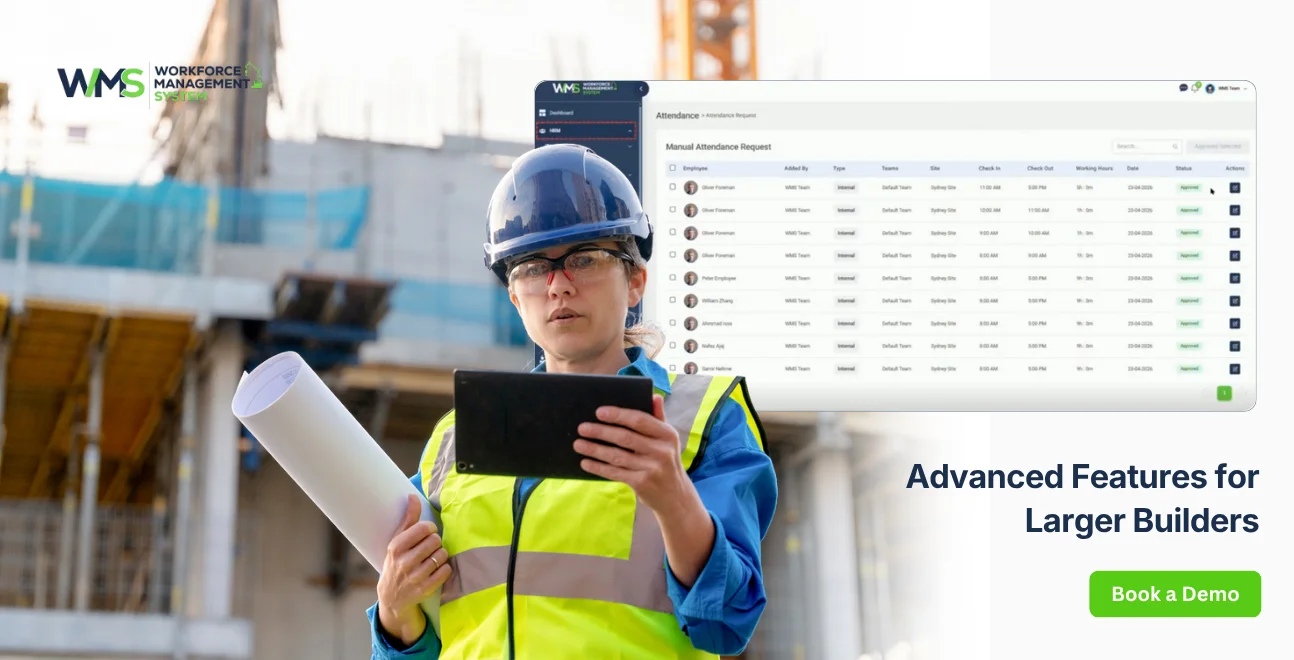
Larger construction businesses benefit from advanced reporting dashboards and forecasting tools that connect workforce data to tendering, finance and operations turning attendance data into a planning asset, not just a payroll input.
Reporting and dashboards for HRM and finance teams
Advanced Reporting tools break down labour costs by site, task and subcontractor, giving both HRM and finance teams a shared source of truth for forecasting and budgeting.
Connecting Tender Management to workforce forecasting
Historical attendance and labour cost data, fed back into Tender Management, helps estimators price future jobs more accurately based on real, site-specific productivity rates rather than industry averages.
What's Next: Trends in Construction Workforce Tech
Facial recognition clock-ins are becoming standard on larger sites, reducing buddy punching without requiring workers to touch shared devices. Integration between attendance, safety compliance and asset tracking is increasingly expected as a single connected system rather than separate tools.
Key Takeaways
- Generic time and attendance apps often miss construction-specific needs like subcontractor management and site-based safety sign-offs
- GPS, geofencing and biometric clock-ins reduce time theft and buddy punching
- Connecting attendance to HRM, Tender Management, Asset Management and Reporting turns raw hours into usable business data
- Choosing software with offline functionality matters for remote sites
Time & Attendance Solutions Australia: Built for Every Site
Whether managing a single site or a national portfolio of Sites & Projects, construction businesses need time and attendance solutions Australia-wide that scale with crew size, subcontractor volume and compliance obligations, not a one-size-fits-all office tool retrofitted for the field.
Get Started With WorkforceMS
WorkforceMS connects attendance directly to HRM, Safety & Compliance, Tender Management, Asset Management, Invoices and Reporting built specifically for Australian construction businesses managing multiple sites and subcontractor crews.
Conclusion
Time and attendance software has moved well beyond simple clock cards for construction businesses, it now underpins payroll accuracy, subcontractor management, safety compliance and job costing across every site.
Generic, office-built tools rarely handle the realities of a construction workforce, which is why purpose-built systems that connect attendance to HRM, Tender Management, Asset Management, Invoices and Reporting deliver far more value than time tracking alone.
WorkforceMS was built for exactly this: real construction workflows, real subcontractor complexity, and real compliance obligations. If you're managing crews across multiple Sites & Projects, it's worth seeing how a connected system compares to your current process and book a walkthrough to see WorkforceMS in action.
Optimise your operations with WMS
Streamline scheduling, compliance, and workforce management in one platform.
FAQs
It's a digital system that records employee clock-ins and clock-outs, converting hours worked into timesheets, payroll data and compliance reports, replacing manual registers or paper timesheets.
It reduces payroll errors, prevents time theft, and provides an accurate, auditable record of hours worked, particularly important for construction businesses managing subcontractors and multiple sites.
Workers clock in via app, biometric device or kiosk. The system verifies identity and location, timestamps the entry, and sends the data to payroll, HRM and reporting systems automatically.
Use GPS or geofenced clock-ins tied to each of your Sites & Projects, so attendance is automatically attributed to the correct location without manual entry.
Both are used in Australia, but "timesheet" (one word) is now the more common and widely accepted spelling in business and software contexts.
The best option depends on your industry. For construction, look for software combining GPS/biometric clocking with subcontractor management, safety compliance and asset tracking not just generic time tracking.
Good systems apply award rules automatically, calculating overtime, allowances and breaks in line with Fair Work requirements, reducing manual payroll checks.
Yes construction-focused systems allow subcontractor hours, rates and records to be tracked separately from direct employees for accurate payroll and client billing.
Attendance can be linked to Toolbox & Pre-start sign-offs, confirming that every clocked-in worker has completed required safety briefings before starting work.
It typically retains clock-in/out timestamps, location data, award calculations and safety sign-off records, providing a defensible audit trail for Fair Work or workplace investigations.
Related Articles
Explore more insights on workforce management, compliance, and operations.

AI-Powered Employee Management for Modern Businesses
Discover how AI-powered employee management helps businesses simplify scheduling, attendance, payroll, and compliance across shift-based teams.

Muhammad Asim
01 Oct 2026

Top AI Solutions To Manage Construction Workforce
Explore the top AI solutions for managing a construction workforce, from onboarding to payroll and safety, with human review built in.
Muhammad Asim
14 Sep 2026

Streamline Job Tracking with AI Construction Management Software
Discover how AI construction management software streamlines job tracking, project planning, risk alerts, defect reporting and safety compliance.
Muhammad Asim
11 Sep 2026
Ready to secure your operations?
