Toolbox Talk Software Construction Teams Can Actually Rely On
Toolbox talk software helps Australian construction teams capture pre-start checks, safety briefings, hazard reporting, and sign-offs in real time searchable, timestamped, and audit-ready.

Share this article
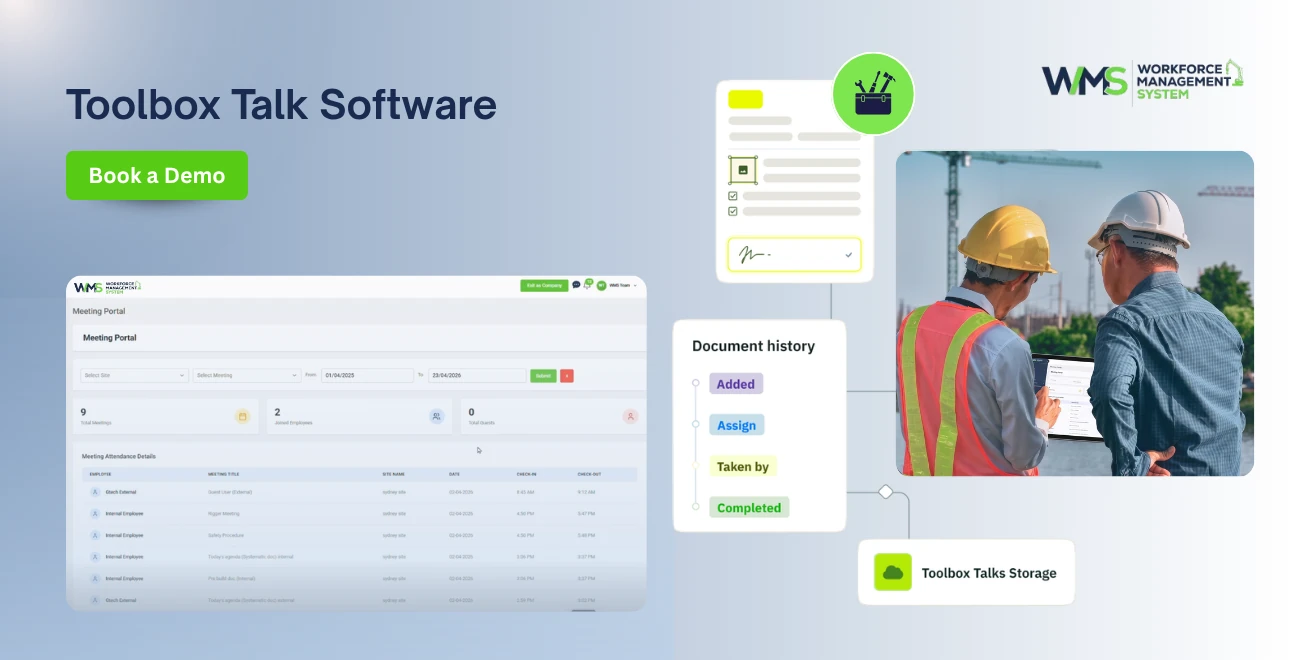
Streamline your frontline operations
See how WMS simplifies scheduling, compliance and workforce management in one powerful platform.
In Australia, all construction sites open with a safety meeting, where the supervisor goes through the hazards of the day, and everyone signs a piece of paper that is typically found in a ute door pocket when the site is finished. This sheet is intended to demonstrate compliance with the WHS Act 2011. In fact, it is of little use if it is requested by a WorkSafe inspector or an insurer six months after that.
That is why toolbox talk software in construction has emerged as one of Australia's fastest-growing areas in site management technology. It enables pre-start checks, safety briefings, hazard reporting, and sign-offs to be captured in real-time, adding a mobile-first system on the clipboard that is searchable, timestamped, and audit-ready.
Let's break down what toolbox talk software is and why paper is still biting Australia's builders in the butt, how a digital toolbox talk app can help your team overcome old habits every day, and how to select the best pre-start checklist software for your business.
We will also discuss the safety issues that should be addressed in toolbox talks and answer the most frequently asked questions builders look for.
Toolbox Talk Software: What Is It?
Toolbox talk software consists of a digital tool (typically a mobile application and web dashboard) that enables supervisors to conduct pre-start meetings, provide safety topics, collect worker sign-offs, and archive them automatically. All toolbox talks are paperless, logged, geolocated, and digitally signed.
For Australian construction, this matters because toolbox talks aren't just a nice habit. They're a documented part of your safe work method statements (SWMS) process and a key piece of evidence during any WHS audit, incident investigation, or insurance claim.
At its core, good toolbox talk software does four things:
- Schedules and delivers daily pre-start briefings to every site
- Captures digital signatures and attendance instantly
- Stores a searchable history of every talk, hazard, and topic covered
- Flags non-attendance or incomplete sign-offs before work begins
Why Paper-Based Toolbox Talks Keep Failing Australian Builders
Paper toolbox talks feel simple, which is exactly the problem. They look compliant on the surface but collapse the moment someone actually needs the records.
- Records get lost or damaged. Sheets left in vehicles, site sheds, or work orders don't survive an Australian summer, let alone a full project lifecycle.
- Handwriting is unreadable. When a claim or audit requires proof of attendance, illegible signatures and smudged dates create more risk than they remove.
- There's no real-time visibility. The head office has no idea whether the Tuesday pre-start actually happened at a site 400 km away until someone manually chases paperwork weeks later.
- Topics repeat or get skipped. Without a system tracking what's already been covered, supervisors either repeat the same three topics or miss hazards specific to that week's works.
- Following up is manual. If a worker misses a briefing, there's no automatic reminder it relies on someone remembering, which rarely happens on a busy site.
How a Digital Toolbox Talk App Changes the Day-to-Day
A digital toolbox talk app AU construction teams actually use should feel as fast as ticking a box, not slower than paper. Here's what that looks like on a typical morning.
The site supervisor opens the app before the crew arrives and selects today's topic say, working at heights near the scaffold that went up yesterday. The app already suggests it, because it knows what's changed on-site.
Workers gather, the topic is delivered verbally as always, and each worker taps to sign on their own phone or the supervisor's tablet. Anyone absent is flagged automatically. The record topic, attendees, time, location, and photos of the briefing is saved instantly to the cloud.
The head office, project managers, and safety officers can see completion rates across every site in real time, without a single phone call. If an inspector asks for six months of pre-start records tomorrow, it's a two-minute export, not a week of searching through site sheds.
Paper Toolbox Talks vs Digital Toolbox Talk Software
| Feature | Paper-Based Toolbox Talks | Digital Toolbox Talk Software |
|---|---|---|
| Sign-off method | Handwritten signature on paper | Digital signature captured on mobile |
| Record storage | Site shed, filing cabinet, or ute | Cloud-based, searchable, backed up |
| Head office visibility | None until manually reported | Real-time dashboard across all sites |
| Audit readiness | Slow, manual, often incomplete | Instant export, timestamped and GPS-tagged |
| Topic tracking | Relies on memory or a printed log | Automatically tracks what's been covered |
| Missed attendance | Rarely followed up | Flagged instantly for follow-up |
| Compliance with WHS Act 2011 | Difficult to evidence consistently | Built-in audit trail supports compliance |
| Time per talk | 10–15 minutes admin per site, per day | 2–3 minutes admin, same coverage |
Pre-Start Checklist Software: The Other Half of the Equation
Toolbox talks cover the "what we're discussing today." Pre-start checklists cover the "Is everything safe to operate today?" On most sites, they occur back to back, which is what good pre-start checklist software does too.
A good pre-start checklist should include plant and equipment checks (excavators, forklifts, scissor lifts, etc.), PPE availability, fatigue and fitness for work checks, and hazards in the work area such as traffic or overhead services. This is digital, so when a fault is found it is logged and photographed on-site, and no steps can be overlooked; the form won't go away until it's filled in.
When toolbox talks and pre-start checks are integrated within a single workforce management system, then your safety data is connected to the rest of your operations: rostering, site attendance, and compliance reporting all are based on a single source of truth, rather than three siloed apps.
Why This Matters for Compliance
Toolbox talk records sit close to the WHS obligations that matter most under Australian law, which puts this squarely in your money, your life (YMYL) territory the records you keep can affect a worker's safety, a company's legal standing, and the outcome of a WorkSafe investigation. Under the model WHS laws that apply across most Australian states and territories: PCBUs (Persons Conducting a Business or Undertaking) must provide information, training, and instruction to workers and must be able to demonstrate this if something goes wrong.
Toolbox talks are one of the simplest, most frequent ways businesses meet this duty. But a duty you can't prove is, in practice, a duty you haven't met. This is why Safe Work Australia and state regulators consistently point to documented, dated, attendee-verified briefings as core evidence in incident investigations.
Digital toolbox talk software doesn't replace your WHS obligations nothing does that. What it does is make meeting those obligations consistent, verifiable, and far less dependent on any one person remembering to file a piece of paper correctly.
Choosing Toolbox Talk Software: What to Look For
Not every app labeled "safety software" is built for construction's realities patchy site reception, multiple subcontractors, and constantly changing crews. When comparing options, look for:
- Offline functionality. Many Australian sites have poor signal. Data should be captured offline and synced once reception returns.
- Multi-site and subcontractor visibility. You need one dashboard across every project and every subbie crew, not a separate login per site.
- Integration with your existing workforce data. Toolbox talks are more valuable when linked to rostering, site attendance, and HR records, rather than sitting in a standalone app.
- A ready-made topic library. Supervisors shouldn't have to write safety content from scratch every morning.
- Exportable, audit-ready reporting. You should be able to produce six or twelve months of records in minutes, not days.
How WMS Brings Toolbox Talks and Pre-Starts Together
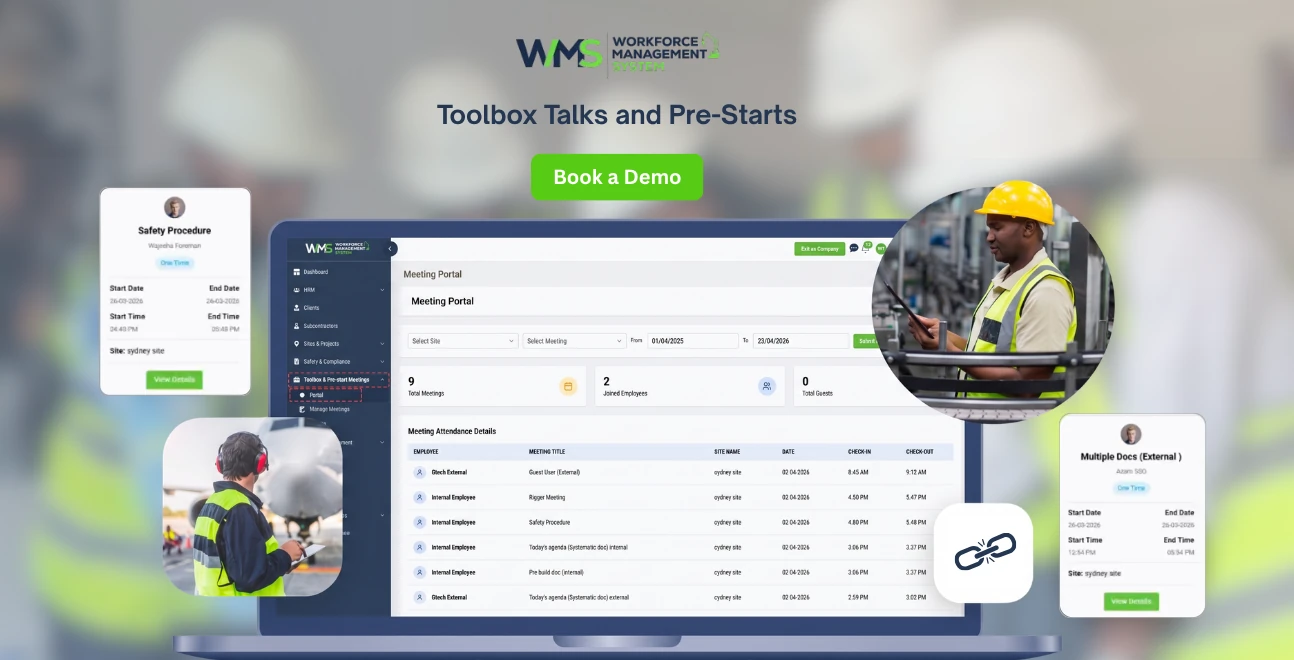
WMS's Toolbox & Pre-start feature was built specifically for this problem: Australian construction companies juggling multiple sites, subcontractors, and compliance requirements without a dedicated safety team behind every project. Instead of a standalone toolbox talk app, it sits inside a full workforce management system, so pre-start records connect directly to your HR management, site and project data, and subcontractor management.
That connection matters. By connecting a toolbox talk record with who was rostered on-site, linking to which subcontractor the rostered person worked for and to which project the works are related, your safety and compliance reporting is no longer just a folder of disconnected PDFs. With the addition of WMS reporting, site and safety managers are able to view attendance and completion trends for every project at a glance.
If you are using paper-based toolbox talks or trying to manage a separate app that isn't integrated with your rostering or HR system, you'll want to check out how a connected platform can measure up. You can explore WMS pricing here or start a 14-day trial directly from the Toolbox & Pre-start feature page.
Making the Switch: A Realistic Rollout Plan
Moving an entire workforce off paper doesn't need to happen overnight. Most Australian construction businesses find a phased rollout works best.
Begin with one or two locations as a pilot, preferably those locations with phones or tablets that are used regularly by the supervisors. Simultaneously run digital and paper for the first week to ensure no gaps in the recordkeeping process. Once supervisors feel comfortable, introduce them to the entire project, then roll out to the entire company after four to six weeks.
Training does not need to be structured. If a supervisor can use a rostering app or online banking, they can run a digital toolbox talk. The bigger shift is cultural: getting crews used to tapping a signature instead of scrawling one, which usually takes one or two mornings before it becomes routine.
Final Thoughts
Toolbox talks aren't the problem. The paper trail behind them is. Australian construction businesses lose time chasing signatures, lose records in glove boxes, and lose credibility with regulators when they can't produce evidence of the briefings they know they ran.
A proper toolbox talk software construction teams can rely on turns a daily obligation into a two-minute task and a genuine safety asset one that protects your crew, your compliance position, and your bottom line. If you're ready to move away from paper, book a walkthrough of WMS's Toolbox & Pre-start Hub or start your 14-day free trial today.
Optimise your operations with WMS
Streamline scheduling, compliance, and workforce management in one platform.
Frequently Asked Questions
Toolbox talk software is used to plan, deliver, and log pre-start checks and daily safety briefings on construction sites. It eliminates paper sign-in sheets and uses electronic records instead, providing timestamps, sign-offs, and topic history that make compliance with WHS much easier to prove.
Some providers have free or trial versions, typically with a certain amount of users, sites, or storage. If you have multiple pre-start contractors or a long-term compliance requirement, a paid platform that integrates with your rostering and HR data is likely to offer much more value than a free stand-alone application.
A good template includes date, location, topic of discussion, hazards unique to the day's work, names and signatures of participants, and any actions that are raised. Digital templates should also include location information and photos if applicable, which will help to substantiate the record in the future.
Most Australian construction sites run toolbox talks daily, before work begins, alongside a pre-start plant and equipment check. Some businesses supplement this with a more detailed weekly toolbox talk covering a specific safety topic in greater depth.
Rotating topics based on current site activity works best think working at heights, manual handling, traffic management, electrical isolation, heat stress, and PPE requirements. A good app will suggest relevant topics automatically based on what's happening on-site that week.
Yes. While no software replaces your underlying WHS obligations, digital toolbox talk records provide verifiable, timestamped evidence that workers received safety information and instruction, which is exactly what regulators and insurers look for during an investigation or audit.
Reliable platforms are built with offline functionality in mind, since many Australian construction sites have limited connectivity. Data is captured locally on the device and syncs automatically once a connection is available.
Related Articles
Explore more insights on workforce management, compliance, and operations.

Security Operations and Monitoring Workforce Planning
Plan guard rosters, track live attendance and cover every shift with WorkforceMS. Strengthen security operations and monitoring with smarter workforce planning.

Muhammad Asim
09 Oct 2026

Telehealth and Digital Healthcare Scheduling WMS
Simplify telehealth and digital healthcare scheduling with WorkforceMS. Manage rosters, remote clock-ins and compliance records in one easy-to-use platform.
Muhammad Asim
08 Oct 2026

Healthcare Workforce Management for Aged Care
Simplify rostering, credential tracking and payroll for aged care healthcare teams. Discover how WorkforceMS gives your carers more time with residents.
Muhammad Asim
05 Oct 2026
Ready to secure your operations?
