WHS Software for Construction: What Every Australian Site Needs in 2026
WHS software gives Australian construction sites a single, searchable record of inductions, hazards, incidents and compliance, replacing paper checklists and lost forms with timestamped digital records built for how job sites actually run.
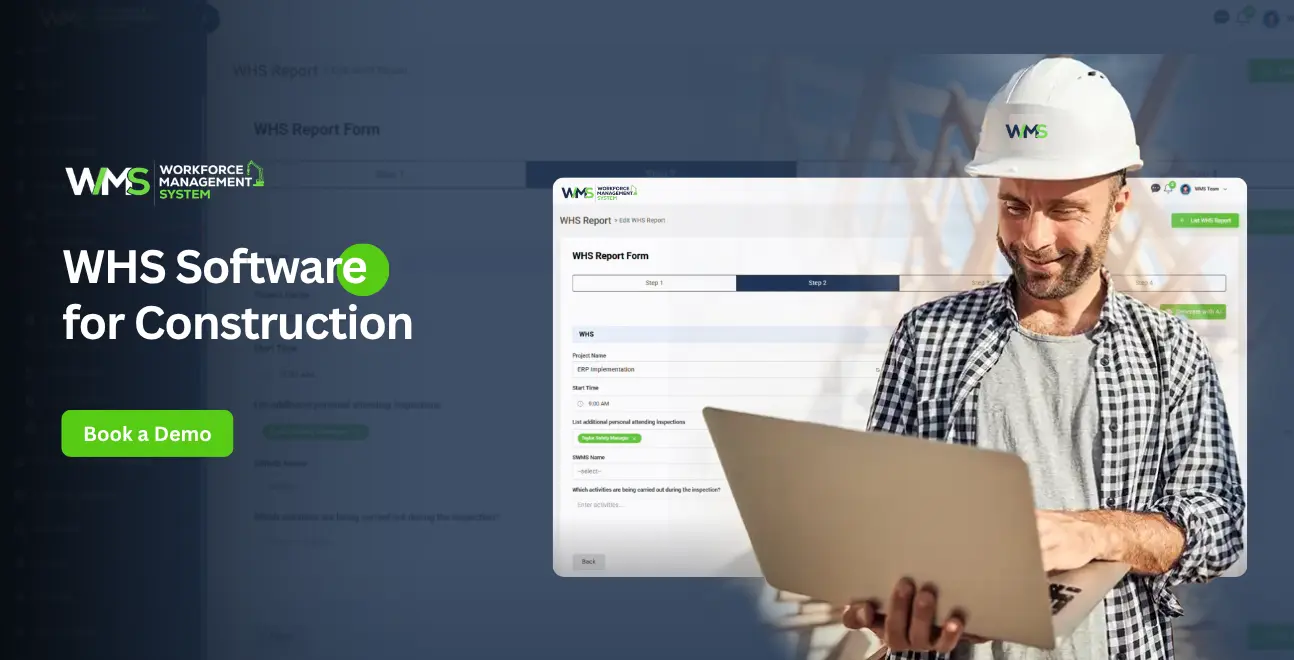
Streamline your frontline operations
For many years, construction has been one of the top five most hazardous industries in Australia. The sector is also one of the highest risk areas for workplace deaths, year-on-year, according to Safe Work Australia's own statistics. That's a number any builder would have to look past.
This is what WHS software is designed to fill. It does not require the use of paper checklists, lost forms, or induction that is only in someone's mind but, instead, provides a single, searchable record of what has been done and what hasn't been done at the site.
In this guide below, we will be discussing the functionality of WHS software, why it's now almost mandatory for construction businesses in Australia and what you should consider before selecting one.
On-Site Meaning of WHS Software
Work Health and Safety (WHS) software is a digital platform designed to assist a construction business in managing and tracking safety, compliance and risk on all jobs they are running.
A team logs inductions, hazards, incidents and audits in one place, as opposed to chasing SWMS forms in a filing cabinet or updating three different spreadsheets. Every entry is timestamped and stored, so nothing depends on someone's memory of "We definitely did that induction."
For a construction business, that typically covers:
- Site inductions and worker qualifications
- Safe Work Method Statements (SWMS)
- Toolbox talks and pre-start checklists
- Incident and hazard reporting
- Compliance document tracking
- Subcontractor safety management
If you construct a platform correctly for this, such as WMS, safety records are directly linked with your workforce, project and subcontractor information. That means a supervisor will be able to see which employees are qualified to be there today without having to flip through 4 or 5 applications to determine.
Why Paper Doesn't Cut It Anymore
The legal bar keeps moving up
Most states and territories have adopted the model WHS legislation and require a Person Conducting a Business or Undertaking (PCBU) to have a legal duty of care towards all people working or visiting the premises, including workers. Not only do regulators such as SafeWork NSW, WorkSafe Victoria and WorkSafe Queensland watch for problems to occur, they also inspect and penalise when it doesn't.
Try proving due diligence with a paper trail during one of those audits, and you'll see the problem quickly. A digital system, by contrast, generates its own timestamped audit history as a byproduct of everyday use.
Sites move faster than a filing cabinet can track
A single project can involve several subcontractors, workers rotating in and out, and site conditions that shift from one week to the next. Manual tracking simply falls behind.
Digital WHS software updates in real time across whatever device someone's using, so a supervisor can see at a glance who's inducted, who's overdue on a ticket or certification, and what hazards were flagged that same morning.
One serious incident outweighs years of subscription fees
The human cost of a workplace incident is the obvious concern, but the flow-on effects hit the business hard too:
- WorkCover investigations
- Project delays while things get sorted out
- Higher insurance premiums going forward
- Damaged standing with tier-one clients
Preventing incidents through better visibility and faster reporting is, in almost every case, far cheaper than cleaning up after one.
It makes tender submissions stronger
More head contractors, and most government tenders, now expect proof of a documented safety management system before they'll even shortlist a bid. Having WHS software in place, used alongside something like tender management software, gives a submission real weight and tells the client you run a compliant, organised operation.
What to Actually Expect From Construction-Ready Software
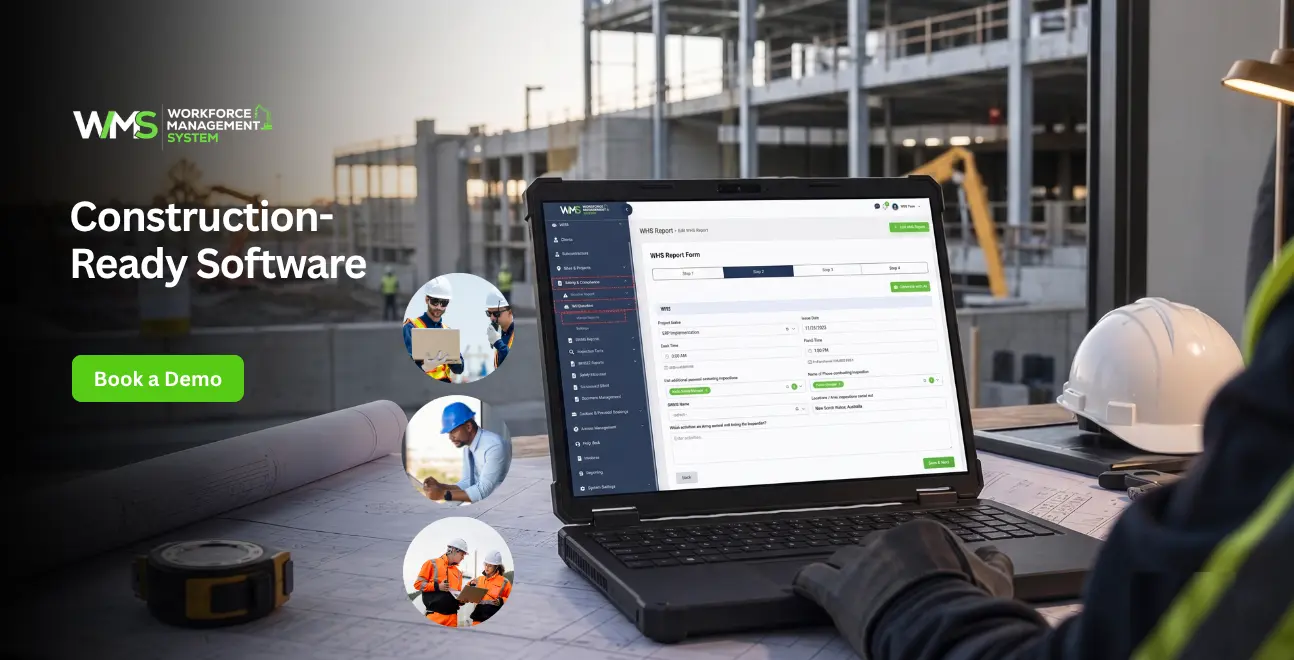
Plenty of safety software exists, but not all of it understands a construction site. Tools built for offices or retail environments tend to miss the practical realities of a job site. Here's what genuinely matters.
- Digital SWMS and risk assessments: A worker should be able to review and sign off on an SWMS from their phone before starting a task, not flick through a dog-eared folder in the site shed.
- Inductions that finish on a phone, not in an office: New workers and subcontractors should be able to complete an induction from whatever device they've got with them, with the result recorded against their profile automatically.
- Hazard reporting the moment it's spotted: If a worker notices something unsafe, they should be able to log it, photo included, within a minute, right there on site, not once they're back at the office and have forgotten half the details.
- Toolbox talks that don't rely on a clipboard: Pre-start checks and toolbox meetings should be logged with attendance built in, not a sign-in sheet that gets left in a ute somewhere.
- Real visibility over subcontractor compliance: You need to know, at any moment, whether every subcontractor's licences and insurances are current. Expiring documents should trigger an alert, not surface as a surprise during an audit.
- Management useable dashboards: Safety leaders and directors must have a real-time view of incident trends, open hazards and compliance gaps at all sites, not a pile of reports at the end of the month.
WMS integrates these with the other components of the platform, such as subcontractor management, sites and project tracking, and asset management, so that the safety information is not kept in a silo but is integrated with the rest of the business.
Free Tools vs a Dedicated Platform: What Actually Changes
It's a common search and a fair one: "free WHS software for construction". Budgets are tight, and it makes sense to ask what's out there before spending anything. Here's roughly how the two compare in practice.
| Feature | Free WHS Tools | Paid WHS Software (e.g. WMS) |
|---|---|---|
| Digital SWMS & checklists | Basic templates only | Customisable, project-specific |
| Mobile site inductions | Limited or manual | Full mobile induction workflow |
| Incident reporting | Simple forms | Photo-based, real-time, trackable |
| Subcontractor compliance | Not usually included | Automated licence/insurance alerts |
| Integration with payroll/HR | Rare | Built into workforce platform |
| Reporting & dashboards | Minimal | Real-time, site-wide analytics |
| Support | Community/self-serve | Dedicated onboarding & support |
| Scalability | Struggles past a few users | Built for growing construction teams |
Free tools have their place for a very small operator just getting started. But once you're running multiple sites, coordinating subcontractors, and carrying real compliance obligations, a proper platform tends to pay for itself, mostly in the admin hours it saves and the audit risk it removes.
Where Safety Fits Into the Bigger Workforce Picture
Safety doesn't operate as its own island on a construction site. It's tied directly to who's actually on site, what project they're assigned to, and whether their qualifications are up to date.
That's the reasoning behind a shift many Australian construction businesses are already making, away from a standalone safety app and towards one workforce management system that brings together the following:
| Module | What It Covers |
|---|---|
| HRM | Worker records, qualifications, and certifications, all in one place |
| Safety & Compliance | SWMS, inductions, incidents, and audits |
| Toolbox & Pre-start | Daily site checks, logged automatically |
| Sites & Projects | Safety data mapped against the projects it belongs to |
| Subcontractor Management | Compliance tracked for every trade on site |
| Reporting | Real-time visibility for management and, where necessary, clients |
Having your safety information integrated with your rostering, timesheet and project tracking systems makes compliance a part of the job, not a separate one.
A Smart Way to Narrow Down a Platform
- Start with what's actually broken: Are inductions the bottleneck? Is subcontractor compliance the thing that keeps slipping? Are hazard reports coming in late, if at all? Pin down the biggest gap before you look at anything else.
- Insist on mobile-first design: Construction happens on site, in work gloves, often in the rain, not behind a desk. If the software is awkward to use on a phone, workers simply won't bother with it.
- Check it's actually built for Australian WHS requirements: Look for software designed around the model WHS laws and how Australian regulators actually operate, rather than a generic international safety template with local terms bolted on.
- Look for integration, not another silo: A platform that connects safety with HR, projects, and subcontractor records cuts out duplicate data entry and gives you one source of truth, instead of five that don't quite agree with each other.
- Trial it on a live project before rolling it out everywhere: Most reputable providers, WMS included, offer a trial period. Run it on one active site first and see how it holds up before committing company-wide.
Where Businesses Tend to Trip Up
- Picking software that wasn't built for construction: A tool designed for retail or hospitality safety rarely handles the complexity of a site with multiple trades and hazards that change by the hour.
- Overlooking subcontractor compliance: Your duty of care extends to every subcontractor on site, not just direct employees. Software that only tracks your own staff leaves a real gap.
- Treating it as a box-ticking exercise: The purpose of the software is not only to meet an auditor's requirement; it is designed to simplify reporting for the users of the software. If it's cumbersome, employees are not likely to give accurate data.
- Skipping proper training: No system is perfect without the proper training of the people who will use it, from the start.
Why the Details Here Actually Matter
Work health and safety has a direct bearing on people's lives, livelihoods, and legal exposure, which is exactly why accuracy matters more here than it does for most software decisions.
No platform replaces the judgement of a qualified WHS professional. Software supports compliance; it doesn't substitute for proper risk assessments, a trained safety officer, or advice from your state regulator.
Before leaning on any system, it's worth checking that it aligns with current guidance from Safe Work Australia and your relevant state regulator and bringing in a qualified WHS advisor when you're setting up your processes.
Conclusion
Australian construction companies with several locations, subcontractors and crews that vary from week to week can find a stand-alone safety app adding more holes than filling. A WMS platform integrates WHS, HR, project and subcontractor management under one roof, making safety an integral part of the day's workflow, not an afterthought.
Want to understand how it will be implemented practically? Start your 14-day trial and bring your WHS compliance into one system built for Australian construction.
Start your 14-day trialOptimise your operations with WMS
Streamline scheduling, compliance, and workforce management in one platform.
Frequently Asked Questions
The acronym WHS is used to refer to Work Health and Safety. It is used in construction to refer to the legal structure and working practices established to safeguard workers, subcontractors and visitors from injuries occurring at a construction site.
There is not one right answer here; it is dependent on the size and complexity of your business. Seek construction-specific software packages, such as SWMS, inductions, incident reporting, and subcontractor compliance, and preferably integrate this within an overall software package for workforce management, for example, WMS.
There are a few simple, free tools available, typically with a simple checklist or induction form. While they can be used by a very small operator, most building contractors that are growing at some stage will require automatic compliance tracking, subcontractor management and correct reporting that can only be achieved by paid software.
Yes, small construction businesses require WHS software. Sole traders and subcontractors, even if they are small businesses, have duty-of-care obligations, and digital records make it much easier to prove that you are compliant in the event of any incident or audit.
Many construction tenders, particularly government and tier-one contracts, ask for evidence of a documented safety management system before they'll consider a bid. WHS software provides the reportable data and audit trail that can go straight into a tender submission, often alongside tools like tender management software.
No. A safety officer or WHS manager can use WHS software to automate the paperwork, tracking and reporting aspect of their role. It does not take the place of judgement, training, or accountability of a qualified safety professional.
Related Articles
Explore more insights on workforce management, compliance, and operations.

Top AI Solutions To Manage Construction Workforce
Explore the top AI solutions for managing a construction workforce, from onboarding to payroll and safety, with human review built in.
WorkforceMS Team
14 Sep 2026

Streamline Job Tracking with AI Construction Management Software
Discover how AI construction management software streamlines job tracking, project planning, risk alerts, defect reporting and safety compliance.
WorkforceMS Team
11 Sep 2026

Skills and Compliance Management for Construction Teams
Manage skills and compliance for construction teams with WorkforceMS. Track licences, SWMS, inductions and audits in one workforce management system.
WorkforceMS Team
10 Sep 2026
Ready to secure your operations?
