Workforce Management Software Australia: The Construction Industry Guide (2026)
Workforce management software helps Australian construction businesses schedule crews, track attendance, manage subcontractors and stay Fair Work compliant from one platform not spreadsheets and paper timesheets.
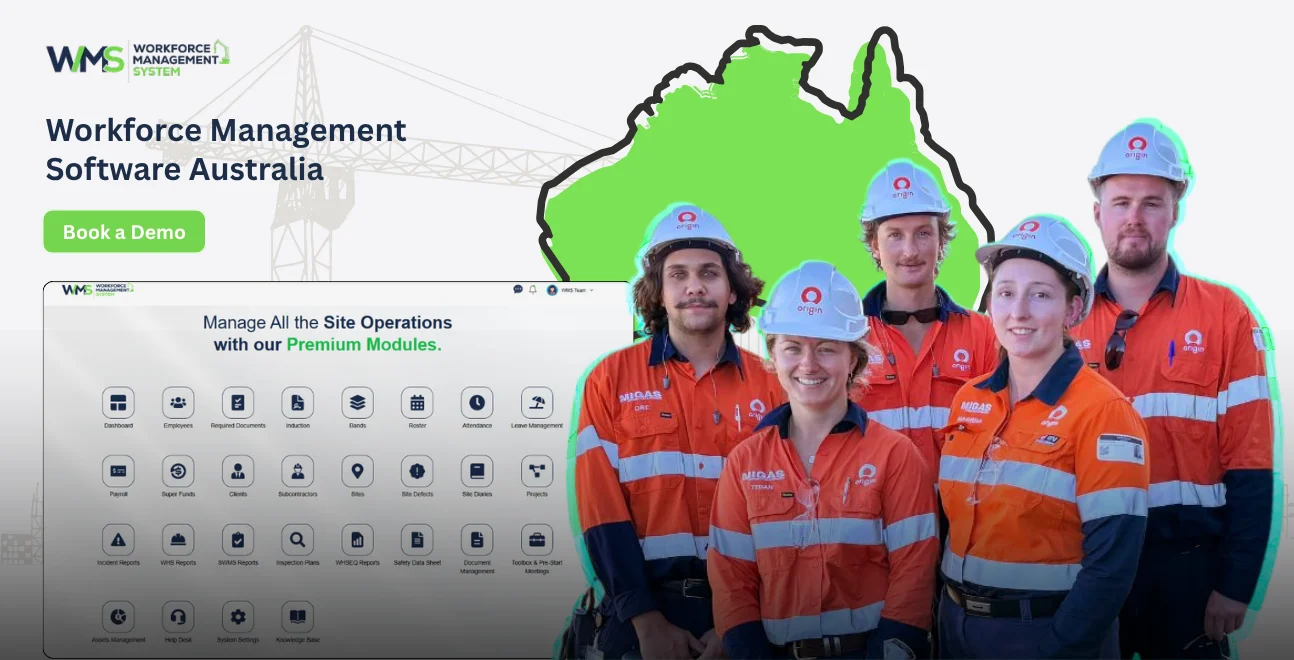
Streamline your frontline operations
Workforce management software is a digital platform that helps businesses schedule staff, track time and attendance, manage compliance and coordinate day-to-day operations from one system. For Australian construction businesses, the best workforce management software goes further handling sites and projects, subcontractors, tenders, safety and toolbox talks alongside standard HR tasks. Key benefits include:
- Fewer scheduling errors across multiple sites and crews
- Faster subcontractor onboarding and compliance checks
- Real-time visibility of who's on which site, doing what
- Simplified Fair Work compliance, including awards, pay rules and record-keeping
- Less paperwork, with invoicing and reporting built in
What Is Workforce Management Software?
Workforce management (WFM) software is a system that brings together rostering, time and attendance, compliance and communication tools into one platform, replacing spreadsheets, whiteboards and paper timesheets. In a construction context, workforce management software also needs to handle things generic office software doesn't: multiple active sites, a rotating mix of employees and subcontractors, tender pipelines, and strict safety documentation.
For Australian builders and site managers, "workforce management software" increasingly means a construction-specific system rather than a generic HR tool, because the compliance and coordination demands of a job site are simply different to those of an office.
Why Construction Businesses Need Purpose-Built WFM Software
The Subcontractor Problem
Most generic WFM tools are built around a single employer and a fixed workforce. Construction doesn't work that way. A single project might involve your own crew plus five or six subcontractor businesses, each with their own licences, insurances and induction requirements. Without a system built for this, tracking who's compliant, who's on site, and who's been paid becomes a manual, error-prone job.
The Compliance Problem
Construction is one of the most heavily regulated industries in Australia, with Modern Awards, site-specific safety obligations, and frequent changes to workplace law. Getting this wrong isn't just inconvenient underpayment and safety breaches carry serious financial and legal consequences for directors and site managers.
Key Features Every Construction WFM Platform Should Have
A construction-ready workforce management platform should combine core HR functions with site-specific tools, subcontractor management, tender tracking, safety documentation and asset control so every part of a project is managed in one place rather than across multiple disconnected systems.
HRM
Core HRM functionality employee records, rostering, leave and payroll integration is the foundation. It needs to work for a mixed workforce of permanent staff, casuals and subcontractors, not just a standard 9-to-5 office team.
Client
A dedicated Client module keeps every client's contact details, project history and communications linked to the relevant jobs, so account managers and site supervisors are always working from the same information instead of chasing emails.
Subcontractor
Subcontractor management is the feature generic WFM tools miss entirely. It should track licences, insurances, induction status and availability for every subcontractor business you engage, flagging anyone whose paperwork has lapsed before they set foot on site.
Sites & Projects
A Sites & Projects module gives you a live view of every active job location, timeline, assigned crew and current status so head office and site supervisors are looking at the same picture in real time.
Tender Management
Tender Management tools track opportunities from initial enquiry through to submitted bid and award, keeping pricing, scope and deadlines in one place instead of scattered across email threads and spreadsheets.
Project Task Management
Project Task Management breaks each job into trackable tasks and milestones, so supervisors can see at a glance what's done, what's overdue and what's blocking progress on any given site.
Safety & Compliance
Safety & Compliance functionality should cover incident reporting, certifications, WHS documentation and audit trails the backbone of meeting your obligations under Australian workplace safety law.
Toolbox & Pre-start
Toolbox & Pre-start tools digitise daily toolbox talks and pre-start checklists, capturing attendance and sign-off electronically rather than on paper forms that go missing.
Asset Management
Asset Management tracks plant, tools and equipment across sites who's got what, where it is, and when it's due for maintenance or return reducing lost or idle equipment.
Invoices & Reporting
Built-in invoices and reporting tools turn timesheets, variations and subcontractor claims into billable data automatically, while reporting gives management real visibility over labour costs, project margins and compliance status across every site.
General WFM Software vs Construction-Specific WFM Software
| Feature | Generic WFM Software | Construction-Specific WFM (e.g. WorkforceMS) |
|---|---|---|
| Rostering & time tracking | Yes | Yes |
| Subcontractor compliance tracking | No | Yes |
| Tender pipeline management | No | Yes |
| Multi-site project view | Limited | Yes |
| Toolbox talks & pre-start checklists | No | Yes |
| Asset/plant tracking | No | Yes |
| Fair Work Award compliance | Basic | Yes (site-aware) |
Australian Compliance Requirements to Check Before You Buy
Fair Work Act & Modern Awards
Any Australian workforce management software should be built around the Fair Work Act and the relevant Modern Award for construction automatically applying correct pay rates, allowances and overtime rules rather than relying on manual calculations.
Right to Disconnect
The Right to Disconnect provisions were added to the Fair Work Act in 2024, and now cover employees of small businesses (fewer than 15 staff) as well. Your WFM system should support clear rostering and communication practices that respect these boundaries, particularly for supervisors managing after-hours site issues.
STP Phase 2
Single Touch Payroll Phase 2 reporting requirements mean your workforce management platform should integrate cleanly with STP-compliant payroll, correctly categorising income types for a mixed workforce of employees, casuals and subcontractors.
Common Mistakes When Choosing Workforce Management Software
- Buying a generic HR tool and trying to force construction workflows into it
- Ignoring subcontractor compliance until an audit or incident forces the issue
- Underestimating implementation time across multiple active sites
- Skipping a real-site demo and relying on a sales deck alone
- Overlooking reporting needs, then discovering the data you need for margin analysis isn't captured
How to Choose the Right WFM Software for Your Australian Site
Choosing the right workforce management software means matching the platform's modules to your actual site operations, subcontractors, tenders, safety and assets rather than picking based on price or brand recognition alone.
Step 1 Map Your Sites & Subcontractor Network
List every active site, the crew size, and how many subcontractor businesses you regularly engage. This defines the scale your system needs to handle.
Step 2 Define Must-Have Modules
Decide which modules are non-negotiable for most builders, that's Subcontractor management, Safety & Compliance and Sites & Projects at minimum.
Step 3 Evaluate Vendor Compliance Coverage
Confirm the platform handles the relevant Modern Award, Right to Disconnect obligations and STP Phase 2 reporting out of the box.
Step 4 Consider Total Cost of Ownership
Look beyond the subscription fee to implementation, training and any per-subcontractor or per-site charges.
Step 5 Demo With Real Site Scenarios
Test the platform against an actual scenario from your business onboarding a new subcontractor, running a toolbox talk, or generating a site report rather than a generic sales walkthrough.
Case Example: A Day on Site With WorkforceMS
A mid-sized Australian builder running four active sites uses WorkforceMS to start each morning with a digital pre-start checklist and toolbox talk logged automatically against each site. Subcontractor compliance is checked before sign-on, tasks are assigned through Project Task Management, and by the end of the day, timesheets flow straight into Invoices and Reporting giving the project manager same-day visibility of labour cost against budget, instead of waiting until month-end.
Future Trends in Construction Workforce Management Technology
- AI-assisted rostering that accounts for subcontractor availability and compliance status automatically
- Real-time site reporting replacing weekly or monthly recaps
- Deeper asset-tracking integration, linking equipment location directly to project costing
- Mobile-first compliance tools, so toolbox talks and safety sign-offs happen on-site, not back at the office
Key Takeaways
- Generic HR software often falls short on-site construction needs subcontractor, tender and safety functionality built in
- Compliance with the Fair Work Act, Right to Disconnect and STP Phase 2 should be handled automatically, not manually
- The right platform brings HRM, Client, Subcontractor, Sites & Projects, Tender Management, Project Task Management, Safety & Compliance, Toolbox & Pre-start, Asset Management, Invoices and Reporting together in one system
Ready to Simplify Workforce Management on Your Australian Sites?
Managing rosters, subcontractors, safety and reporting across multiple sites shouldn't mean juggling five different systems. WorkforceMS brings every part of the job from tender to toolbox talk to invoice into one platform built for Australian construction businesses. Book a demo to see how it works on a real site scenario.
Optimise your operations with WMS
Streamline scheduling, compliance, and workforce management in one platform.
Frequently Asked Questions
It's a platform that manages scheduling, time tracking, compliance and communication for a workforce in one system, replacing manual processes like spreadsheets and paper timesheets.
The best option is one built specifically for construction workflows covering subcontractor management, tender tracking, safety and site management rather than a generic HR platform adapted after the fact.
Not if your WFM platform includes a dedicated Subcontractor module this avoids running parallel systems for employees and subcontractor businesses.
It should automatically apply the correct Modern Award rates, track Right to Disconnect obligations, and support Single Touch Payroll Phase 2 reporting.
Yes a Sites & Projects module gives a live, centralised view of every active job, regardless of how many sites are running simultaneously.
It digitises daily toolbox talks and pre-start safety checklists, capturing attendance and sign-off electronically for compliance and audit purposes.
Yes, even smaller builders benefit from reduced admin time, fewer compliance risks, and better visibility over subcontractors and site status.
This varies by business size, but a construction-specific platform is generally faster to roll out than adapting generic HR software, since workflows already match site operations.
Yes platforms with a built-in Invoices module convert timesheets and subcontractor claims directly into billable data.
Look for reporting on labour cost against budget, subcontractor compliance status, and project progress across sites, all available in real time.
Related Articles
Explore more insights on workforce management, compliance, and operations.

Top AI Solutions To Manage Construction Workforce
Explore the top AI solutions for managing a construction workforce, from onboarding to payroll and safety, with human review built in.
WorkforceMS Team
14 Sep 2026

Streamline Job Tracking with AI Construction Management Software
Discover how AI construction management software streamlines job tracking, project planning, risk alerts, defect reporting and safety compliance.
WorkforceMS Team
11 Sep 2026

Skills and Compliance Management for Construction Teams
Manage skills and compliance for construction teams with WorkforceMS. Track licences, SWMS, inductions and audits in one workforce management system.
WorkforceMS Team
10 Sep 2026
Ready to secure your operations?
