Best Rostering Software 2026: Top Tools for Construction & Beyond
Discover the best rostering software of 2026 with expert reviews, side-by-side comparisons, and free trial links. Find your perfect staff scheduler today.

Share this article
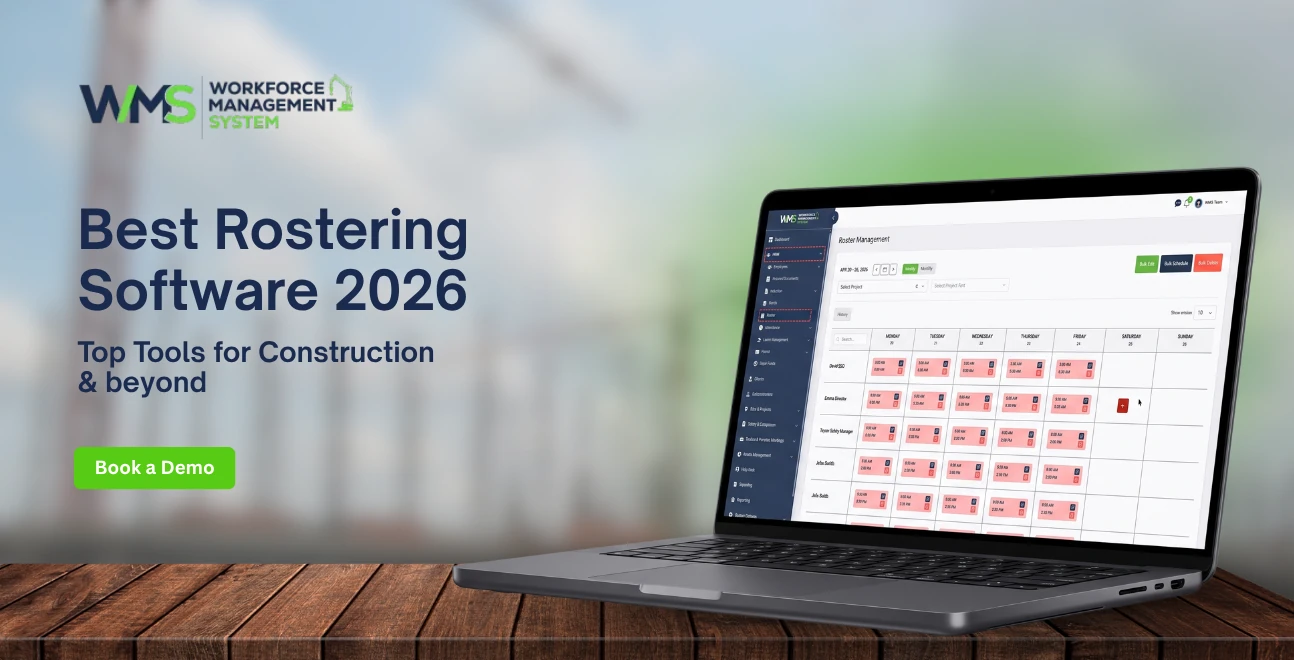
Streamline your frontline operations
See how WMS simplifies scheduling, compliance and workforce management in one powerful platform.
Rostering software is a kind of digital workforce planning platform that sort of automates the making, sending, and managing of employee work schedules. In practice most modern tools use AI to do shift assignments based on availability, skills, and labor laws and they replace the usual spreadsheets with a drag and drop builder, some real-time sync and compliance guardrails too.
- Best free plan: Sling (up to 30 users)
- Best AI scheduling: Connecteam (auto-assigns shifts in seconds)
- Best for compliance: Deputy (automated labor law safeguards)
Introduction
If you're still building staff rosters in Excel, you might be losing money every week and honestly you probably don't even clock just how much. In construction, many firms report reductions in labor costs of as much as 15% when they swap manual scheduling for dedicated rostering software. The issue isn't only the hours spent making rosters.
It's the overtime blowouts, the crews getting double booked, the certifications expiring without anyone noticing, and those payroll disagreements that kind of sneak in when spreadsheets are running the show across more than one job site.
This guide cuts through the noise. We've tested and ranked the best rostering software for 2026, but we kept a real emphasis on what construction teams tend to need in day to day operations: offline field access, sequencing that matches each trade, multi site crew deployment, and certification tracking that actually keeps you compliant.
So whether you're a site supervisor coordinating 20 tradespeople or an operations director managing 500 workers across several projects, you should land on a tool and a workflow that fits.
10 Best Free & Paid Rosters Tools in 2026
Rostering software the best one kinda balances speed, compliance, and cost. Free plans tend to help small crews with pretty simple lineups. Meanwhile paid platforms open up AI scheduling, multi site control and payroll integration sorta. For construction teams it's worth picking offline mobile access and trade focused features over some generic shift tool.
Free Roster Apps vs Paid Platforms: What You Actually Get
In most cases free rostering tools cover basic shift creation, employee availability and mobile viewing, that's about it. Paid plans usually add AI auto scheduling, compliance alerts, payroll sync, and more advanced reporting. For construction though the real missing piece is often offline access, plus certification tracking, and that kind of thing is rarely included in the free tiers.
Comparison Table: Features, Pricing, Free Trial Limits
| Tool | Best For | Starting Price | Free Plan | AI Scheduling | Offline Mobile | Construction Fit |
|---|---|---|---|---|---|---|
| WorkforceMS | Construction & field crews | $3/user/mo | 14-day trial | ✅ | ✅ | ⭐⭐⭐⭐⭐ |
| Connecteam | Multi-location teams | $29/mo (30 users) | Up to 10 users | ✅ | ⚠️ Limited | ⭐⭐⭐ |
| Deputy | Compliance-heavy industries | $5/user/mo | 31-day trial | ✅ | ❌ | ⭐⭐⭐ |
| 7shifts | Restaurants & hospitality | $39.99/mo/location | Up to 15 users | ✅ | ❌ | ⭐⭐ |
| Sling | Small teams, tight budgets | $2/user/mo | Up to 30 users | ❌ | ❌ | ⭐⭐ |
| When I Work | Simple roster creation | $2.50/user/mo | 14-day trial | ✅ | ❌ | ⭐⭐ |
| Planday | POS-linked labor analysis | $2.99/user/mo | 30-day trial | ❌ | ❌ | ⭐⭐ |
| Findmyshift | Basic shift scheduling | $25/mo (team) | 30-day trial | ❌ | ❌ | ⭐ |
| Homebase | Retail & small business | Free basic | Free forever | ❌ | ❌ | ⭐ |
| Agendrix | Healthcare & shift work | $2.50/user/mo | 14-day trial | ❌ | ❌ | ⭐⭐ |
Our Top 3 Picks for Construction Teams
- WorkforceMS, built for construction and it uses offline first mobile design, trade sequencing templates, and certification expiry alerts.
- Connecteam strong multi location coordination with GPS time clock and payroll integrations but offline support can be limited, yeah.
- Deputy, really good compliance automation for labor law adherence but it does need internet connectivity before it behaves properly.
What Is Rostering Software? (Definition & How It Works)
Rostering software is basically a digital system that swaps manual schedule creation for automated, rule based shift assignment. It brings together employee availability, skill needs, labor law requirements, and the actual business demand into one place. Managers can build, publish, and keep tweaking rosters there. Employees meanwhile, can look at their shifts, request a change, and even clock in from their phones.
The Core Components of Modern Rostering Systems
Most rostering platforms come with four main layers, more or less:
- Schedule builder: Drag-and-drop, or an AI powered interface for putting together shifts
- Availability engine: Collects and enforces time off, personal preferences, and contractual boundaries
- Compliance layer: Spots overtime risks, break rule violations, and certification gaps before anything goes live
- Integration hub: Syncs with payroll, HR, and accounting systems so you don't have to retype data all day
Rostering Software vs. Basic Scheduling Spreadsheets
Spreadsheets can't really enforce rules. They also won't warn you if someone passes the overtime line, if a qualification is missing, or if the same person gets double booked across two locations. With rostering software, those checks run automatically, so the admin workload drops from something like 4-6 hours per week to under 30 minutes for a team of 50 people, give or take.
How the Roster Method Automates Workforce Allocation
The roster method tries to connect the who (qualified people) to the what (specific tasks) and also the where (job sites or departments) during the when (shift times). Modern platforms optimise this pairing using algorithms that consider availability, experience, fairness, fatigue boundaries, and labor costs. The result is schedule balance produced in seconds, not hours, which honestly feels a bit too fast sometimes, but it helps.
How to Do Staff Rostering: A 7-Step Process
Effective staff rostering usually runs on a predictable workflow, like forecast demand, gathering availability, build the schedule, check compliance, publish, handle changes, and then sync with payroll. If you skip even one part it's where the problems slip in: overtime, double-bookings, and compliance failures that just don't show up until later.
Step 1: Forecast Labor Demand by Role and Skill
Look at historical data, timeframes, and seasonal swings so you can estimate how many workers and which disciplines you actually need each shift. Construction teams should align this with the trade sequencing plan too, so you're not scheduling electricians too early before the framers finish.
Step 2: Collect Employee Availability and Time Off Requests
Use self-service portals where employees submit their availability, time off requests, and shift preferences. Once approved, the system blocks those dates inside the roster so nobody gets accidentally placed during leave, period.
Step 3: Build the Roster Using Drag-and-Drop or AI Auto Schedule
For smaller teams, drag-and-drop tools are fine because they're quick. But for more complex setups, AI auto-schedulers can spit out full rosters in seconds based on your rules. You then review and tune it, not build everything from zero.
Step 4: Validate Compliance Rules (Overtime, Breaks, Certifications)
Before anything goes live, run the compliance checks. The platform should highlight things like:
- workers getting close to overtime limits
- missing mandatory rest windows between shifts
- expired certifications or licenses
- labor law breaches, like Fair Work award rates in Australia
Step 5: Publish and Share the Roster Right Away
Send the finalised roster to Users through a mobile app, email, or SMS. Cloud-based systems keep everything updated in real time, so any changes show up immediately on every device.
Step 6: Manage Shift Swaps and Coverage, in Real Time
Let employees do self-service shift swaps, they can release a shift and a qualified teammate can claim it, optionally with manager approval. Open shift pools handle coverage gaps without the usual call-and-wait routine, or those group chat ping loops.
Step 7: Sync with Payroll and Review Labor Costs
Export the approved timesheets straight to payroll providers like ADP, Xero, or QuickBooks. Then review labor cost reports to spot trends, like which locations run over budget, which trades drive the most cost, and where scheduling efficiency can improve.
AI Rostering Tools: How Smart Scheduling Cuts Admin Time by 70%
AI rostering tools use machine learning to auto-assign shifts based on employee availability, skills, fairness algorithms, and business rules. Instead of manually matching workers to shifts, managers input unassigned shifts and the AI generates optimised rosters in seconds.
What AI Scheduling Actually Does (Beyond Buzzwords)
Real AI scheduling goes deeper than simple auto-fill. It:
- Balances workload fairness across employees over time
- Predicts no-show risks based on historical patterns
- Suggests optimal shift lengths to minimise fatigue
- Learns from manager corrections to improve future recommendations
AI vs. Manual Roster Building: Time Savings Breakdown
| Task | Manual (Excel) | AI-Powered | Time Saved |
|---|---|---|---|
| Build weekly roster (50 staff) | 4-6 hours | 10-15 minutes | 93% |
| Handle shift swaps | 1-2 hours | Self-service | 100% |
| Compliance validation | 30-45 min | Automatic | 100% |
| Payroll reconciliation | 2-3 hours | Direct sync | 90% |
| Weekly total | 8-12 hours | 30-60 min | ~87% |
Top AI Roster Features: Auto-Assign, Conflict Detection, Fairness Algorithms
- Auto-assign: Fills shifts based on qualifications, availability, and custom rules
- Conflict detection: Prevents double-booking, overtime, and break violations before they happen
- Fairness algorithms: Distributes weekend, holiday, and unpopular shifts equitably across the team
Online Rostering Tools: Cloud vs. On-Premise for Field Teams
Online rostering tools store schedules in the cloud, enabling real-time access from any device with the internet. For office-based teams, this is standard. For construction crews on remote job sites, offline functionality becomes the deciding factor.
Must-Have Mobile App Features for Remote Workers
- Instant roster viewing and shift confirmations
- GPS-verified clock-in/out with geofencing
- Photo and note attachments for shift handovers
- Push notifications for schedule changes
- One-tap shift swap requests
Offline Access: The Make-or-Break Feature for Construction Sites
Most generic rostering apps require constant internet connectivity. On construction sites with patchy cell coverage, this creates data gaps where clock-ins, form submissions, and status updates get lost. True offline-first platforms cache data locally and auto-sync when signal returns, which is a non-negotiable for field operations.
Real-Time Sync: How Cloud Rostering Prevents Double-Booking
When multiple site managers schedule from the same worker pool, real-time sync ensures one manager's assignment immediately reflects for all others. Without it, the same electrician gets booked on two sites simultaneously, a $500+ mistake that cloud sync eliminates.
Construction Roster Software: Crew Deployment, Trade Sequencing & Multi-Site Control
Construction rostering is fundamentally different from retail or hospitality scheduling. You're not just filling shifts, you're sequencing trades, deploying crews across geographically dispersed sites, tracking OSHA certifications, and managing subcontractors alongside direct employees.
Trade Sequencing: Why Construction Rostering Is Different
In construction, who works when depends on who finished yesterday. Electricians can't rough-in until framers complete walls. Plumbers need slab pours done first. Rostering software for construction must map these trade dependencies into the schedule, preventing crews from arriving before preceding trades finish which causes idle time, labor cost overruns, and cascading delays.
Multi-Site Crew Deployment Without the Chaos
Construction firms often share tradespeople across 5-10 active sites. Effective rostering software shows:
- Which workers are assigned where, in real time
- Travel time between sites to prevent scheduling conflicts
- Site-specific certification requirements (e.g., confined space training for one project)
- Subcontractor vs. direct employee differentiation
Certification & Compliance Tracking for Licensed Trades
Generic scheduling tools don't track certification expiry. Construction-specific platforms like WorkforceMS monitor OSHA cards, trade licenses, and client-required credentials automatically, removing uncertified workers from eligible shift pools 30 days before expiry.
Offline-First Field Access for Remote Job Sites
Construction sites rarely have reliable Wi-Fi. WorkforceMS and specialised contractor platforms support offline mode where crews clock in, complete safety forms, and update task status without connectivity. Data syncs automatically when signal returns, maintaining audit trails even in remote locations.
5 Roster Mistakes That Cost You Money (And How to Fix Them)
The most expensive rostering mistakes are invisible until payroll day. Here are the five errors that drain construction budgets, and the software features that prevent them.
Mistake 1: Relying on Excel for Complex Crew Rosters
Excel can't enforce rules. It won't stop you from scheduling a worker for 16 straight hours or booking the same carpenter on two sites. Fix: Switch to rule-based rostering software with conflict detection.
Mistake 2: Ignoring Certification Expiry Dates
Sending an uncertified welder to a site doesn't just risk fines; it can halt work until a replacement arrives. Fix: Use platforms with automated certification tracking and expiry alerts.
Mistake 3: Double-Booking Workers Across Multiple Sites
Without real-time visibility into cross-site assignments, site managers routinely book the same workers for overlapping shifts. Fix: Centralised cloud rostering with instant sync across all locations.
Mistake 4: Missing Overtime Alerts Before Payroll
Overtime isn't caught until timesheets are approved, when it's too late to adjust. Fix: Rostering software that flags overtime risks while building the schedule, not after hours are worked.
Mistake 5: Failing to Account for Trade Sequencing Dependencies
Scheduling drywallers before insulation is complete wastes an entire day of labor. Fix: Construction-specific rostering with task dependency mapping and trade sequencing templates.
Best Employee Scheduling Software: In-Depth Tool Reviews
Connecteam: Best for Multi-Location Teams
Connecteam ranks highest for teams managing multiple roles, locations, and pay rules. Its AI scheduler generates full rosters in seconds, and employees can swap shifts through self-service. The platform includes built-in break, overtime, and payroll alignment safeguards. However, offline functionality is limited, a drawback for remote construction sites.
Pricing: Free for up to 10 users; paid plans from $29/month for 30 users.
Deputy: Best for Compliance-Heavy Industries
Deputy excels at automated labor law compliance, embedding break times and overtime rules directly into schedules. It supports biometric facial recognition clock-in and geofencing. The downside: no offline mode, and advanced admin controls require higher-tier plans.
Pricing: From $5/user/month; 31-day free trial.
7shifts: Best for Restaurant & Hospitality
Built specifically for restaurants, 7shifts offers labor-to-sales forecasting and tip-pooling integrations. Its restaurant focus makes it less suitable for construction, and it requires a separate app for mobile clock-ins.
Pricing: From $39.99/month per location; free for up to 15 employees per location.
WorkforceMS: Best for Construction & Field Crews
WorkforceMS is purpose-built for construction workforce management. Unlike generic tools, it handles trade sequencing, multi-site crew deployment, and offline field access, features construction teams can't find in standard scheduling apps.
Key differentiators:
- Offline-first mobile app: Works without cell or Wi-Fi, syncing when connectivity returns
- Trade sequencing templates: Pre-built workflows for common construction sequences (framing → electrical → plumbing → drywall)
- Certification tracking: Automated alerts 30 days before OSHA, trade license, or client credential expiry
- Subcontractor management: Separate roster views for direct employees vs. subcontracted crews
- Labor cost forecasting: Real-time budget tracking per site, per trade, per project phase
Pricing: From $3/user/month; 14-day free trial with full feature access.
Sling: Best Free Plan for Small Teams
Sling offers the most generous free plan (up to 30 users) with drag-and-drop scheduling, shift swaps, and labor cost visibility. It flags "clopening" issues and shows wages upfront in the schedule view. However, it lacks skill-based scheduling and advanced compliance features.
Pricing: Free for up to 30 users; paid from $2/user/month.
Benefits of Using a Workforce Planning Platform
Labor Cost Control: Stop Overtime Before It Happens
Rostering software with real-time labor cost visibility shows projected wage expenses while building the schedule, not after. Managers see overtime triggers before they commit, adjusting coverage to stay within budget.
Reduced Admin Time: From Hours to Minutes per Week
AI-powered rostering reduces weekly scheduling admin from 8-12 hours to under 1 hour for a 50-person team. Self-service shift swaps and automatic payroll sync eliminate the back-and-forth that consumes manager time.
Higher Employee Satisfaction Through Self-Service Rosters
Employees with mobile access to their schedules, swap requests, and time-off balances report higher satisfaction. Transparency reduces the "I didn't know I was working" disputes that damage morale.
Compliance Confidence: Automated Break and Overtime Rules
Built-in compliance guardrails prevent labor law violations before they occur. The system enforces minimum rest periods, maximum shift lengths, and mandatory breaks, reducing legal risk and audit exposure.
2026 Roster Trends: AI, Predictive Staffing & Workforce Analytics
The rostering landscape is shifting from reactive scheduling to predictive workforce optimisation. Three trends will define 2026 and beyond.
Predictive Labor Forecasting: Scheduling Before Demand Spikes
AI now analyses historical project data, seasonal patterns, and pipeline information to predict labor needs 4-8 weeks in advance. Instead of scrambling to find electricians when a project phase starts, managers receive early warnings and can pre-allocate crews.
Wearable Integration: Smart Badges for Real-Time Crew Tracking
Smart badges and wearable devices are entering construction sites, providing real-time verification of who is where, doing what. This data feeds back into rostering systems, closing the gap between scheduled deployment and actual field presence.
Generative AI: Natural Language Roster Creation
Emerging tools allow managers to create rosters using natural language commands: "Build next week's roster for Site A with 6 electricians, 4 plumbers, and 8 laborers, no overtime, and prioritise workers who haven't worked Saturday this month." The AI interprets, optimises, and generates the schedule.
How to Choose the Right Rostering Software for Your Business
Team Size and Industry: Matching Scale to Features
- 1-10 employees: Free plans (Sling, Homebase) suffice for simple schedules
- 11-50 employees: Mid-tier paid plans with AI scheduling and compliance
- 51-500+ employees: Enterprise platforms with multi-site, subcontractor, and advanced analytics
- Construction: WorkforceMS or specialized contractor platforms with offline and trade sequencing
Budget Priority: Free vs. Paid Plan Decision Matrix
| Need | Free Plan Sufficient? | When to Upgrade |
|---|---|---|
| Basic shift creation | ✅ Yes | |
| AI auto-scheduling | ❌ No | Save 5+ hours/week |
| Multi-site coordination | ❌ No | 2+ locations |
| Compliance automation | ❌ No | Labor law complexity |
| Payroll integration | ❌ No | 10+ employees |
| Offline field access | ❌ No | Construction/remote work |
Integration Needs: Payroll, HR, and Accounting Software
Verify native integrations with your existing stack before purchasing. Key connections: payroll (ADP, Xero, QuickBooks), HRIS (BambooHR, Workday), and accounting (MYOB, Sage). API access matters for custom integrations.
Mobile Requirements: Field Teams vs. Office-Based Staff
Office teams need responsive web apps. Field crews need native mobile apps with offline capability, GPS verification, and simple interfaces that work with gloves on. Test the mobile experience during your trial and don't assume desktop quality translates.
Actionable Takeaways: Build Your First Optimised Roster Today
Quick Win 1: Audit Your Current Roster Process for Leaks
Track how many hours per week you spend on scheduling, how often overtime surprises appear on payroll, and how many shift conflicts arise monthly. These numbers build the business case for rostering software.
Quick Win 2: Start with a Free Trial Before Committing
Every major platform offers a free trial (14-31 days). Use this period to test your most painful workflow, including shift swaps, multi-site coordination, or compliance validation, with real data.
Quick Win 3: Set Compliance Rules Before Building Schedules
Configure overtime thresholds, break requirements, and certification rules before creating your first roster. This prevents the software from learning bad habits and ensures every schedule starts compliant.
Why WorkforceMS Is Built for Construction Rostering
WorkforceMS was designed by construction operators who understand that generic scheduling tools fail on job sites. Dust, gloves, patchy connectivity, and trade dependencies aren't edge cases; they're daily reality.
Built for Dusty Job Sites: Offline-First Mobile Design
The WorkforceMS mobile app works without the internet. Crews clock in, complete safety checklists, and update task progress offline. Data syncs automatically when connectivity returns, with no lost hours and no manual catch-up.
Trade-Specific Roster Templates for Construction
Pre-built templates map common construction sequences: foundation → framing → MEP rough-in → insulation → drywall → finishes. Each template enforces trade dependencies, preventing crews from arriving before preceding work is complete.
Start Your Free 14-Day Trial: No Credit Card Required
Ready to stop losing hours to Excel? Start your free trial today and build your first optimised roster in under 15 minutes.
Conclusion
The right rostering software doesn't just save time, it transforms how you deploy, manage, and optimise your workforce. For construction teams, the decision is even more critical: generic tools can't handle trade sequencing, offline job sites, or certification tracking. WorkforceMS fills that gap with purpose-built features that keep crews productive, compliant, and on schedule.
Ready to stop losing hours to Excel? Start your free trial today and build your first optimised roster in under 15 minutes.
Optimise your operations with WMS
Streamline scheduling, compliance, and workforce management in one platform.
Rostering Software FAQs
Sling offers the most capable free plan, supporting up to 30 users with drag-and-drop scheduling, shift swaps, and labor cost tracking. For construction teams, free plans are typically insufficient due to missing offline access and certification features.
Yes. Advanced platforms flag overtime risks, overlapping shifts, and break violations during roster creation, giving managers time to adjust coverage before payroll problems arise.
Most tools export approved timesheets as CSV files or sync directly with providers like ADP, Xero, QuickBooks, and Paychex. The key is whether scheduled hours, overtime rules, and approved edits flow cleanly without manual rework.
Most generic apps do not. Construction-specific platforms like WorkforceMS support true offline mode, so crews clock in, complete forms, and log hours without connectivity, with automatic sync when signal returns.
• Sling: 30 users • Connecteam: 10 users • 7shifts: 15 employees per location • Homebase: Unlimited (limited features)
Employees release shifts through the app, and qualified teammates claim them with optional manager approval. Open shift pools broadcast coverage to eligible workers instantly.
Enterprise-grade platforms use encryption, role-based access controls, and audit trails. Compliance features vary by tool; Deputy and WorkforceMS lead in automated labor law enforcement.
Prioritise: offline mobile access, trade sequencing, multi-site visibility, certification tracking, subcontractor management, and labor cost forecasting per project phase.
Related Articles
Explore more insights on workforce management, compliance, and operations.

Security Operations and Monitoring Workforce Planning
Plan guard rosters, track live attendance and cover every shift with WorkforceMS. Strengthen security operations and monitoring with smarter workforce planning.

Muhammad Asim
09 Oct 2026

Telehealth and Digital Healthcare Scheduling WMS
Simplify telehealth and digital healthcare scheduling with WorkforceMS. Manage rosters, remote clock-ins and compliance records in one easy-to-use platform.
Muhammad Asim
08 Oct 2026

Healthcare Workforce Management for Aged Care
Simplify rostering, credential tracking and payroll for aged care healthcare teams. Discover how WorkforceMS gives your carers more time with residents.
Muhammad Asim
05 Oct 2026
Ready to secure your operations?
