

WMS
Streamline Job Tracking with AI Construction Management Software
11 Sep 2026•1 min read
Employee Scheduling - 2026
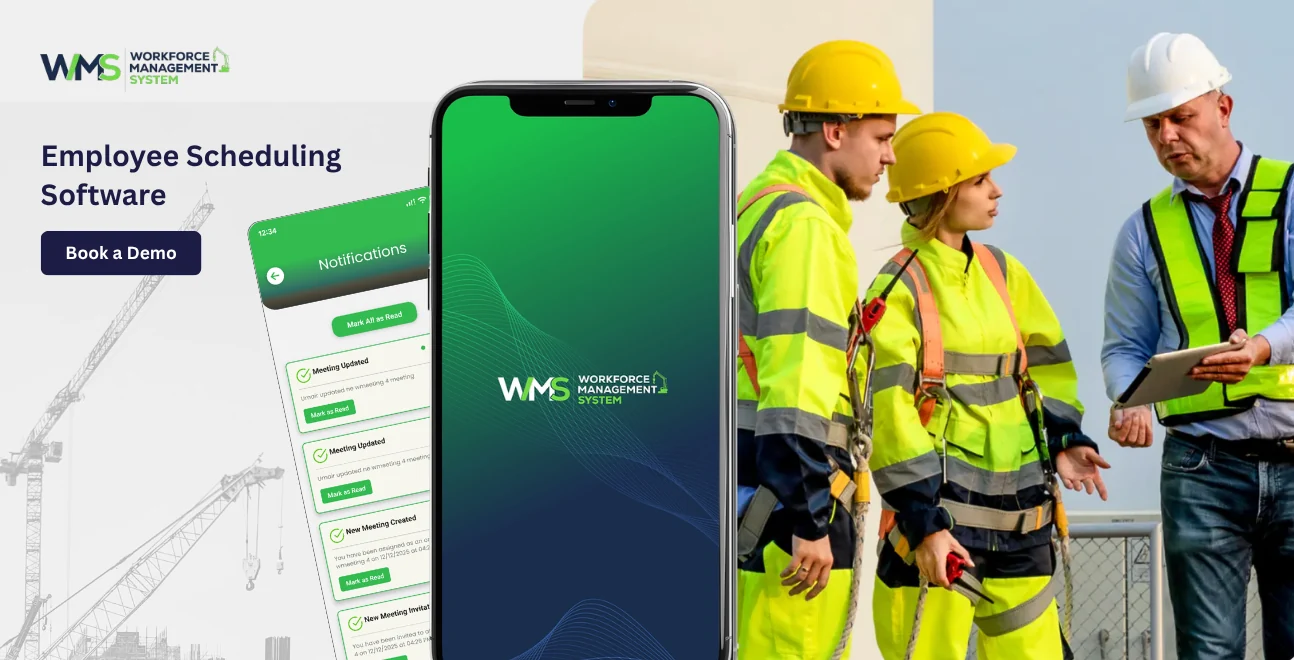
Employee scheduling software or Workforce Management System helps businesses plan and manage staff from one place. It makes staff schedules, checks staff availability, handles leave requests and tracks work hours. This software is really helpful for businesses to manage their staff.
Employee scheduling software also helps with staff leave requests and work hours tracking. It is a tool for managing the workforce. This helps businesses know if they have staff in the place at the right time with WorkforceMS. When you know that your business runs smoothly, your staff feel more secure. Your labour costs stay under control.
WorkforceMS is an Australian-made workforce management platform. It is designed for businesses from small hospitality venues in Melbourne to large logistics operations in Brisbane. WorkforceMS gives managers the scheduling power they need without complexity. A modern employee scheduling software WMS is more than a calendar.
It is an end-to-end workforce tool that connects your roster to time tracking, payroll and team communications. Everything is in one system, which means admin work and more time to focus on running your business.
Workforce management in Australia is complex today. Businesses face rising wages, stricter Fair Work Act obligations and a labour market where staff retention is a challenge. Outdated tools do not work anymore.
Poor workforce scheduling is expensive. When schedules are done manually, managers waste hours building rosters. Sorting out last-minute replacements. Mistakes lead to understaffing or overstaffing, which adds up to thousands of dollars in costs.
Research shows that Australian businesses lose revenue and productivity due to scheduling inefficiencies. A WMS directly addresses these problems.
Today's workforce expects tools at work. They want to check their roster on their phone and submit leave requests digitally. Businesses that offer a scheduling experience find it easier to attract and retain good staff.
WorkforceMS delivers a first experience. Your team gets an app with all their scheduling information, while managers get a powerful dashboard.
Australia's Fair Work Act and Modern Awards are detailed and updated often. Getting rostering wrong exposes your business to risk.
A WMS with built-in compliance features keeps you on the side of these rules.

The best employee scheduling software WMS combines powerful features to simplify operations. Here is what to look for:
The auto-scheduling feature saves time. You set your rules, and the system builds the roster for you in seconds.
WorkforceMS auto-scheduling accounts for employee availability and approved leave.
Employees update their availability. Submit leave requests through the WorkforceMS app.
Managers get notifications. Can say yes or no to requests with just one click on WorkforceMS.
The WorkforceMS roster builder is easy to use and fast for managers. The drag-and-drop tool on WorkforceMS lets managers make and change shifts easily.
WorkforceMS has a system that tracks work hours and attendance tracking for staff. Employees use the WorkforceMS app to clock in and out. The system on WorkforceMS checks for any mistakes and alerts managers to review them with WorkforceMS.
WorkforceMS integrates with leading payroll platforms through seamless payroll integration . The hours your team works are automatically fed through to payroll calculations.
WorkforceMS gives managers a real-time view of projected labour costs. You can compare your scheduled labour spend against your budget. Make adjustments.
When an employee cannot make their shift, WorkforceMS makes the replacement process quick and transparent. The employee can request a shift swap through the app.
WMS is not about rosters; it is about keeping your team connected. WorkforceMS includes in-app messaging so managers can communicate directly with employees or groups.
WorkforceMS is built on an idea: managing your workforce should be easy for managers and clear for employees. Here is how it works.
When you start with WorkforceMS, you set up your business. Locations, departments, roles and employees. You can import employee data from a spreadsheet. Connect to your HR system.
Next, you set your scheduling rules. This includes staff per role, maximum hours per employee, rest periods between shifts and compliance rules. These rules work automatically when you build a roster.
You can make your roster from scratch using templates, or you can let WorkforceMS make one for you based on your rules and forecast. The system will flag conflicts like bookings or compliance issues before you publish.
Once the roster is ready, you publish it with one click. Every affected employee gets a notification via the app. They can view shifts, acknowledge schedules and raise concerns. Within WorkforceMS.
As shifts happen, WorkforceMS tracks them. Finish times, meal breaks and absences. Managers can monitor attendance. Get alerts if an employee does not clock in.
At the end of the pay period, managers. Approve timesheets in WorkforceMS. Approved hours are exported to your payroll system, making payday easy and accurate.
A lot of Australian workplaces still depend on spreadsheets, paper rosters, or maybe just a simple calendar app to handle their team. While these tools are free and familiar, they create significant problems as your business grows. The table below highlights how a dedicated WMS compares to traditional rostering methods.
| Feature | Spreadsheet / Paper Roster | Employee Scheduling Software WMS |
|---|---|---|
| Time to build weekly roster | 2-5 hours | 15-30 minutes |
| Employee availability visibility | Manual, often outdated | Real-time, employee-updated |
| Leave management | Email or verbal | In-app requests and approvals |
| Shift swap management | Manual coordination | App-based with manager approval |
| Compliance monitoring | Manual, error-prone | Automated rules and alerts |
| Labour cost visibility | Calculated after the fact | Real-time as roster is built |
| Payroll integration | Manual data re-entry | Direct automated export |
| Mobile access for employees | None | Full mobile app |
| Reporting and analytics | None or basic | Detailed dashboards and reports |
| Error rate | High | Very low |
The contrast is stark. Traditional rostering methods may feel manageable when you have five employees, but they quickly become unworkable as your team grows and the risk of compliance errors increases with every additional shift.
Benefits of Using a WMS for Employee Scheduling in Australia: Moving to a workforce management system is an investment for any business. Here are the real benefits that Australian businesses get when they start using WorkforceMS.
Managers who use fashioned rostering methods spend a lot of time building the schedule. We are talking about two to five hours every week. That is just the start. They have to make changes, sort out swaps and communicate with employees. WorkforceMS makes this process much faster. Most managers can make their roster in a really short time. It takes them under thirty minutes.
Those hours really add up. If a manager saves three hours per week, that is over 150 hours in a year. That is time they can use for important things like leading their team, training and growing the business.
Unplanned overtime is a problem for businesses. When managers build rosters without knowing how many hours employees have already worked, it is easy to give them too much overtime. WorkforceMS shows managers where overtime is building up so they can make changes before it costs too much.
Most businesses that use a workforce management system see a reduction in labour costs. This is because they have unplanned overtime, better staffing levels and fewer payroll errors.
Keeping employees happy is a challenge for Australian businesses. One thing that really affects employee satisfaction is scheduling. When employees feel like they do not know what is going on with their schedule or they cannot easily swap shifts, they get unhappy. Like, the whole vibe turns a bit off.
WorkforceMS gives employees a mobile app to manage their schedule. They can see their schedule in advance, request changes and trust that their time is being managed fairly. This makes employees happier. Reduces turnover.
Payroll errors are bad for businesses and employees. Overpayments are hard to get, underpayments can get businesses in trouble, and both damage trust. When hours are tracked digitally and integrated with payroll, the risk of errors is gone. WorkforceMS creates a record of every shift worked. This record protects businesses.
Australian businesses have to follow the rules like the Fair Work Act. If Australian businesses do not follow these rules, they can get into trouble. WorkforceMS helps with this by building rules into the scheduling process. The WorkforceMS system automatically flags shifts that would break the rules so managers can fix these shifts before they become a problem with the WorkforceMS.
One reason Australian businesses put money into a workforce management system is that it helps them save and also speeds things up. These two benefits are tightly connected. They both improve when an organisation uses a platform like WorkforceMS, without all the usual guesswork.
Unplanned overtime is a cost for businesses that work with shift rosters.
When managers build rosters manually, it is easy to give employees much overtime. WorkforceMS shows projected hours and overtime alerts in time so managers can make changes before it costs too much.
Having many employees on the roster is just as bad as having too few. When businesses have many employees during quiet periods, they are wasting money. A workforce management system connects scheduling to demand forecasting so businesses can roster the number of employees.
WorkforceMS helps managers analyse data and trading patterns so they can understand when their business is busy or quiet. This means they can roster confidently and avoid labour costs.
Every hour that a manager spends doing paperwork is an hour they are not spending on more important work, like coaching or planning. WorkforceMS handles the time-consuming pieces of workforce administration so managers can stay focused on leading their crew and growing the business.
Staff leaving is a headache for companies. It costs a lot to recruit, onboard and train employees. One thing that drives turnover is scheduling. When employees have visibility of their schedule and can manage their own availability, they are happier and more likely to stay.
WorkforceMS creates a scheduling experience for employees. Companies that use it usually notice their staff stick around longer.
A workforce management system does not just save time. It also makes managers more productive. Then reacting to problems, WorkforceMS gives managers the data and tools to make proactive decisions.
Real-time dashboards show attendance, upcoming shifts and any gaps in coverage. Labour cost reports highlight where spend is trending above budget. Compliance alerts prevent scheduling mistakes. This all helps managers spend time dealing with urgent problems and more time managing properly.
When you have a heap of options for managing your workforce, you kind of need to pause and think about what your business actually needs. Like not just the shiny features, but the real day-to-day kind of stuff. Here are some points.
This part is honestly pretty important. Your employee scheduling software has to understand the laws in Australia, like the Fair Work Act and the National Employment Standards. A platform that's built for Australia, such as WorkforceMS, will already have these rules inside the system.
If you choose something that was not made for Australia, then it might not operate right for your business, and that can create headaches later. So yes, you should double-check that your employee scheduling software is aware of the relevant Australian laws.
If an employee scheduling platform feels too complicated for managers, they might not use it in the right way, and then it just won't work well.
If it is too confusing for employees, they will not use it to manage their schedules. You need an employee scheduling platform that's easy to use for everyone and you need to make sure it works well on mobile devices for your business. This way your employee scheduling software will be useful for your business.
Your employee scheduling software needs to work with your payroll system. WorkforceMS works with the payroll systems in Australia so you can be sure that your employees get paid correctly. And yeah, that matters a lot for your business because your employee scheduling software and your payroll system have to work together pretty smoothly; otherwise, everything gets messy.
Whether you have 10 employees or 200 employees, your employee scheduling software should be able to grow with your business.
You need an employee scheduling platform that can handle places, departments and positions without somehow getting overly complicated for your business. Your employee scheduling software should be flexible, like it can adapt to the shifting needs of your organisation without making everything messy.
When you have a problem with your employee scheduling software, you need help right away. WorkforceMS has support based in Australia, so you can get help from people who understand your business. This matters a lot for your business, because you have to be able to receive help quickly, when you really need it, not later, like, not weeks after.
You need to think about the cost of the employee scheduling platform, including the subscription, implementation, training and any extra features.
Then you need to think about the time and money you will save by using the employee scheduling platform. For businesses, an employee scheduling software like WorkforceMS is an investment. You need to consider the cost of your employee scheduling software. How it will affect your business.
Even strong managers still stumble a bit when they plan employee hours by hand, with a manual flow. Here are some problems. How WorkforceMS can help your business.
When you use a spreadsheet or just remember who is available, it is easy to schedule an employee who's not available. This can cause problems and frustration for your employees. WorkforceMS keeps track of who's available in real time, so you cannot schedule someone who is not available. Your employee scheduling software really needs to be able to follow who's available, not just assume it.
It is easy to forget about rest periods, maximum shift lengths and mandatory break times when you are busy. If you forget, you can get in trouble with the law. WorkforceMS makes sure you follow all the rules every time you make a schedule for your business. Your employee scheduling software needs to be able to help you follow the laws in Australia.
When an employee calls in sick, managers sometimes have to scramble fast just to find someone else. WorkforceMS shows you what shifts people can cover and who's also qualified to work, so you can plug the gap quickly and easily for your business. Your employee scheduling software needs to be useful enough to help you pick a replacement.
When you have teams or locations, it can be hard to make sure everyone is scheduled fairly. WorkforceMS gives you a view of your workforce so you can distribute shifts evenly and efficiently for your business. Your employee scheduling software needs to be able to help you schedule your employees fairly.
When you enter timesheet data by hand, you can make mistakes. WorkforceMS eliminates this problem by integrating time tracking with payroll so you have a record of every shift for your business. Your employee scheduling software needs to be able to help you with payroll.
Compliance is really important when it comes to managing your workforce. You need to follow the rules and regulations that come with employment law; if you don't comply with them, you may end up facing consequences.
The Fair Work Act 2009 basically tells us what we need to do to comply with the law, like in a straight line. This includes things like hours, overtime leave entitlements and being flexible at work. The Workforce Management System is designed to understand these rules and apply them when we make schedules.
Most industries in Australia have to follow a Modern Award or an Enterprise Agreement. These agreements have rules, such as penalty rates for working evenings, weekends and public holidays and minimum hours for casual employees. We can set up a workforce management system to follow the rules of your industry so you do not have to worry about making mistakes when you make schedules.
These days employees expect to know their schedule. Giving them notice is not just polite; it is also the law in some cases. The Workforce Management System helps managers share rosters with employees and also track any kind of changes so we can keep a clear record of what happened.
The Fair Work Act says that employers have to keep records of the hours worked, the wages paid, and the leave balances for each employee (yeah, all of it).
Basically, as a sort of rule, we have to keep those records for seven years, no matter what happens, even if it feels a bit too much or slightly excessive at the time. The workforce management system automatically keeps these records digitally. It is easy to find the information we need if there is an audit or an investigation.
Not paying workers has become a big problem in Australia. It has been in the news a lot. The government is watching closely.
Using a workforce management system that tracks hours, applies the penalty rates and works with payroll can really reduce the risk of underpayment. This protects both your employees and your business. The Workforce Management System is a help when it comes to Australian Labour Compliance.
Making the move to WorkforceMS might seem like a change, but WorkforceMS is designed to make it easy. Here is what happens when you start using WorkforceMS for the time being.
The WorkforceMS team sets up your WorkforceMS account to match your business. They help you set up your locations and departments, add your employees and configure the scheduling rules that apply to your business. The WorkforceMS team works with you to get everything right.
Once everything is set up, your employees get an invite to download the WorkforceMS app and create their profiles. They get it set up for availability. Take a moment; get yourself familiar with the app. Most of the time it takes under 15 minutes, so it's pretty quick, honestly.
Your managers learn how to use the features of WorkforceMS. They learn how to put together and put out rosters, deal with time and attendance, accept leave requests, and then run reports, really in that order. WorkforceMS gives training along with ongoing support to help your group squeeze the most value out of the system from day one or so.
The time you build a roster with WorkforceMS, you will see how much faster it is compared to doing it by hand. Most new users can build their complete weekly roster in about an hour. Including learning the ropes.
WorkforceMS connects to your payroll system in a way. Your payroll team will still help to make sure everything stays smooth by the end of each pay period.
WorkforceMS is an Australian company that provides local support to its customers. As your business grows, you can add features to WorkforceMS. The system is always being updated to reflect changes in employment law and customer feedback.
Scheduling employees is one of the time-consuming tasks when running a business in Australia. Doing it by hand. With spreadsheets or paper. Is an approach that can put your business at risk. It also stops your managers from doing important work.
WorkforceMS changes all of that. It gives your managers the tools to build rosters in less time. It gives your employees the transparency and flexibility they expect. It gives your business the confidence that comes from having accurate automated workforce data.
WorkforceMS is built in Australia for businesses. It understands the rules and challenges that come with managing a workforce in Australia. The system is designed to be practical so your team can get value from it from the start.
Whether you have a cafe in Sydney, a retail chain in Queensland, a construction business or an aged care facility, WorkforceMS has the features to meet your needs and grow with you.
If you are ready to make your workforce management easier. And build an efficient, compliant and engaged team. WorkforceMS is the employee scheduling software that is right for you.
FAQs
The Workforce Management System is what WMS stands for, kind of. It is a software platform that helps businesses manage their workforce in a very practical way. This covers things like scheduling and also time and attendance. Leave management and compliance and payroll integration.
Yes, it is. WorkforceMS is designed for businesses of all sizes. This means it can be used by teams with 5 to 10 employees or large operations with hundreds of workers across multiple sites. WorkforceMS scales with your business. So you only pay for what you need.
WorkforceMS is built for the market. It is designed to support compliance with the Fair Work Act and Modern Awards and National Employment Standards. The platform is updated when employment law changes. This means WorkforceMS always follows the rules.
Yes, they can. WorkforceMS has an app for both iOS and Android. Employees can use this app to view their roster and clock in and out and request leave and swap shifts and communicate with their team. They can do all this from their smartphone.
WorkforceMS integrates with leading payroll platforms. When timesheets are approved, they are automatically exported to your payroll system at the end of each pay period. This eliminates data entry and reduces payroll errors.
WorkforceMS customers are up and running within one to two weeks. This includes system configuration and employee onboarding and manager training. The WorkforceMS support team is here to assist during the setup process and so on, you know, the whole time.
With WorkforceMS, you can use it through any web browser, no matter the device. So employees can view their roster. Manage their scheduling needs from any computer or tablet or shared device. There is also a mode for workplaces where a shared device is more suitable.
11 Sep 2026•1 min read

10 Sep 2026•1 min read

09 Sep 2026•1 min read