Cloud-Based Workforce Management Software for Construction
Managing a construction workforce is a mess. You've got sites, different crews and different rules for each project. WorkforceMS is cloud-based software built for construction teams.
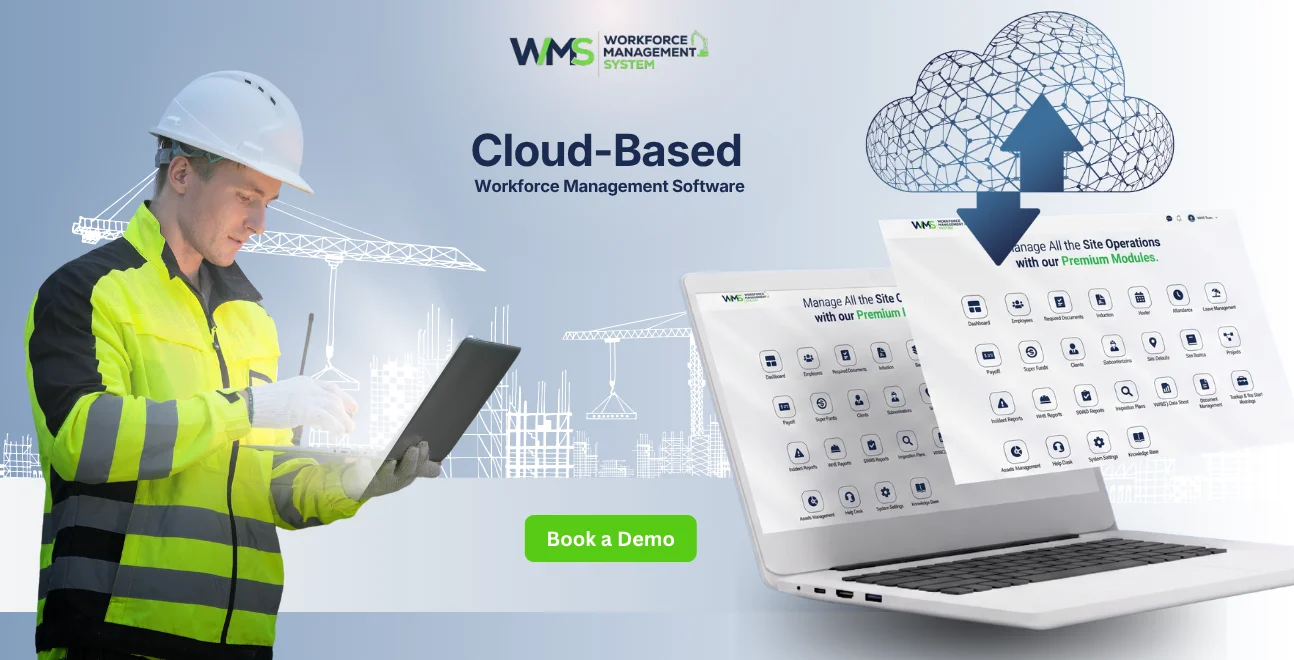
Streamline your frontline operations
Managing a construction workforce is a mess. You've got sites, different crews and different rules for each project. Workers move around depending on where they're needed that week. Paper timesheets and spreadsheets just can't keep up.
WorkforceMS is a cloud-based software built for construction teams. It helps site managers and head office staff schedule crews, track attendance, manage labour costs and stay on top of compliance. They can do all this from anywhere. As more Australian construction businesses grow across sites, a shared system like this has become a basic need.
Defining Cloud-Based Workforce Management Software
What It Actually Means
Cloud-based workforce management software is a system hosted online. It's not installed on an office computer or local server. It gives businesses a shared view of their workforce from any device with an internet connection. A site supervisor on a tablet and a payroll officer on a computer see the live data.
Why It Matters More In Construction
This matters more in construction than in most industries. A construction company might run five sites at once, each with a different crew, compliance requirements and timelines. WorkforceMS gives every site a place inside one system.
The Role The Cloud Plays
The "cloud" part is not just technical. It's why the system works the way it does. Data lives on servers, so updates made by a site manager are immediately visible to payroll and head office.
How It Works On A Job Site
Scheduling At The Centre
Scheduling is at the centre of the system. Site managers build shift rosters that account for weather delays and crew changes. Every update is pushed instantly to affected workers. Attendance tracking works alongside this, capturing clock-in and clock-out times digitally.
Tracking Labour Costs As Work Happens
Labour cost tracking runs in parallel and in real time. WorkforceMS shows cost against budget as the project progresses. This gives managers a chance to adjust before problems get big.
Compliance And Reporting Working Together
Compliance checks that every worker rostered onto a site holds the licence or certification. Reporting pulls it all together into a view for leadership. This turns day-to-day data into something that can inform business decisions.
What makes WorkforceMS different is that its functions are connected. A schedule change affects attendance expectations. An attendance record feeds into labour cost calculations. A compliance flag restricts who can be rostered onto a shift. This connectedness removes the reconciliation work that used to take hours.
Main Capabilities Of The System
Scheduling And Shift Planning
Managers adjust worker schedules across multiple sites from a single screen. They assign the workers with the right skills to the right places. The system sends notifications when plans change. This helps when a project needs workers from one site to cover a shortage at another. The system checks skills and availability before the move.
- Managers can plan shifts easily
- Workers get notifications when plans change
- The system checks skills and availability
Time And Attendance Tracking
Workers clock in digitally. This removes mistakes and guesswork from paper timesheets. It creates a record for payroll and compliance. Workers clock in through an app or a device at the site. The record has a time stamp and a location tag. This helps solve disputes about hours worked.
- Workers clock in digitally
- No more paper timesheets
- Reliable records for payroll
Labour Cost Management
The system tracks hours, overtime and extra pay promptly. This gives project managers a view of labour costs against the budget. They can check labour cost data during the week. They can adjust staffing or overtime decisions accordingly.
- Track costs in real time
- Project managers can check costs anytime
- Adjust staffing or overtime as needed
Compliance Tracking
The system flags expired certifications and training gaps. This helps ensure workers are only scheduled for sites where they're qualified to work. This reduces risk in construction. A worker without a valid certification can create liability if they're allowed on a site.
- Flag expired certifications and gaps
- Ensure workers are qualified for sites
- Reduce risk in construction
Reporting And Workforce Analytics
The system consolidates attendance patterns, labour cost trends and productivity data into reports. These reports inform decisions. Over time, the data helps estimate projects. A business can look back at projects and see how they were staffed and costed.
- Consolidate data into reports
- Inform decisions
- Estimate future projects
How AI Is Changing Cloud-Based Workforce Management
Predictive Scheduling And Compliance Alerts
AI-powered systems can now flag certifications that are about to expire. This gives managers time to renew them before a worker is scheduled for a site they're not qualified for.
- AI flags expiring certifications
- Give managers time to renew
Smarter Shift Matching
AI suggests the worker for a shift based on past performance, location and skills. This is useful in construction, where last-minute crew changes are common.
- AI suggests a worker for the shift
- Useful in construction
Cost Forecasting
Some platforms use AI to forecast labour costs for the rest of a project. This gives project managers a warning if a project is going over budget.
- AI forecasts labour costs
- Early warning for project managers
Key Benefits Of Cloud-Based Workforce Management For Construction
Faster Site Onboarding
When a company gets a project, it can add the new location or crew to the system right away. This means the new site can be up and running quickly without needing any equipment or setting things up on site. For businesses that get projects all the time, this is a big deal. It can be the difference between a site being ready to go from the start and spending the first week or two playing catch-up with paperwork.
Better Shift-Level Accountability
The system shows who is scheduled to work, who has actually shown up and who is missing all in real time. This helps managers keep track of what's going on every day. If there are any problems, they can be fixed immediately instead of waiting until the end of the pay period. This way, issues do not become a problem.
Less Reliance On Institutional Knowledge
The system stores information about scheduling and worker qualifications, so the company is not at risk if an experienced employee is not available or leaves. Many construction companies have relied on one or two people who just know what workers are best for which sites. With a central system, the company is not in trouble if that person is away or leaves.
Consistent Experience Across Sites
Workers have the process for scheduling, checking in and communicating, no matter which site they are working on. This reduces confusion for workers who move from site to site. If a worker is assigned to a project, they will still do things the same way, which makes it easier for them.
Consolidated Visibility
The head office can see all the information about scheduling, attendance and costs for every project, all in one place. They do not have to ask each site manager for updates. This makes it easier to compare how different projects are doing since all the information is organised in the same way.
| Benefit | Operational Impact |
|---|---|
| Faster onboarding | New sites will be operational sooner |
| Shift-level accountability | Fewer unnoticed coverage gaps |
| Reduced knowledge dependence | Less disruption from staff turnover |
| Consolidated visibility | Less manual chasing for updates |
Common Roadblocks During Adoption
Staff Resistance To Change
Long-serving site staff often do not want to move from paper processes or verbal handovers. This is because they are used to doing things a way that has "worked well enough" for years. This kind of resistance is normal. It usually fades once staff see that the new system actually saves them time. They get used to the system and see its benefits.
Connectivity Issues On Remote Sites
Some job sites have patchy internet. This can affect real-time syncing if a platform is not designed with offline-friendly mobile check-ins. You should ask any vendor about this during evaluation. Not every platform handles connectivity well.
Gaps In Data Migration
Incomplete data migration is an issue. Historical certifications or past project cost data may not be fully transferred into the system. This creates compliance gaps in a few months. Businesses moving from a system or manual records should budget extra time for this step.
Underestimating Training Time
Some businesses underestimate the training time site supervisors need. This leads to a slower-than-expected rollout. Supervisors who are comfortable with a tablet or smartphone in their lives may not be immediately comfortable using a new work system. A short structured training period helps.
Signs Your Construction Business Needs Cloud-Based Workforce Management
Payroll And Compliance Red Flags
Certain patterns signal that manual processes have become a problem. If payroll regularly needs correction because timesheets do not match actual hours worked, that is a sign.
If certifications are discovered to have expired during an audit or after an incident has already occurred, that is a sign. If the head office only learns about labour cost overruns after a project ends, that is a sign that spending is being tracked late.
Slow Onboarding For New Sites
If onboarding a site takes days of manual setup rather than hours, the cost of staying manual is likely higher than the cost of switching. Businesses running more than two or three active sites at once tend to reach a point where manual coordination simply cannot keep pace with the volume of scheduling, compliance and cost data that needs tracking.
Selecting The Best Platform For Your Business
Map Operational Gaps First
Identify if your main problem is that your timesheets are not accurate, if you have a compliance risk or if you have visibility across different sites before you even talk to any vendor. This will help you focus on the problems your business is facing rather than getting distracted by the features that a vendor is offering.
Check Integration Requirements Early
A WMS that does not work well with your payroll or accounting software will just create problems. You will have to do things that are not what you want when you are trying to make things easier. So, ask the vendor which payroll and accounting platforms they already work with; do not just assume that they will work together.
Shortlist By Operational Fit
The platform that has the most features is not always the best one for your business. A small business with two sites has different needs compared to a big business with fifteen sites.
Pressure-Test Compliance Configuration
Ask the vendors how their system handles things, like award interpretation and tracking certifications for construction. This is one area where a system that is not specifically designed for construction can have problems.
Evaluate Total Cost Of Ownership
Consider how long it will take to set up and train people to use the platform, not just the cost of subscribing to it. A platform that is cheaper but takes time to set up may end up costing you more in the long run because of lost productivity. An expensive platform that is ready to use quickly may be a better choice.
| Evaluation Step | Key Question to Ask |
|---|---|
| Operational gaps | What specific problems are we solving? |
| Integrations | Will it connect with payroll and accounting tools? |
| Compliance | Does it handle construction-specific award rules? |
| Cost | What is the true total cost, including setup? |
What Construction Teams Are Saying
Construction businesses that moved over to a cloud-based WMS tend to say the most noticeable improvement isn't really one special function, more like the hours no longer spent chasing down spreadsheets, paper logs, and those disconnected tools that never quite talk to each other every week.
On-site managers often describe it this way, with real-time sight into attendance and labour costs that helps them decide more quickly, especially when something slips behind schedule or when there's a last-minute crew reshuffle. Back at head office, the feeling is pretty close.
Teams mention that unified reporting makes it much simpler to contrast progress across all active projects, without having to manually gather updates from each individual site lead and somehow stitch them all together. A few people also bring up fewer payroll arguments, since digital time records give way less space for disagreement about hours worked, compared to the old handwritten timesheets.
Final Thoughts
For construction businesses juggling multiple sites and tight compliance rules, cloud-based workforce management software is not really optional anymore, it's more like the only way the work gets done properly. WorkforceMS brings scheduling, attendance, labour costs, plus compliance into one place, which helps cut down on the admin time, and it gives managers a clean, live snapshot of what's actually going on at the worksite.
And honestly, the companies getting the strongest outcomes are usually the ones that plan the change in the right way, and pick a system designed around how they operate in daily life, not merely the tool that has the longest feature lineup. As initiatives keep getting bigger, and more complicated, holding onto manual routines will quietly nudge businesses further back from those who have already moved ahead.
Optimise your operations with WMS
Streamline scheduling, compliance, and workforce management in one platform.
Frequently Asked Questions
The best software for you depends on what you need. Look for one that does scheduling well, tracks compliance, and handles construction rules as WorkforceMS does.
Cloud-based systems like WorkforceMS can work with common payroll systems used in Australia.
It keeps track of worker certifications, licences and award rules. If there's a problem, it flags it before it becomes an issue.
Yes, many do. They use AI to warn you about compliance issues, match workers with shifts and predict labour costs.
You can generally add a site in a few hours. You don't really need hardware, and you don't have to install anything on your computer.
Yes, it tracks their schedules, attendance and compliance as it does for regular staff.
Related Articles
Explore more insights on workforce management, compliance, and operations.

Top AI Solutions To Manage Construction Workforce
Explore the top AI solutions for managing a construction workforce, from onboarding to payroll and safety, with human review built in.
WorkforceMS Team
14 Sep 2026

Streamline Job Tracking with AI Construction Management Software
Discover how AI construction management software streamlines job tracking, project planning, risk alerts, defect reporting and safety compliance.
WorkforceMS Team
11 Sep 2026

Skills and Compliance Management for Construction Teams
Manage skills and compliance for construction teams with WorkforceMS. Track licences, SWMS, inductions and audits in one workforce management system.
WorkforceMS Team
10 Sep 2026
Ready to secure your operations?
