Construction Time Tracking Software Built for Australian Job Sites
WorkforceMS is Australia's leading construction time tracking software. GPS-verified clock-ins, digital timesheets, payroll integration, and real-time labour cost visibility: all in one platform.

Share this article
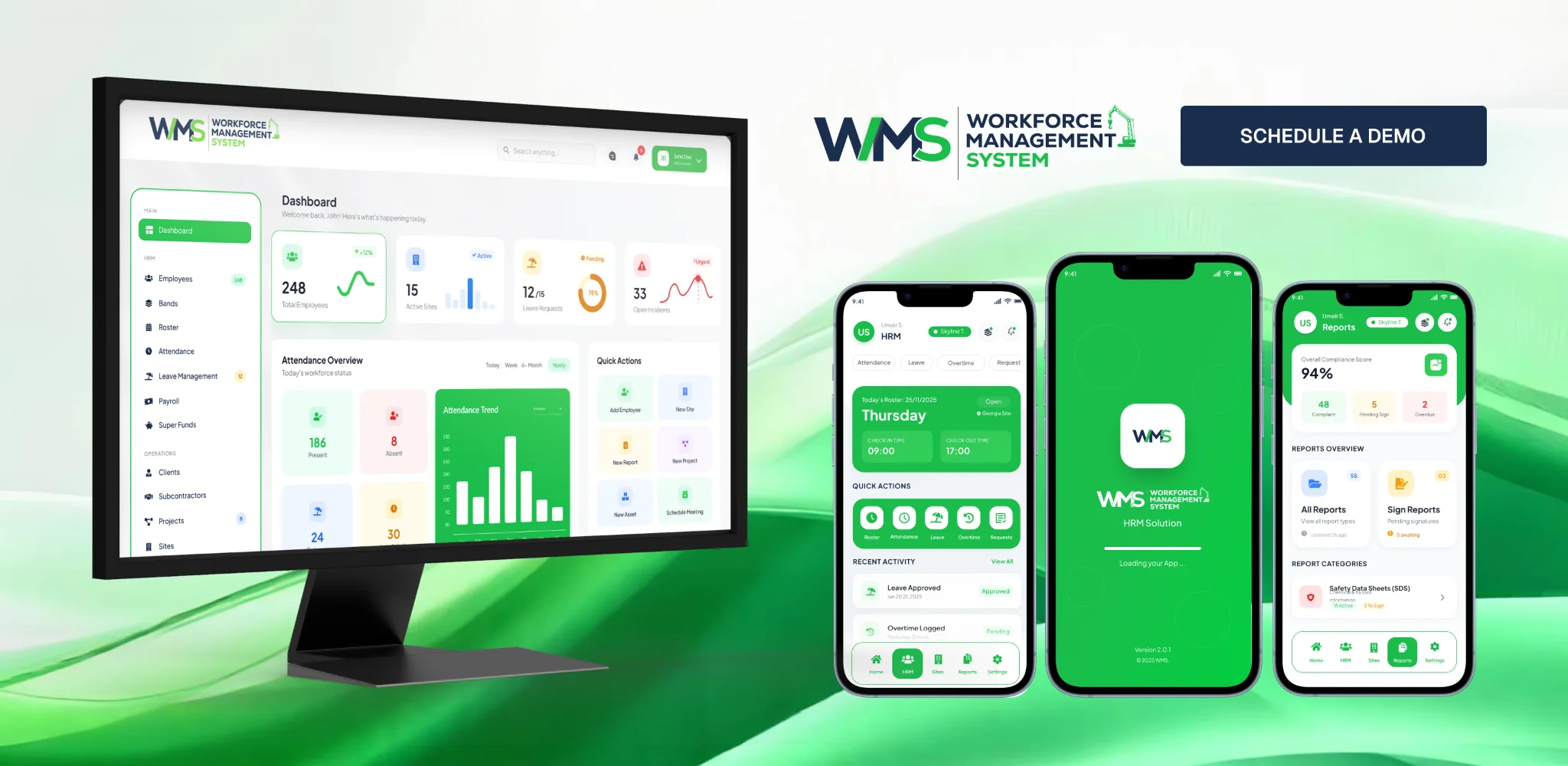
Streamline your frontline operations
See how WMS simplifies scheduling, compliance and workforce management in one powerful platform.
Managing a construction workforce is hard enough without your time tracking letting you down. Paper timesheets get lost, filled in from memory, or, let's be honest, filled in by someone else entirely. Spreadsheets break. Supervisors forget. And by the time payroll rolls around, nobody's really sure what actually happened on site that week.
For Australian construction businesses, this isn't just an admin headache. It's a direct hit to your bottom line.
WorkforceMS is construction time-tracking software built specifically for Australian job sites, with GPS-verified clock-ins, digital timesheets, payroll integration, and real-time labour cost visibility are all on one platform.
Whether you're running a small residential build or managing crews across multiple states, WorkforceMS gives you complete control over every hour worked and every dollar spent on labour.
Track time. Manage crews. Control costs. All in one platform.
Whether you're running a small building company in Brisbane or managing big, ongoing infrastructure initiatives across New South Wales, WorkforceMS scales with you.
- Trusted by construction companies across Australia.
- Mobile-first for field workers and site supervisors.
- GPS-verified clock-ins: no more buddy punching.
- Seamless payroll integration: save hours every week.
- Built for Australian compliance requirements.
Why Time Tracking Matters for Australian Construction
Labour is consistently the largest cost on any construction project. For most Australian builders, contractors, and labour hire companies, the way they track that labour is still kind of stuck back there in the past, like, paper timesheets… yeah. They get wet, go missing, or get filled in from memory at the end of the week, and then suddenly it's all a guess.
Spreadsheets crack and freeze, supervisors forget, and before you know it, you're paying workers for hours that weren't even worked while undercharging clients for the hours that actually were. Then the money starts leaking on inefficiencies you can't really see, not clearly anyway. The numbers do tell the story.
- The average construction company loses 3-5% of total labour costs to timesheet inaccuracies.
- Manual timesheet processing takes administrative staff 4-8 hours per pay cycle.
- Buddy punching (a mate clocking someone else in) costs the Australian construction industry hundreds of millions of dollars annually.
- Labour disputes linked to inaccurate timesheets are one of the most common causes of project delays and contractor conflicts.
Construction time tracking software isn't a luxury. For any serious construction business, it's a fundamental operational tool: as essential as project management software or accounting software.
The question isn't whether you need it. The question is whether your current approach is costing you more than you realise.
The Real Cost of Not Tracking Time Properly
Consider a construction company with 40 workers at three job sites. If each worker's time is off by 30 minutes daily, whether they start late, finish early, or fill in timesheets from memory, that's 20 hours of labour data daily. The build wage is like $45 to $55 per hour.
So labour cost errors can be as much as $1,100. And that kind of adds up to around $5,500 weekly, over $280,000 yearly. That's not a small rounding bit. That's the difference between a profitable year and a loss-making one. WorkforceMS eliminates this problem at the source.
Common Time Tracking Challenges on Construction Sites
Construction sites are not offices. The challenges that come with managing workforce time in the field are fundamentally different from what most generic time tracking tools are designed to handle.
Here's what Australian construction businesses tell us they struggle with most:
1. Multiple Job Sites, Multiple Headaches
When your workforce is spread across five different sites in three different suburbs, or three different states, keeping track of who's where and when becomes an administrative nightmare. Paper timesheets get consolidated at the end of the week (at best), leaving supervisors and managers with no real-time visibility into what's actually happening on site.
2. Buddy Punching and Time Fraud
It happens in construction more than in almost any other industry. One worker clocks in for another. A crew shows up 20 minutes late. Their timesheet says they started on time. A subcontractor sends an invoice for hours they did not work. These issues are really hard to find without GPS-verified clock-ins and real-time checks.
3. Manual Timesheets Are Not Accurate
With good intentions, manually recorded timesheets are not accurate. Workers fill them in from memory, rounding up to the half-hour. Forget to record breaks or put a week's work into one day. The result is payroll data that does not reflect what really happened.
4. Payroll Errors and Overpayments
Inaccurate timesheets flow directly into inaccurate payroll. Overpayments, underpayments, incorrect penalty rates, and missed overtime calculations: all of these create compliance risk and financial loss.
5. No Visibility Into Labour Costs by Job or Project
Without job-level time tracking, it's almost impossible to know whether a project is running on budget from a labour perspective until it's too late to do anything about it.
6. Chasing Timesheets from the Field
Site supervisors and payroll teams spend hours every week chasing down timesheets from workers who forgot to submit them, submitted them incorrectly, or used the wrong format.
7. Subcontractor Time Tracking
Managing time for your own employees is one thing. Managing time for multiple subcontractors across a large project, with different pay rates, different award conditions, and different reporting requirements, is an entirely different challenge.
These are problems WorkforceMS was built to solve.
Ready to Stop Losing Money to Workforce Inefficiencies?
WorkforceMS gives Australian construction businesses the tools to track every hour, control every dollar, and manage every worker: from a single, easy to use platform.
How WorkforceMS Solves These Challenges
WorkforceMS isn't a generic time-tracking app with a construction skin. It's a purpose-built workforce management platform developed with the specific operational reality of Australian construction businesses in mind.
Here's how we address each of the core challenges construction businesses face:
| Challenge | WorkforceMS Solution |
|---|---|
| Multiple job sites | Multi-site dashboard with real-time visibility across all locations |
| Buddy punching | GPS-verified clock-ins with photo capture and geofencing |
| Manual timesheet inaccuracies | Digital timesheets with automatic time capture |
| Payroll errors | Direct integration with leading Australian payroll platforms |
| No project-level visibility | Job costing tools that track labour against each project in real time |
| Award and compliance complexity | Built-in rule engines for Australian award conditions |
| Chasing timesheets | Automated reminders and digital submission workflows |
| Subcontractor management | Contractor-specific profiles, rates, and reporting tools |
The result is a construction business that runs with the kind of operational precision that was previously only available to large enterprise construction firms with dedicated IT departments.
With WorkforceMS, even a small residential builder with 10 workers gets the same level of workforce visibility and control as a tier-one contractor managing hundreds of employees.
Core Features of WMS Construction Time Tracking Software
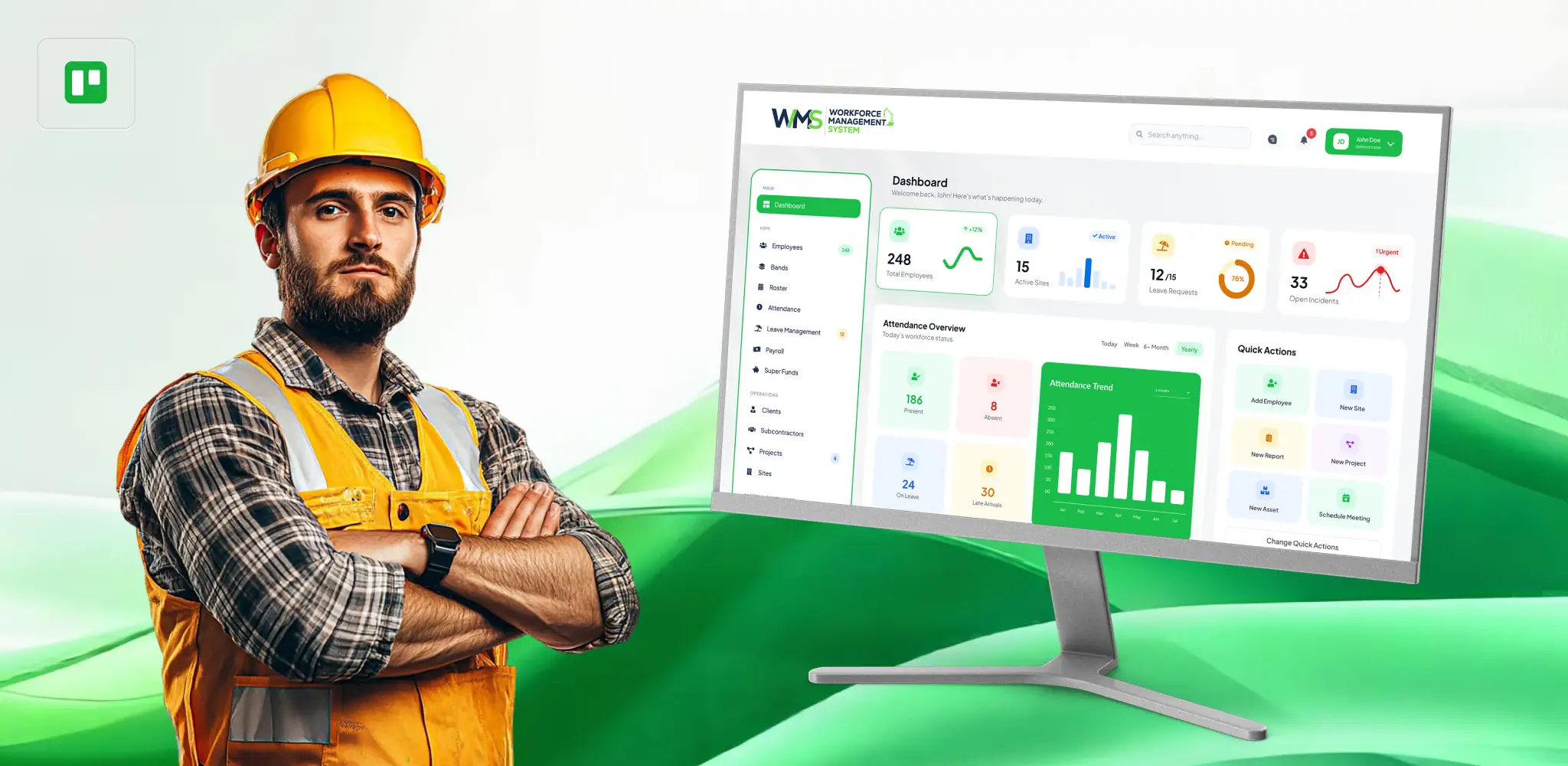
Mobile Time Tracking
WorkforceMS puts a fully featured time tracking tool in every worker's pocket. Your site workers, field employees, and contractors can clock in and clock out directly from their mobile devices, iOS or Android, without needing to interact with a supervisor or fill in a paper form.
The mobile app is designed to be simple enough for workers of all technical abilities. Clock in. Clock out. That's it. Everything else is handled automatically in the background.
Key capabilities:
- One-tap clock-in and clock-out for individual workers.
- Break tracking with automatic reminders.
- Offline mode for sites with poor mobile coverage.
- Push notifications for shift reminders and schedule changes.
- Digital timesheet review and submission from the app.
- Multi-language support for diverse construction workforces.
Because WorkforceMS works in offline mode, workers in areas with limited connectivity can still record their time accurately. Data syncs automatically when connectivity is restored.
GPS Tracking
Know exactly where your team is when they punch in and when they punch out. WorkforceMS snaps GPS location data at each clock-in/clock-out moment so supervisors and managers can use solid proof that the workers were really on site when they logged their hours. Not stuck in their car down the street or clocking in from home like it's some shortcut or "remote" thing.
Key capabilities:
- Location capture at every clock event.
- Map view of all worker locations across multiple sites.
- GPS breadcrumb trails for workers who move between locations during a shift.
- Historical location data for dispute resolution.
- Location-stamped timesheet records that hold up in Fair Work proceedings.
GPS tracking doesn't just protect against fraud. It also gives project managers genuine real-time visibility into where their workforce is at any given moment: invaluable on complex construction projects with large crews.
Geofencing
Take GPS tracking one step further with intelligent geofencing. WorkforceMS allows you to define a virtual boundary around each job site. Workers can only clock in when they're physically within the geofenced area: and the system alerts you if someone attempts to clock in from outside the boundary.
Key capabilities:
- Customisable geofence radius for each job site (from 50 metres to several kilometres).
- Automatic clock-in prompts when workers enter a job site geofence.
- Automatic clock-out reminders when workers leave a job site.
- Alerts for out-of-boundary clock attempts.
- Multiple geofences for big, complicated sites with multiple zones.
Geofencing really helps eliminate buddy punching and location fraud at the very source; there's no need for supervisors to manually confirm each and every clock-in event, like one by one. For construction companies handling large sites or having several locations, geofencing ends up being among the most valuable features in Workforce Management System, period.
Construction Time Clock
WorkforceMS provides a dedicated construction time clock solution that goes well beyond simple clock-in and clock-out. Unlike generic time clocks built for retail or hospitality environments, the WorkforceMS construction time clock is designed around the operational realities of job sites: including variable shift structures, multiple job codes, allowance tracking, and weather or safety delays.
Key capabilities:
- Individual and crew clock-in options.
- Job code and cost centre assignment at clock-in.
- Allowance and loading capture (travel, tool, site allowances).
- Safety pre-start confirmation at clock-in.
- Supervisor override and approval workflows.
- Shift and break reminders via push notification.
The ability to capture allowance and cost centre data at the time of clock-in, rather than trying to reconstruct it at payroll time, is a feature that construction businesses find immediately transformative.
Construction Time Clock App
The WorkforceMS mobile app serves as a fully featured construction time clock app that workers carry with them to every site. Unlike tablet-based time clocks mounted at a site office, the WorkforceMS app enables time tracking in the field: wherever workers are, across multiple sites, without any additional hardware.
Key capabilities:
- Available on iOS and Android.
- Individual and supervisor-managed clock-ins.
- Shift history and timesheet visibility for workers.
- Leave request submission.
- Push notification communications.
- Simple, intuitive interface designed for field workers.
The app can also be deployed in kiosk mode on a shared tablet at a site office for teams that prefer a centralised clock-in point. WorkforceMS supports both individual device and shared device models giving construction companies complete flexibility.
Construction Timesheet App
Paper timesheets are done. The WorkforceMS construction timesheet app replaces paper forms, spreadsheets, and those email-based timesheet routines with a more streamlined digital workflow that kind of saves time and boosts accuracy.
Workers submit their timesheets directly from a mobile device; it's real easy. Then supervisors can review and approve the entries right on the same platform, without the whole back-and-forth thing. Payroll teams get neat, validated information: meaning less chasing, no manual re-typing, and fewer mistakes.
Key capabilities:
- Worker self-service timesheet submission.
- Supervisor approval workflow with mobile and desktop access.
- Comment and query function for disputed hours.
- Automated timesheet reminders for workers who haven't submitted.
- Timesheet history for each worker and each project.
- Bulk approval for supervisors managing large crews.
The timesheet approval workflow can be configured for single-level or multi-level approval: accommodating the organisational structures of small builders through to large construction firms.
Digital Timesheets
WorkforceMS digital timesheets are the backbone of accurate construction payroll. Every hour worked is kind of captured automatically via clock-in and clock-out events. The timesheets are then pre-populated from that same data, so there's less need for manual entry, and it really removes the errors that manual entry tends to introduce.
Key capabilities:
- Auto-populated from clock data.
- Configurable to match Australian award structures.
- Support for standard hours, overtime, penalty rates, and allowances, all working as expected.
- Real-time visibility for supervisors and managers, so they can catch things quicker than you know.
- Export in multiple formats for payroll and reporting.
- Audit trail for every timesheet entry and modification.
Because digital timesheets are based on actual recorded data rather than retrospective recollection, they're significantly more accurate than manual alternatives and they're audit-ready for Fair Work compliance purposes.
Payroll Integration
WorkforceMS connects directly with leading Australian payroll platforms, transforming the payroll process from a time-consuming administrative exercise into an automated, accurate workflow. Instead of manually transferring timesheet data into your payroll system, with all the transcription errors that process involves, WorkforceMS exports clean, verified workforce data directly to your payroll platform.
Key capabilities:
- Direct integration with Xero, MYOB, and other major Australian payroll platforms.
- Automated export of hours, allowances, and leave data.
- Award interpretation rules built into the export process.
- Reduction in payroll processing time by up to 80%.
- Elimination of manual data entry errors.
- Support for multiple pay rates and employment types.
For construction businesses running weekly or fortnightly payroll for large crews, the time savings from payroll integration alone are often enough to justify the entire cost of WorkforceMS.
Employee Scheduling
WorkforceMS has a useful tool for scheduling employees. This tool lets managers and supervisors create schedules for their workers and share them with everyone at job sites. The workers get their schedules on their phones, so managers do not have to send them messages or emails or call them to tell them when they are working.
Key capabilities:
- Drag and drop schedule builder.
- Multi-site scheduling from a single dashboard.
- Availability management and leave conflict alerts.
- Copy and repeat schedules for recurring projects.
- Worker notification via push and SMS.
- Schedule vs actual comparison reporting.
When schedule data flows into time tracking and payroll, the result is a single source of truth for workforce management, from schedule through to pay.
Crew Management
Construction companies don't just manage individuals: they manage crews. WorkforceMS supports crew-based time tracking and management, allowing supervisors to manage entire crews as units.
Key capabilities:
- Group clock-in for entire crews managed by a supervisor.
- Crew-level reporting and productivity tracking.
- Crew assignment to specific jobs and cost centres.
- Easy crew reallocation across projects.
- Crew communication via the mobile app.
- Crew performance tracking over time.
Crew management is particularly valuable for labour hire companies and large construction firms that regularly move groups of workers between projects and sites.
Job Costing
WorkforceMS links every hour tracked to a specific job, project, or cost centre, giving project managers and financial controllers real-time visibility into labour costs at the project level. This is one of the most powerful features for construction businesses that need to understand whether projects are tracking to budget from a labour perspective.
Key capabilities:
- Real-time labour cost tracking by job and cost centre.
- Budget vs actual comparison at the project level.
- Labour cost reports by worker, crew, trade, or project.
- Cost allocation across multiple cost centres for complex projects.
- Integration with project management and accounting platforms.
- Alerts when project labour costs approach budget thresholds.
With WorkforceMS job costing, project managers do not have to sit around until the project is done to learn if it went over budget or not. They can watch it in real time and sort out corrective action while it's happening, instead of after the fact.
Labour Cost Tracking
Beyond the whole project-level job costing, WorkforceMS sort of gives granular labour cost tracking across your entire business, so financial managers and directors can have the necessary data to make more informed decisions about resource allocation, pricing and profitability.
Key capabilities:
- Total labour cost dashboards updated in real time.
- Cost breakdown by trade, project, location, and time period.
- Trend analysis for labour cost over time.
- Comparison across projects of similar scope.
- Labour cost as a percentage of project value.
- Contractor and subcontractor cost tracking alongside direct employees.
Overtime Tracking
Overtime in construction is expensive. Failing to track it accurately costs more. You pay workers too much for extra hours worked, or you do not claim the right amount from clients. WorkforceMS calculates hours automatically. It uses your set rules and employment contracts. It shows hours as they happen. So supervisors can manage them away.
Key capabilities:
- Automatic overtime calculation based on configurable thresholds.
- Daily and weekly overtime tracking.
- Supervisor alerts when workers approach overtime thresholds.
- Overtime approval workflows.
- Overtime reporting by worker, crew, and project.
- Penalty rate application in payroll export.
Real-Time Reporting
Decisions made with yesterday's data are already a day late. WorkforceMS provides real-time reporting across every dimension of your construction workforce so managers and executives can see what's happening right now not what happened last week.
Key capabilities:
- Live dashboard showing active workers, locations, and hours.
- Real-time labour cost against project budgets.
- Attendance and absenteeism reporting in real time.
- Overtime and penalty rate alerts.
- Workforce utilisation reporting.
- Exception reporting for irregularities and policy breaches.
Reports can be reached through a desktop dashboard and also a mobile app, so project managers and executives can remain updated even if they are not physically in the office or they're on site.
Workforce Analytics
WorkforceMS turns your workforce data into actionable intelligence with a suite of analytics tools designed specifically for construction operations.
Key capabilities:
- Worker productivity analysis over time.
- Project profitability analytics driven by labour data.
- Absenteeism trends and patterns.
- Overtime trend analysis.
- Labour cost forecasting based on current project data.
- Comparison analytics across projects, sites, and teams.
Workforce analytics give construction businesses the data driven edge that was previously only available to large enterprises with dedicated analytics teams.
Compliance Tracking
Australian construction workers are covered by the Building and Construction General On-site Award. They also have enterprise agreements. There are different state based safety and workplace relations requirements.
Staying compliant with all these rules is very important.
WorkforceMS helps construction businesses follow workplace law. It has tools to track compliance. These tools are built-in.
Key capabilities:
- Award interpretation rules for common construction awards.
- Minimum break enforcement with automated alerts.
- Maximum hours tracking with supervisor notifications.
- Licence and certification tracking for workers.
- Compliance reporting for Fair Work and Safe Work requirements.
- Digital audit trail for all timesheet and payroll events.
Resource Allocation
Knowing where your workers are is only valuable if you can act on that information. WorkforceMS provides the tools to allocate, reallocate, and optimise your workforce resources across projects in real time.
Key capabilities:
- Workforce capacity planning by trade and skill set.
- Visual resource allocation across multiple projects.
- Conflict identification when workers are double-booked.
- Under-utilisation alerts to identify available capacity.
- Project staffing gap analysis.
Project Tracking
WorkforceMS connects time tracking info with project-level tracking a bit all together, so project managers get this single window into workforce performance relative to project milestones and also budgets.
Key capabilities:
- Hours tracked against project phases and milestones.
- Labour progress reporting for client billing purposes.
- Project-level workforce summary reports.
- Integration with project management tools.
- Site diary and progress log integration.
See Every Feature Working Together.
WorkforceMS isn't a collection of disconnected tools. Every feature works together in a single, integrated platform that gives construction businesses complete workforce visibility.
Benefits of Construction Time Tracking Software
Beyond the features, what construction businesses actually care about is results. Here's what WorkforceMS delivers:
Significant Labour Cost Reduction
When workers know their time is being tracked accurately, behaviour changes. Late starts, early finishes, and extended breaks reduce naturally. Combined with the elimination of buddy punching and timesheet fraud, WorkforceMS typically reduces construction labour costs by 3-8% a figure that compounds significantly over the course of a year.
Payroll Processing Time Cut by Up to 80%
Automated timesheet collection, digital approvals, and direct payroll integration eliminate the manual work that currently consumes hours of administrative time every pay cycle. Many WorkforceMS clients report cutting their payroll processing time from a full day to just one or two hours.
Elimination of Timesheet Disputes
When every clock-in is checked with GPS, and each timesheet is made from the data that was truly recorded, people usually do not argue much about the hours that were worked. And if they somehow do disagree, you still have a digital trail that helps you solve the whole thing fast, sort of quickly.
Better Project Profitability
If you know what the labour costs are at all times and you compare them to the money that was budgeted for a project, the people in charge of the project can see if there are any problems with the costs. Then they can do something to patch things up before it all starts getting too serious. Over time, having info about the expenses tied to jobs also helps businesses figure out, roughly, how much to bill for upcoming projects.
Compliance Confidence
With automated award interpretation, digital audit trails, and compliance tracking built in, WorkforceMS gives construction businesses confidence that they're meeting their obligations under Australian workplace law, without requiring a dedicated HR or compliance team.
Improved Worker Accountability and Morale
Fair time tracking is good for the business and also good for workers. When employees are paid correctly for every hour they work and they can see their records easily, they are happier with their jobs.
Time Savings for Supervisors and Managers
When time tracking is automated and digital supervisors save time. They do not have to chase timesheets, resolve disputes or calculate payroll manually. They can focus on managing the work and the workers.
Construction Time Tracking Software vs Manual Timesheets
| Feature / Capability | Manual Timesheets | WorkforceMS |
|---|---|---|
| Clock-in verification | None: relies on worker honesty | GPS-verified with photo capture |
| Accuracy | Low: filled from memory, prone to rounding | High: automatic data capture |
| Real-time visibility | None | Full real-time dashboard |
| Payroll processing time | 4-8 hours per cycle | 30-60 minutes with automated export |
| Timesheet disputes | Common: no verifiable record | Rare: full digital audit trail |
| Project labour cost tracking | Manual calculation required | Automated real-time tracking |
| Compliance tracking | Manual: high error risk | Automated award interpretation |
| Buddy punching prevention | None | Geofencing and GPS verification |
| Overtime tracking | Manual calculation | Automatic with configurable rules |
| Leave management | Separate paper process | Integrated within platform |
| Worker accessibility | Workers cannot access their records easily | Workers can view their own records via app |
| Scalability | Deteriorates as workforce grows | Scales seamlessly |
| Cost | Low upfront, high hidden costs | Predictable subscription, significant ROI |
| Environmental impact | Paper waste | Fully digital, paperless |
| Disaster recovery | Physical timesheets can be lost or damaged | Cloud-based, fully backed up |
The comparison isn't even close. Manual timesheets might feel cheaper and simpler, but the hidden costs, in inaccurate payroll, administrative time, compliance risk, and lost visibility, dwarf the cost of modern construction time tracking software.
See How WorkforceMS Can Streamline Your Construction Time Tracking
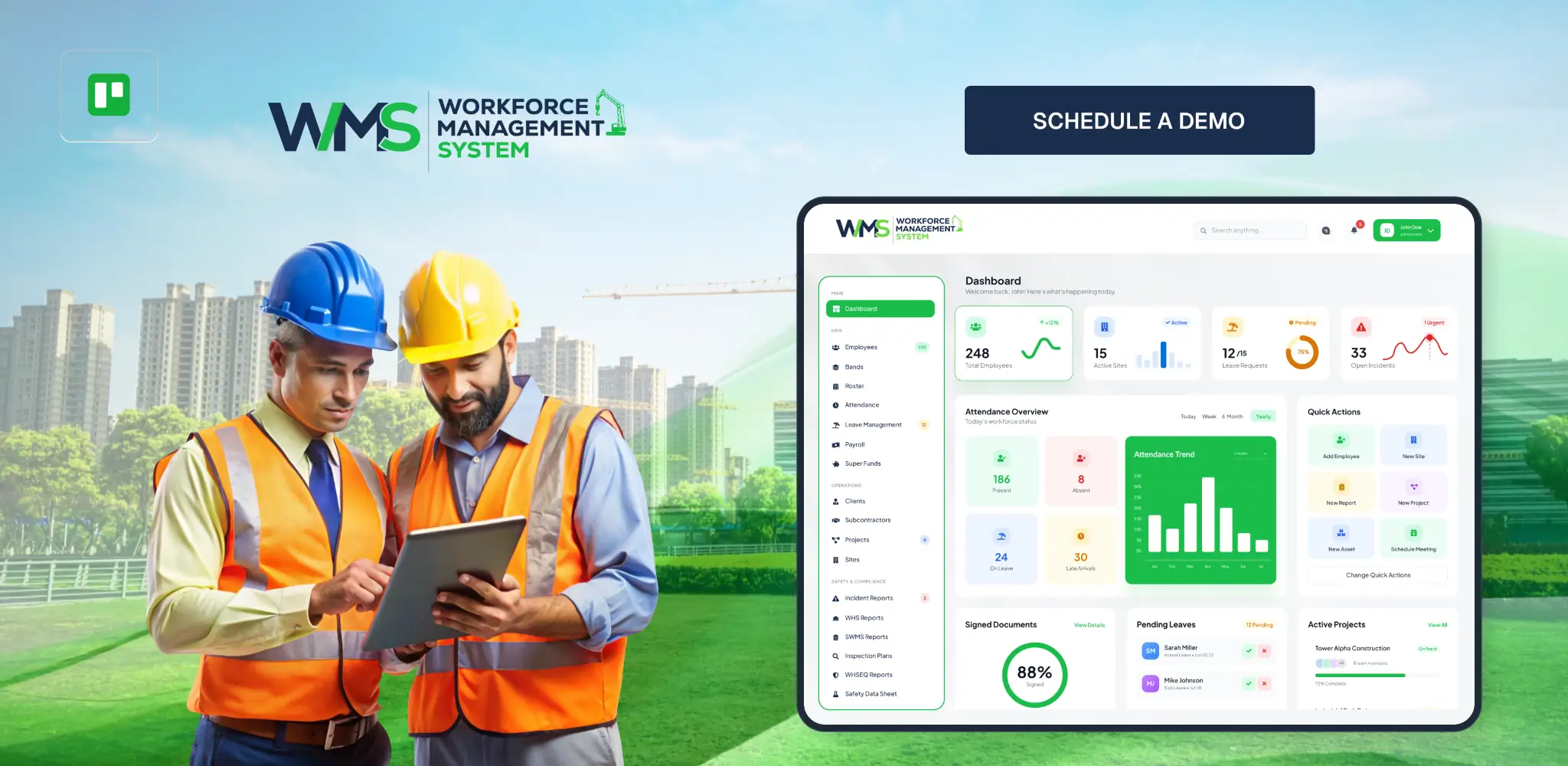
Getting started with WorkforceMS is easy. Here's what you do:
Step 1: Setup and Configuration
Your WorkforceMS account is set up to match your business. This includes your job sites, workers, pay rates, award conditions and payroll system. Our team helps you with this so you do not start from scratch.
Typical setup time is 1 to 3 business days.
Step 2: Worker Onboarding
Workers download the WorkforceMS app on their device and complete a simple digital onboarding process. No technical expertise is required. Most workers are up and running in under five minutes.
For workers without smartphones or for businesses that prefer a centralised clock-in point, WorkforceMS can be deployed in kiosk mode on a shared tablet at the site office. The WorkforceMS app helps workers get started quickly.
Step 3: Job Sites and Geofences
Each of your job sites is set up in WorkforceMS with GPS coordinates, a geofence boundary and any site-specific rules. Workers can only clock in when they're physically within the area.
The geofence boundary ensures workers clock in from the location.
Step 4: Daily Operations Begin
Workers clock in when they arrive on site and clock out when they leave. Supervisors have real-time visibility of who's on site. Time is automatic. Timesheets are populated in real time.
This helps supervisors keep track of workers.
Step 5: Timesheet Review and Approval
At the end of each day or week, supervisors approve timesheets digitally. Workers receive reminders if they've forgotten to submit. Any queries or discrepancies are resolved in the system with an audit trail of every change.
The system sends reminders to workers.
Step 6: Payroll Export
When timesheets are approved, WorkforceMS exports verified payroll data directly to your payroll system. No manual data entry is required. Payroll is processed faster. You're confident it's right.
WorkforceMS exports payroll data accurately.
Step 7: Reporting and Analysis
Throughout the pay cycle and beyond you have access to real-time reports on labour costs, project budgets, workforce productivity and compliance. This data helps you make business decisions.
You can view reports in time.
Step 8: Continuous Improvement
As you use WorkforceMS, you accumulate a library of workforce data. This data informs business decisions, such as more accurate job estimates and smarter resource allocation.
The data helps you improve your business. WorkforceMS helps you make decisions.
The ROI of Construction Time Tracking Software
Construction companies that implement WorkforceMS typically achieve a positive return on investment within the first three months. Here's where that ROI comes from:
Direct Labour Cost Savings
| Source of Saving | Typical Impact |
|---|---|
| Elimination of buddy punching | 1-2% of total labour costs |
| Reduction in time rounding and early clock-outs | 1-3% of total labour costs |
| Accurate overtime calculation (preventing over and underpayment) | 0.5-1% of total labour costs |
| Better subcontractor billing verification | Variable: often significant |
| Total potential labour cost saving | 3-6% of total labour costs |
For a construction company with a $2 million annual labour spend, a 3% saving is like $60,000 per year. If it goes up to a 6% saving, then that becomes $120,000 each year, more or less.
Administrative Time Savings
| Administrative Process | Before WorkforceMS | With WorkforceMS |
|---|---|---|
| Timesheet collection per cycle | 4-8 hours | 0 hours (automated) |
| Payroll processing per cycle | 4-8 hours | 1-2 hours |
| Timesheet dispute resolution per cycle | 1-3 hours | Near zero |
| Labour cost reporting per week | 2-4 hours | 15-30 minutes (automated) |
Compliance Risk Reduction
A single Fair Work underpayment finding can result in back-pay obligations, penalty payments, and reputational damage that far exceed the annual cost of WorkforceMS. Automated compliance tracking and digital audit trails significantly reduce this risk.
Project Profitability Improvement
Construction companies that implement real-time labour cost tracking consistently report improved project profitability, typically driven by earlier identification of budget blowouts and more accurate future job estimates.
Why Australian Construction Companies Choose WorkforceMS
There's no shortage of Workforce Management System available in Australia. So why do construction companies consistently choose WorkforceMS?
Built for Australian Construction, Not Adapted From Something Else
WorkforceMS wasn't built for retail or hospitality and then modified for construction. It was designed from the ground up for the operational realities of the Australian construction industry, multi-site operations, trade workers, subcontractors, Australian awards, and everything that comes with managing a construction workforce.
Australian-Based Support Team
When you have a question or a problem, you speak to an Australian who understands Australian construction. No offshore call centres. No time zone frustrations. Just practical help from people who get it.
Ongoing Development Driven by Customer Feedback
WorkforceMS is continuously developed in response to feedback from the Australian construction companies that use it. When industry changes or customer needs drive new requirements, we build them.
Flexible Pricing That Works for Businesses of All Sizes
WorkforceMS pricing is designed to be accessible for small subcontracting businesses and scalable for large construction firms without lock-in contracts or hidden fees.
Seamless Integration With Tools You Already Use
WorkforceMS integrates with the accounting, payroll, and project management tools that Australian construction businesses already use so you don't need to replace your existing systems to benefit from WorkforceMS.
Rapid Implementation
Most WorkforceMS customers are up and running within about a week after signing up. Our onboarding team does most of that heavy lifting, so you can be watching time, keeping spend in check, and strengthening compliance pretty quickly, within days or so.
Proven Track Record in Australian Construction
WorkforceMS is trusted by construction companies across Australia from small residential builders to large civil contractors. The results our customers achieve speak for themselves.
Join the Australian Construction Companies Already Using WorkforceMS
See why builders, contractors, subcontractors, and labour hire companies across Australia are switching to WorkforceMS for their construction time tracking and workforce management needs.
Ready to Shift the Way Your Construction Business Handles Its Workforce?
If your construction business is still stuck with paper timesheets, spreadsheets, or basic time tracking apps, you're kind of leaving real money on the table every single day.
WorkforceMS is the construction time-tracking software that Australian construction companies trust to track every hour, control every labour dollar, and stay compliant with Australian workplace law, without adding complexity to already demanding operations.
The transition is faster and easier than you think. Most businesses are fully operational with WorkforceMS within a week. And the ROI typically becomes visible within the first month.
The next step is simple.
Book a free demonstration with one of our Australian construction workforce specialists. We'll show you exactly how WorkforceMS works, how it fits your specific business, and what you can expect in terms of time savings and cost reduction.
Stop Losing Money to Inaccurate Timesheets. Start Today.
Join the growing community of Australian construction companies that have already made the switch to accurate, GPS-verified, payroll-integrated workforce management.
Optimise your operations with WMS
Streamline scheduling, compliance, and workforce management in one platform.
Frequently Asked Questions
Construction time tracking software is a tool that helps construction businesses record, manage and analyse their workers' hours. This software has features like GPS verification, job costing and payroll integration that are designed for construction sites.
Geofencing is a boundary around a job site. In WorkforceMS, workers can only clock in when they're within that boundary. If they try to clock in from outside, the system flags it. Can prevent the clock-in.
Yes, WorkforceMS integrates with Australian payroll platforms like Xero and MYOB. It exports timesheet data directly to payroll systems, reducing data entry.
Most customers are fully operational within three to seven business days. The onboarding team handles setup, and workers can get started quickly.
WorkforceMS automatically calculates overtime based on configured rules. Supervisors receive alerts when workers approach overtime thresholds.
WorkforceMS captures data, automatically verifies it with GPS and exports it directly to payroll, providing a digital audit trail.
Related Articles
Explore more insights on workforce management, compliance, and operations.
NDIS Support Coordination with Digital Workforce Tools
Improve NDIS support coordination with digital workforce tools. Match workers to participants, plan flexible rosters and track availability in one place.

Muhammad Asim
26 Oct 2026

Construction and Civil Labour Hire Through Smart WMS
Simplify construction and civil labour hire with a smart WMS. Plan rosters, track worker tickets, and manage multi-site crews in one place with less admin.
Muhammad Asim
23 Oct 2026

Smart Construction Site Security with WMS
Strengthen construction site security with a smart WMS. Plan guard shifts, track licences, and monitor site attendance in one place with less daily admin.
Muhammad Asim
22 Oct 2026
Ready to secure your operations?
