Field Management Solution for Managing Distributed Teams
Discover how a field management solution helps distributed teams with multi-site planning, skill-based jobs, attendance tracking and mobile scheduling.

Share this article
Streamline your frontline operations
See how WMS simplifies scheduling, compliance and workforce management in one powerful platform.
Field Management Solution for Managing Distributed Teams
Scheduling, communication and visibility are a challenge for teams working across several suburbs, cities or client sites daily. With a field management solution, managers have a single perspective on people, jobs and progress. In this article, you will learn how it helps distributed teams in the initial booking and throughout the process until the final review.
Managing Teams Across Remote Locations
Distributed Teams are those working away from the office and from each other. Managers have to deal with too many sites to be able to visit them all, so they need to have good information, regular updates and simple processes. If not, little issues get blown out of proportion, and customers are aware of the lag. Good routines are important in holding everyone together. It's up to you to pick up good habits every day.
Close the Distance Gap
Common issues are missed messages, lack of clarity regarding jobs, tardiness and lack of fairness regarding jobs between sites. Meanwhile, workers have to wait for answers, and managers for updates, all on the telephone.
Early identification of these gaps indicates where it will be most effective to use better tools and routines, which will save the most time and effort. The more delays, the more it costs and is frustrating. A shared picture is a collaboration of everyone having the same roster, job list and site information.
Supervisors know who is working where, and workers are aware of the expectations of their supervisor. This decreases confusion, aids in making safer decisions and assists managers in making rapid responses when changes are made throughout the day. All participants are based on the same information.
Field Management Solution for Multi-Site Workforce Planning
It starts with good planning, including understanding demand at each site and who is available to meet it. Multi-site workforce planning ensures that the number of staff is balanced to ensure adequate coverage, cost and skills at a location without excess staff. It is a good practice to review plans regularly to ensure they remain realistic. This is to safeguard service levels and budgets.
Quick Site Planning Table
Review previous work volumes, seasonality, and booked work to estimate how many people will be required at each site. Give some weeks' notice to arrange leave, training and backup, etc. It also means that they won't have to pay overtime or resort to last-minute rushes to match demand. Forgetting to plan properly will lead to a bunch of frantic, panicked people.
| Planning Area | What to Check | Benefit |
|---|---|---|
| Coverage | Staff per site | Fewer gaps |
| Skills | Licences and tickets | Right worker, right job |
| Travel | Distance between sites | Lower costs |
| Leave | Planned absences | Smoother rosters |
A review of the following 4 areas per week prevents plans from becoming unrealistic and too complicated. Making the little changes early will make it much easier to make the big changes on the day of work, plus it will keep the employees and clients informed. An easy habit to develop, which helps create more equitable, stable rosters. The clients are provided with more consistent service.
Assigning Jobs Based on Employee Skills
Assigning the right job to the right person should be considered the right job. Matching the task with the skills helps to enhance the quality, safety and speed of the task, and it minimises repeat visits. Keep clear records of the capabilities of each worker and where they can go. This is what reliable service is all about.
Match Skills with Availability
Have all licences and tickets, inductions and expiry dates in one place and regularly review them. In cases where a particular qualification is required for a job, the management will be able to immediately identify who is capable of performing the job. Current records can also be used for audit purposes and to ensure that assignments are not made safely or in an unsafe or non-compliant manner.
That way, all assignments are secure and legal. If a skilled worker is not available or cannot get to them, then they are of no use. Take into account the time needed for the job, any rest breaks and current workload when allocating a job. Fair distribution helps to ensure wellbeing and prevents overtime from burning out the best members of the team. Maintaining balanced rosters helps to maintain morale.
Tracking Attendance at Different Sites
Official attendance records ensure payment, safety and honesty with the client. For teams operating at multiple sites, there is the problem of slow, easy-to-misplace manual sign-in sheets. No additional paperwork was required to be used for digital tracking records of who came, when and where. Managers are not left with just hunches. Records are also reliable evidence.
Mobile Check-Ins, Fewer Errors
The employees can clock in and out using their cell phones; the time and location will be automatically logged. With geofencing, they can be assured they are in the right location. Managers can view the attendance for the live project and take timely action if there is delay/lack of attendance on the project, which does not leave clients without their required personnel.
It's an improvement that is immediately apparent to clients. Time records are reliable, timesheets and pay calculations are filled out, and there are no longer corrections and disputes. Awards, breaks and overtime can be easily viewed. Clear data can also enable managers to make decisions to their workers' and clients' satisfaction and in a fair manner. Less time is spent on cleaning up payroll errors.
WMS for Mobile Team Scheduling
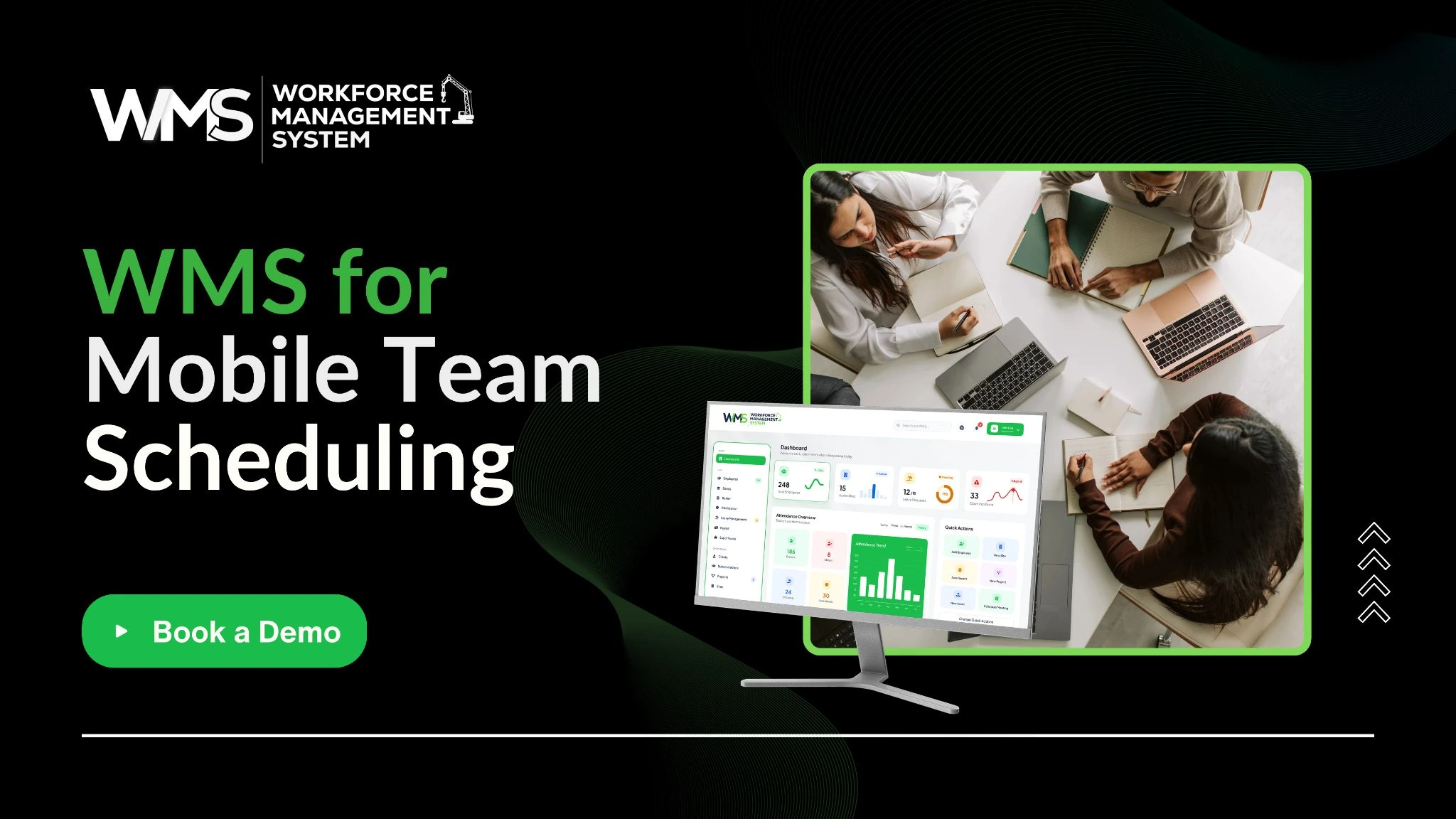
Mobile schedules must be current as their jobs are changing. An advantage of Digital scheduling software is that it takes the rosters with the workers themselves, meaning that employee changes are immediately communicated to the appropriate workers rather than having to wait for phone calls or emails. All are kept up to date, wherever they are. Managers save hours per week with Digital scheduling.
Built on Construction Experience
WorkforceMS originated in the construction industry, where crews are constantly travelling between sites, and plans are constantly evolving because of daily changes.
This experience led to the development of tooling for rostering, attendance, and compliance monitoring that is now used in many industries across Australia where a distributed workforce and stringent service standards exist. Its features allow a team to be well-organised and held accountable.
Scheduling in One Place
A WMS will enable you to see rosters and timesheets, qualifications and availability. A workforce management solution can even aid managers in assigning the best-fitting position to the best person, and it can immediately alert the person. Less conflict, less lost time and more records. There's also reduced time spent by managers reaching out to get information over the phone.
Field Management Solution in Daily Service Operations
Planning – daily activities. Deadlines are not met, customers call, and emergencies happen. A reliable system can be used to allow supervisors to track and report service continuity by keeping up-to-date records of the current and next service item. Good information helps people to think and make decisions logically and confidently. Each day brings with it its own set of priorities.
Start and Adjust the Day
Staff begin with a list of jobs, addresses, notes and tools required that they can access during their 'at hand' time. Supervisors ensure all shifts are covered and look for hazards like weather/access, etc. A clear beginning decreases delays, unnecessary telephone calls and incorrect procedures. Supervisors have a plan or options to make plans.
Managers can be quickly informed of re-assignment of jobs when they overrun, or a worker is absent due to sickness. Live updates of who is there and who is free are indicated. Even if there are last-minute changes in the arrival time, new arrival times can be communicated to customers and thus maintain trust. Quick decision-making helps to keep services running smoothly.
Handling Field Requests and Work Updates
Constantly, requests, questions, updates, etc. are coming in while in the field. They are easily accessible, with no wasted time or lost messages. It also provides managers with a clear report of what was asked for, who answered and when they did. Dispute and audit time is saved with good records.
Capture and Share Updates
The office can assign them as soon as they're submitted, with a note and pictures from workers and customers. There is a definite order of priorities, and there is no single individual that has to remember everything. Early responses enhance service and avoid double/single booking of work orders. Request clarity on who the owner is, to avoid forgetfulness.
Status updates like arrived, in progress and completed provide everyone with information. Work accomplished is documented in photos, notes and signatures. You can invoice sooner, and customers can rest assured knowing that they have verifiable documentation of what you've done. This clarity also minimises follow-up calls and customer billing issues between teams and customers.
Key points to remember:
- Provide an up-to-date and current list of jobs for each worker.
- Match up jobs with proven skills and licences.
- Take attendance at each site electronically.
- Schedule changes are automatically sent to mobile devices.
- Maintain a record of requests and information.
- Regularly review and share results.
Reviewing Team Performance Across Locations
Regular reviews demonstrate whether teams are on course to hit targets and the level of support required. If you are comparing locations fairly, you will need to be consistent in your data, the criteria used and the attitude that is taken.
For a fair location comparison, you will need to use the same data, the same criteria and a non-accusatory attitude, one that is focused on improvement. Honest Review fosters better teams. In every comparison, fairness is important. A review needs to be conducted regularly.
Measure and Act
These can be beneficial, such as customer feedback, repeat visits, overtime hours, job completion times and attendance rates. Monitor them on a monthly basis, and compare sites with the same definitions. Simple reports enable managers to identify the trends, resolve issues at an early stage and celebrate good outcomes. Discuss the outcomes publicly, with each site team.
Use the results of the review to make adjustments to rosters and to share good practice and/or provide additional training between sites. Checking coverage and workload using the WMS report adds efficiency at each review and improves accuracy. Check changes and make sure they are successful. Little improvements at sites can sum up to a big improvement.
Conclusion
When working on distributed teams, the planning, communication and records are best connected. A field management solution provides managers with a clear view, assists workers to concentrate on work and contributes to enhanced service at each location. Begin with one process, e.g., scheduling or attendance, and then develop them.
Optimise your operations with WMS
Streamline scheduling, compliance, and workforce management in one platform.
Frequently Asked Questions
It takes time to communicate in cases of distance, lack of information about the job and limited visibility of team members and their location. Managers can stay on schedule with shared schedules and live updates.
It integrates scheduling and job assignment, attendance and work updates into a single system. They know they are progressing in real time, and workers get clear instructions via their cell phone.
Yes, mobile check-ins automatically track who is at the site and when. Yes, mobile check-ins will automatically track location and time to ensure and confirm attendance at each location. This is to minimise paper timesheets and errors in payroll.
Correlate these jobs with the skills that have been verified and take into account availability and travel time, plus workload. Fair distribution ensures no burnout and uniformity of service at all sites.
Unfortunately, small teams waste time on telephone calls and paperwork too. A straightforward digital solution can save hours a week and can be expanded as the company grows.
WorkforceMS provides real-time rosters, timesheets and worker credentials for all managers in one place, and automatically pushes real-time shift notifications to mobile devices. Teams remain organised, wherever they go.
Related Articles
Explore more insights on workforce management, compliance, and operations.
NDIS Eligibility and Access Through Evidence-Based Applications
Learn how NDIS eligibility and access work, from evidence standards and medical records to functional limitations, reviews and preparing a strong application.

Muhammad Asim
18 Nov 2026
Business Continuity Management Through Workforce Risk Planning
Learn how business continuity management and workforce risk planning help you cover staff shortages, protect critical roles and keep essential services running.
Muhammad Asim
17 Nov 2026

Commercial Security Services for Multi-Site Business Protection
Commercial security services protect every site with smart guard coverage, fast response and clear records. See how WorkforceMS helps teams schedule guards.
Muhammad Asim
16 Nov 2026
Ready to secure your operations?
