Best Timesheet Software Australia 2026 Award-Compliant Picks
Compare Australia's top timesheet software for 2026 payroll integration, Award compliance and GPS tracking. Cut admin time today. Try free now.

Share this article
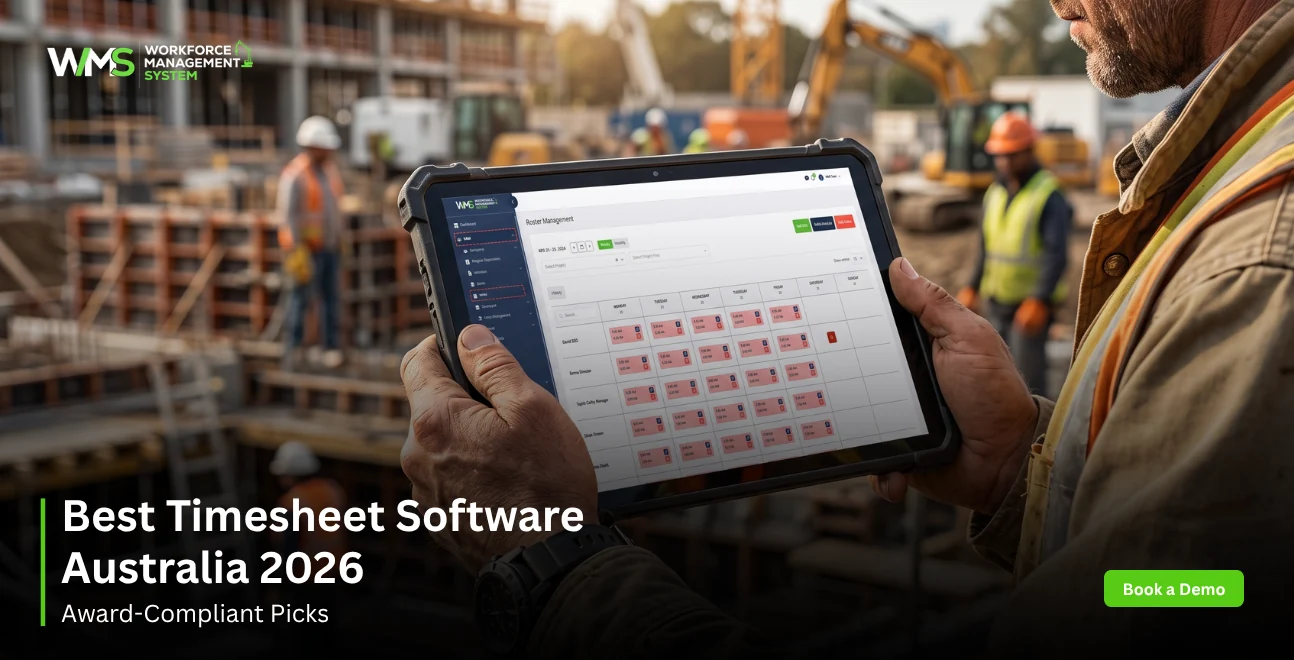
Streamline your frontline operations
See how WMS simplifies scheduling, compliance and workforce management in one powerful platform.
So basically the best timesheet software in Australia is the one that can do employee time tracking, keep Modern Award compliance in check and also handle payroll integration. For 2026 the safe choices are WorkforceMS, Deputy, Tanda, Connecteam, and Clockify, though each one fits different workforce types.
- Best for construction & trades: WorkforceMS
- Best for shift rostering: Deputy
- Best for Award-heavy teams: Tanda
- Best free option: Clockify
- Best all-in-one for small business: Connecteam
Introduction
Manual timesheets cost Australian businesses more than the time they create: Fair Work exposure, payroll errors, and compliance gaps that audits expose fast. Whether you run a construction crew across job sites or manage rostered retail staff, the right timesheet software automates clock-ins, interprets Modern Awards, and exports directly into payroll.
This guide compares the 7 best time tracking software options available in Australia for 2026, with a dedicated focus on Fair Work compliance, Xero / MYOB integration and the specific needs of builders and tradespeople, an angle no other roundup covers in depth.
WorkforceMS was built specifically for the Australian workforce management context. Every recommendation below has been checked against real Australian compliance requirements, not just feature list checkmarks.
What Is Timesheet Software?
Timesheet software is a digital system that records employee work hours, calculates pay rates against applicable Modern Awards, and exports data to payroll platforms. It replaces paper timesheets and manual spreadsheets with automated clock-in/out, approval workflows, and compliance-ready reporting.
Key distinction from basic time trackers: Australian timesheet software must interpret penalty rates, overtime thresholds, and allowances under the Fair Work Act, not just log hours.
Timesheet vs Time Tracking: What's the Difference?
Time tracking logs hours worked, useful for client billing or productivity monitoring. Timesheet software goes further: it structures those hours against shifts, Award conditions, and pay periods, producing records that satisfy Fair Work record-keeping obligations.
For Australian employers, the distinction matters legally. Fair Work requires employers to retain time-and-wage records for 7 years in a format accessible to inspectors. A basic time tracker rarely meets this standard.
Why Australian Businesses Need Dedicated Timesheet Software
Australia's industrial relations framework, Modern Awards, enterprise agreements, penalty rates, and Single Touch Payroll (STP), creates compliance complexity that generic international tools often miss. Australian-specific timesheet software handles:
- Award interpretation (150+ Modern Awards)
- Overtime and penalty rate auto-calculation
- STP Phase 2 payroll export compatibility
- Fair Work record retention formatting
How We Chose the Best Timesheet Software for Australia
Our rankings are based on five criteria weighted for Australian business conditions, not global feature lists.
The 5 Criteria That Matter Most for Australian Compliance
- Modern Award compliance: Does it interpret penalty rates, overtime, and allowances automatically?
- Payroll integration: Native sync with Xero, MYOB, or KeyPay (not just CSV export)
- Mobile clock-in quality: GPS accuracy, offline capability, and ease for non-desk workers
- Approval workflows: Manager review, dispute resolution, and audit trail
- STP Phase 2 readiness: Can it export data in ATO-compliant format?
What We Tested and Why Construction Businesses Need a Different Standard
Construction and trade businesses have workforce conditions that standard office-based tools fail to serve: multiple job sites per day, subcontractors alongside employees, project-based billing, and remote locations without reliable internet. Our evaluation specifically tested GPS accuracy, offline clock-in, and job cost allocation features rarely assessed in general software roundups.
Best Timesheet Software Australia 2026 Full Rankings
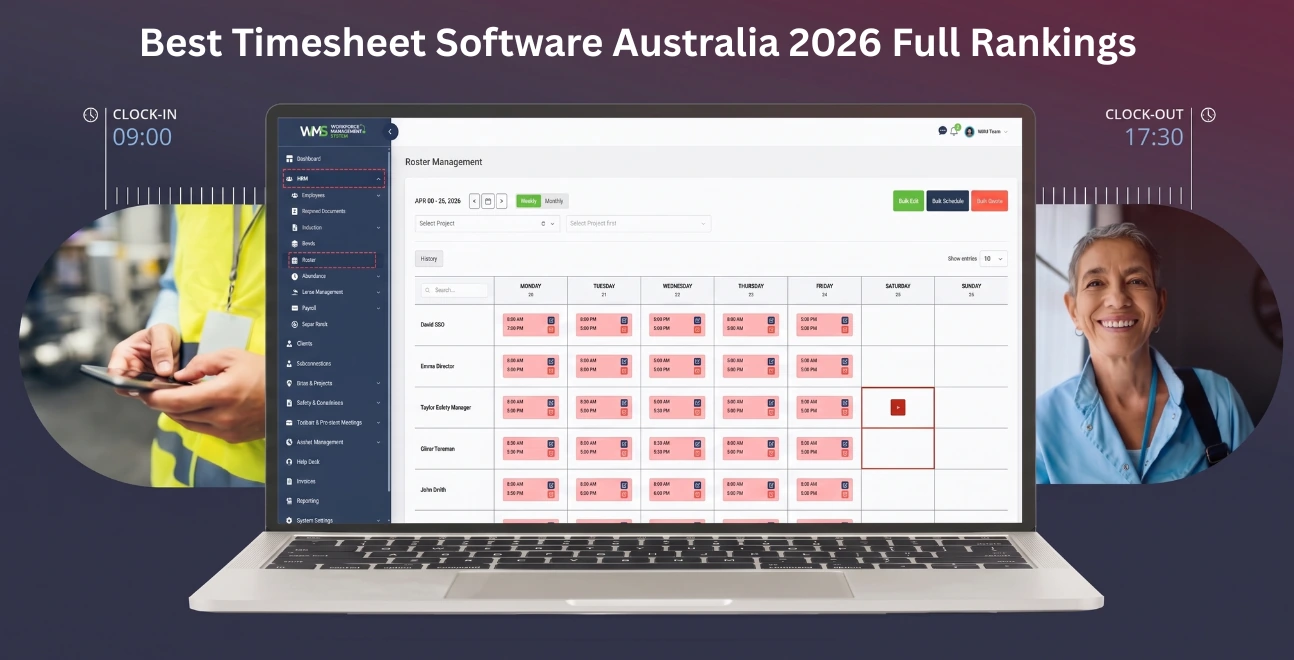
The seven tools below represent the strongest options across workforce types, budgets, and compliance needs. Each has been assessed for Australian-specific requirements.
1. WorkforceMS - Best for Construction & Trade Businesses
WorkforceMS is purpose-built for Australian construction, trade, and field-based workforces. It combines GPS job site clock-in, project-based time allocation, subcontractor management, and direct payroll integration - all within a Modern Award-compliant framework.
- GPS geofencing locks clock-ins to approved job site locations
- Project cost tracking allocates labour hours directly to job codes
- Offline mode captures time entries without mobile data coverage
- STP Phase 2 export compatible with Xero, MYOB, and KeyPay
- Modern Award auto-interpretation for construction and building awards
Best fit: Builders, civil contractors, electricians, plumbers, and multi-site trade businesses with 5 to 200 employees.
2. Deputy - Best for Shift-Based Rostering
Deputy pairs timesheet management with a powerful rostering engine, making it the strongest option for businesses where scheduling complexity drives timesheet accuracy. Auto-generated timesheets from approved rosters reduce manual entry.
- Automated timesheets from shift schedules
- AI-assisted scheduling to control labour costs
- Modern Award interpretation (via Tanda integration or built-in rules)
- Mobile time clock with face recognition
Best fit: Hospitality, retail, healthcare, and any rostered workforce running shift patterns.
3. Tanda - Best for Award-Heavy Hourly Workforces
Tanda's core strength is Award interpretation accuracy. It covers 100+ Modern Awards natively and auto-applies penalty rates, overtime loadings, and allowances at the pay period, reducing payroll disputes and underpayment risk.
- 100+ Modern Award rule sets built in
- Real-time wage cost visibility against roster budgets
- Integration with Xero, MYOB, and Employment Hero
- Compliance alerts when shifts breach Award conditions
Best fit: Retail, hospitality, manufacturing, any employer with complex Award obligations and hourly staff.
4. Connecteam - Best All-in-One for Small Business
Connecteam bundles timesheets, scheduling, communication, and HR into a single mobile-first platform. Its free plan covers up to 10 users, the most generous free tier in this comparison.
- GPS time clock with geofencing
- Automatic timesheet generation
- Payroll export to Xero, QuickBooks, Gusto
- In-app team communication and task management
Best fit: Small businesses (under 30 staff) wanting one platform for ops and people management.
5. Clockify - Best Free Option for Remote Teams
Clockify offers unlimited users on its free plan, making it the strongest zero-cost starting point. It lacks Australian Award interpretation but suits project-based teams billing by the hour where compliance complexity is lower.
- Unlimited free users (timesheets, reporting, projects)
- Browser extension + desktop + mobile apps
- Billable rate tracking per project and client
- CSV and Xero export on paid plans
Best fit: Freelancers, consultants, remote-first teams, and agencies billing hourly.
6. Hubstaff - Best for GPS Time Tracking
Hubstaff's GPS tracking is the most granular in this comparison, logging location data at set intervals throughout a shift, not just at clock-in/out. This suits mobile workforces where proof-of-location is a client or contract requirement.
- Continuous GPS tracking with route mapping
- Automated timesheet generation from tracked hours
- Payroll integration with Xero and Gusto
- Productivity monitoring (optional screenshots, app usage)
Best fit: Field service, delivery, logistics, and client site-visit businesses needing location audit trails.
7. MYOB Timesheets - Best for Existing MYOB Users
MYOB's built-in timesheet and rostering module offers seamless integration for businesses already on MYOB Business Pro, eliminating double entry and keeping payroll, timesheets, and accounting in one ecosystem.
- Native MYOB payroll integration (zero export friction)
- Mobile app for on-the-go time entry and approvals
- Rostering and shift management included
- STP Phase 2 compliant
Best fit: Businesses already using MYOB for accounting and payroll who want to consolidate platforms.
Comparison Table Timesheet Software at a Glance
| Tool | Modern Award Compliance | GPS Tracking | Xero Integration | Free Plan | Best For |
|---|---|---|---|---|---|
| WorkforceMS | ✅ Full | ✅ Geofencing + GPS | ✅ Native | ✅ 14-day free trial | Construction & trades |
| Deputy | ✅ Partial | ✅ Basic | ✅ Native | ✅ Limited | Shift rostering |
| Tanda | ✅ Full (100+ Awards) | ✅ Basic | ✅ Native | ❌ | Award-heavy hourly |
| Connecteam | ⚠️ Limited | ✅ Geofencing | ✅ Via export | ✅ Up to 10 users | Small business all-in-one |
| Clockify | ❌ | ❌ | ✅ Paid plan | ✅ Unlimited users | Remote/consultant teams |
| Hubstaff | ⚠️ Limited | ✅ Continuous GPS | ✅ Native | ✅ 1 user | Field service / GPS audit |
| MYOB | ✅ Via payroll | ❌ | N/A (native) | ❌ | Existing MYOB users |
Modern Award & Fair Work Compliance: What to Look For
Modern Award compliance is the single biggest differentiator between Australian timesheet software and international tools. Choosing a platform that doesn't interpret Awards correctly exposes businesses to underpayment claims under the Fair Work Act, a risk that's increased significantly since 2022.
Fair Work Act Record-Keeping Requirements in Plain English
Under the Fair Work Act 2009, Australian employers must retain:
- Full name and employment type of each employee
- Hours worked each day (start and finish times for Award/agreement employees)
- Pay rates applied, including any penalty rates or loadings
- Leave balances and accruals
- Records kept for 7 years and accessible to Fair Work Inspectors on request
Single Touch Payroll (STP) Integration: Why It Is Non-Negotiable in 2026
STP Phase 2 became mandatory for most Australian employers in 2022. It requires payroll data to be reported to the ATO each pay cycle including gross pay, tax withheld, and superannuation.
Timesheet software that integrates with STP-compliant payroll platforms (Xero Payroll, MYOB, KeyPay, Employment Hero) eliminates manual ATO reporting. Look for tools that export in STP Phase 2 format, not just generic CSV files.
Timesheet Software for Builders and Tradespeople in Australia
Construction and trade businesses have timesheet requirements that standard HR software doesn't address. Multiple active job sites, mixed employee/subcontractor workforces, and project-based cost tracking create complexity that general tools overlook. This is the most underserved segment in Australian timesheet software.
Key Features Field Workers Actually Need
Construction-specific timesheet software should include:
- GPS geofencing per job site: auto clock-in when workers enter a site boundary
- Offline mode: captures time entries in areas without mobile coverage
- Job code / cost centre allocation: labour hours tracked against specific projects
- Subcontractor vs employee differentiation: different compliance rules apply
- Photo and note capture on clock-in: proof of on-site presence for disputes
- Award interpretation for the Building and Construction General On-Site Award
Job Site GPS Clock-In vs Office-Based Time Entry
| Feature | Job Site GPS Clock-In | Office-Based Entry |
|---|---|---|
| Accuracy | High (location-verified) | Dependent on employee honesty |
| Fraud prevention | Strong (geofence required) | Low |
| Offline capability | Required | Not needed |
| Award complexity | High (site allowances, travel time) | Low-medium |
| Best tool | WorkforceMS, Hubstaff | Clockify, MYOB |
For builders running crews across multiple active sites, GPS-verified clock-in is not a convenience feature, it's a compliance and cost-control necessity.
Free Timesheet Software Australia: What You Actually Get
Several timesheet tools offer free plans, but Australian compliance features are almost always paywalled. Understanding what 'free' actually includes prevents costly compliance gaps.
Free vs Paid: Where the Real Compliance Gaps Are
| Feature | Free Plan (Most Tools) | Paid Plan |
|---|---|---|
| Basic time tracking | ✅ | ✅ |
| Modern Award interpretation | ❌ | ✅ |
| Payroll export (Xero/MYOB) | ❌ or limited | ✅ |
| GPS tracking | ❌ or limited | ✅ |
| STP export | ❌ | ✅ |
| Manager approval workflows | ❌ | ✅ |
Bottom line: Free timesheet software is suitable for sole traders, freelancers, and consultants tracking billable hours. Businesses with employees under Modern Awards need paid plans to meet Fair Work obligations.
Best Free Timesheet App Compatible with Xero
Clockify (free, unlimited users) offers Xero export on its paid plan (from ~$10/user/month). For true free Xero integration, Deputy's free trial provides 31 days of full access. No tool currently offers permanent free Xero timesheet sync with Award compliance included.
Common Timesheet Mistakes Australian Businesses Make
Avoiding these errors protects businesses from Fair Work investigations, payroll disputes, and ATO penalties.
Relying on Manual Timesheets for Award Interpretation
Manual spreadsheets cannot auto-apply penalty rates, overtime thresholds, or allowances. Employers using paper or Excel-based timesheets frequently underpay employees inadvertently, the most common Fair Work compliance breach in small business audits.
Fix: Switch to software with built-in Award rules (Tanda, WorkforceMS, or Deputy) that auto-calculates every pay condition at the point of timesheet approval.
Skipping STP-Compatible Payroll Export Setup
Entering timesheet hours manually into a separate payroll system creates double-handling and double the error risk. Businesses that skip native integration between their timesheet tool and STP-compliant payroll software lose the compliance trail that protects them during ATO reviews.
Fix: Confirm your timesheet tool has a native integration (not just CSV export) with your payroll platform before committing to a subscription.
How to Choose Timesheet Software for Your Australian Business
The right timesheet software depends on how your workforce operates, not just which tool has the most features.
Rostered Workforce vs Project-Based Billing: Different Needs
| Business Type | Primary Need | Recommended Tool |
|---|---|---|
| Retail / hospitality (rostered shifts) | Award compliance + rostering | Tanda or Deputy |
| Construction / trades (job sites) | GPS clock-in + project billing | WorkforceMS |
| Consulting / professional services | Billable hour tracking | Clockify or Harvest |
| Small business (mixed team) | All-in-one simplicity | Connecteam |
| Existing MYOB users | Native payroll integration | MYOB Business Pro |
Questions to Ask Before You Commit to a Platform
- Does it interpret my specific Modern Award (not just some Awards)?
- Does it integrate natively with my payroll platform or just export CSV?
- Can employees clock in without internet access (critical for construction)?
- Does it produce Fair Work-compliant records automatically?
- What is the total cost per employee per month on the plan I actually need?
Timesheet Software Pricing in Australia: What to Expect
| Tier | Typical Cost | What's Included |
|---|---|---|
| Free | $0 | Basic time tracking, limited users, no Award compliance |
| Starter | $3-$6/user/month | Time tracking, basic payroll export, mobile app |
| Professional | $8-$15/user/month | Award compliance, GPS, rostering, approval workflows |
| Enterprise | $20+/user/month or custom | Full compliance suite, API access, dedicated support |
Most Australian businesses with 10+ employees and Award obligations should budget $8-$12 per user per month for a compliant, integrated solution. The cost of a single underpayment claim typically exceeds 12 months of software subscription fees.
Final Verdict: Which Timesheet Software Is Right for You?
The best timesheet software for Australian businesses in 2026 is the one that matches your workforce type and compliance obligations, not the one with the longest feature list.
- Construction and trades -> WorkforceMS: GPS clock-in, offline mode, Building Award compliance, project cost tracking
- Rostered hospitality/retail -> Deputy or Tanda: Award interpretation and shift management
- Small business all-in-one -> Connecteam: free for small teams, mobile-first
- Remote/consulting teams -> Clockify: unlimited free users, billable hour tracking
According to the Fair Work Ombudsman, record-keeping breaches are among the most common compliance failures in Australian small businesses. The right timesheet software makes compliance the default not an afterthought.
WorkforceMS offers a free trial for Australian construction and trade businesses. Start your free trial and see how purpose-built Workforce Management System reduces admin, eliminates underpayment risk, and integrates directly with your payroll platform.
Optimise your operations with WMS
Streamline scheduling, compliance, and workforce management in one platform.
FAQ Timesheet Software Australia
Yes. Clockify and Connecteam both offer free plans. However, free plans rarely include Modern Award compliance or native Xero/MYOB integration, features required for Fair Work compliance. Free tools suit freelancers and consultants; businesses with Award employees need paid plans.
For most Australian businesses in 2026, WorkforceMS (if you’re in construction), Tanda (when Award rules get intense), or Deputy (for rostered shifts) come up a lot. But the “best” one depends on what kind of workforce you run, the Award obligations, and also what payroll platform you already use, because that part matters.
Honestly both are used , but “timesheet” (one word) is the modern default in HR and payroll, in Australia anyway. Fair Work documentation and the major vendors tend to prefer that. “Time sheet” (two words) has an older vibe, like you still see it now and then.
The better Australian tools like Tanda, WorkforceMS, and Deputy tend to keep Award rule sets stored in the background. That includes penalty rates, overtime thresholds, allowances, and they auto-apply the stuff when timesheets get processed. So instead of you manually figuring everything out, it lowers the chance of underpayment, which is the whole problem.
Employers generally need to record each employee’s start and finish times, hours worked, the pay rates applied, plus leave accruals. Then you have to keep those records for 7 years, and make them available if Fair Work Inspectors ask. Compliant timesheet software should generate these records automatically when you approve the entries, so less chasing later.
Yes, it can. Deputy, Tanda, WorkforceMS, Connecteam, Hubstaff, and Clockify all claim Xero integrations, but the “depth” can be different. Ideally you want native integrations with real time two-way sync, not like CSV exports. Also check if payroll sync includes STP Phase 2 data fields, because otherwise it can be a bit messy.
WorkforceMS is basically built for Australian construction and trade workflows, including GPS job site clock in, offline mode, job cost allocation, and Building Award compliance. Hubstaff is kind of a solid alternative if you care about GPS tracking depth. General apps like Deputy can miss the construction-specific Award rules and job code structure, so that can turn into extra work.
You want software with multi-level approval workflows, so site supervisors can approve first, and then payroll managers can finalise. WorkforceMS and Deputy both support hierarchical approval chains, with mobile notifications and an audit trail, meaning you can see what got approved or amended, and when.
Single Touch Payroll (STP) is an ATO requirement to report payroll in real time, each pay cycle. Timesheet software that connects with STP Phase 2 compliant payroll (like Xero Payroll, MYOB, KeyPay) can automate that reporting. If the timesheet tool doesn’t have STP integration, you may end up doing manual ATO lodgements, which is more admin and also increases compliance risk.
Most apps show time like HH:MM (ex 7:30) then they convert it to decimal behind the scenes for payroll (so 7.5). Payroll systems usually expect decimal hours. So double check that your timesheet tool auto converts, because doing manual conversions is a common reason payroll errors happen.
Related Articles
Explore more insights on workforce management, compliance, and operations.

Security Operations and Monitoring Workforce Planning
Plan guard rosters, track live attendance and cover every shift with WorkforceMS. Strengthen security operations and monitoring with smarter workforce planning.

Muhammad Asim
09 Oct 2026

Telehealth and Digital Healthcare Scheduling WMS
Simplify telehealth and digital healthcare scheduling with WorkforceMS. Manage rosters, remote clock-ins and compliance records in one easy-to-use platform.
Muhammad Asim
08 Oct 2026

Healthcare Workforce Management for Aged Care
Simplify rostering, credential tracking and payroll for aged care healthcare teams. Discover how WorkforceMS gives your carers more time with residents.
Muhammad Asim
05 Oct 2026
Ready to secure your operations?
