Worker Monitoring on Construction Sites with WMS
Discover how worker monitoring in construction with WMS boosts site visibility, safety and productivity. Track attendance, tasks and compliance in real time.
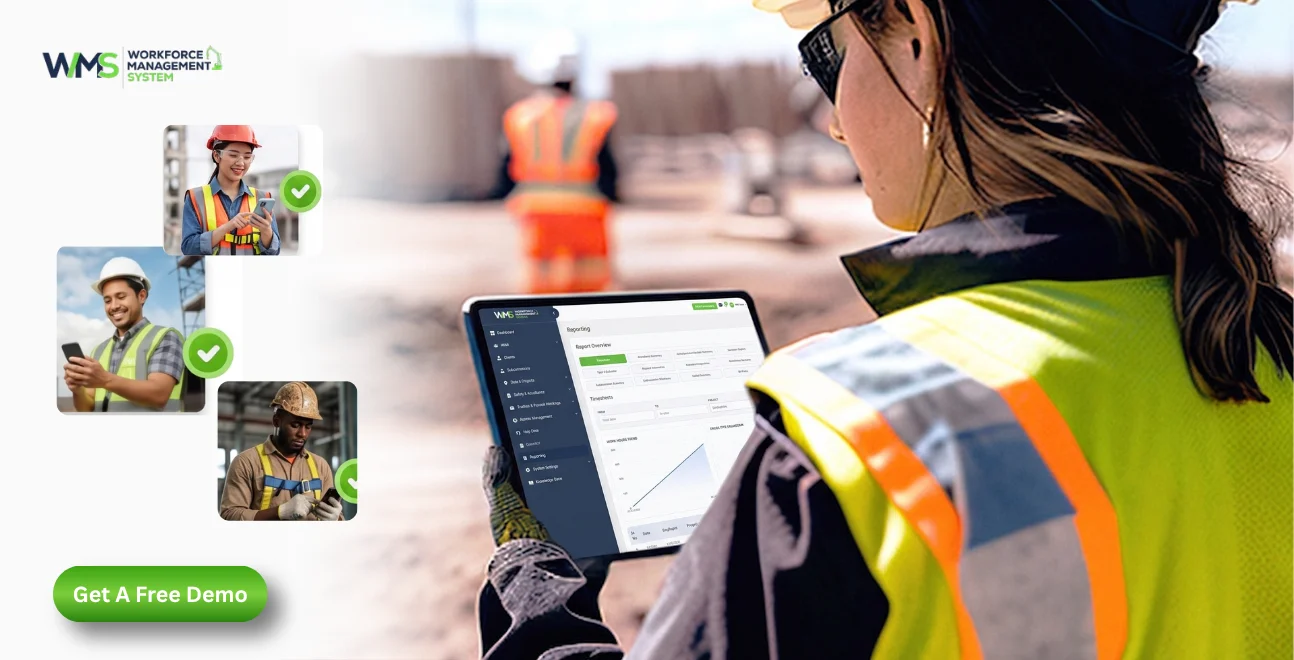
Streamline your frontline operations
Introduction
The construction industry is an incredibly fast-paced one, and ensuring that all workers, activities and safety needs are monitored can be a big challenge without a proper system. A Workforce Management System (WMS) provides builders with real visibility, control and accountability throughout all stages of a project. This tutorial will show you how and why it's important.
- Real-time visibility of who's on site and which tasks are moving, so managers can act before delays snowball.
- Digital clock-in that cuts payroll errors, paper timesheets and buddy punching.
- Certification, induction and Fair Work hours tracking in one place, especially on high-risk sites.
- A true construction WorkforceMS platform that keeps subcontractors, site managers and head office looking at the same live record.
Understanding Worker Monitoring in Construction
What This Practice Actually Means
The systematic tracking of an employee's tasks, where he/she is, and how time and work are being tracked on a construction site is called worker monitoring. It's not for the purpose of micro-managing people. It's the ability to create a true, up-to-the-minute workforce activity visualisation to enable project managers to make informed decisions in no time and with confidence.
On a typical construction project, dozens of workers are moving around between the zones, trades and shifts every day. If there's no system in place to keep track of it, then supervisors must use a manual sign-in sheet, verbal communication, and a good degree of guesswork to keep track of it.
How It Differs from Traditional Supervision
Traditional site supervision is very dependent on physical presence. A foreman is present to walk the site, make contact with the crews and verbally report back at the end of the day. This worked in smaller projects and smaller teams where it was possible to manage them directly.
In today's construction projects, especially larger endeavours involving numerous subcontractors in various areas, a more structured and digital process is necessary that can gather data in real time and not have to be collected at the end of the day.
Why the Shift to Digital Monitoring Matters
The bigger and more complicated the building project, the more space there is for error, not joking or anything like that. Other costs of a missed update or late report include the loss of thousands of dollars in wasted labour hours, all while going unnoticed.
Digital worker monitoring takes away this guesswork and allows information to be transmitted from site to office and back again on a continual basis, not relying on memory or verbal communication.
Why Monitoring Is Essential on Construction Sites
Reducing Costly Delays
Construction delays are costly, and a lot of them are caused by a lack of visibility into the construction crew's actions. If a supervisor is not aware of whether the crew is finished early or waiting on materials, then valuable hours are lost.
The problem is addressed with worker monitoring, which provides on-the-spot information on task progress, enabling managers to shift workers between tasks before it's too late and causes bigger scheduling issues.
Strengthening Accountability Across Teams
Many large projects require a combination of direct and subcontracted employees. Monitoring systems generate a shared, clear record of sites and tasks attended and completed, as well as time spent on site.
This will help minimise disputes about hours worked and provide the same 'version of the truth' for anyone who may have questions, ranging from site manager to head office to subcontractor supervisor.
Supporting Better Decision-Making
The information collected from monitoring workers is not just about what has already happened. It helps figure out what should happen next.
Looking at patterns of who's showing up, how productive workers are, and how long tasks take helps the people in charge of projects figure out how many workers they will need, adjust schedules and find problems that keep happening before they affect the whole project timeline. Over time, this information also helps make accurate bids on future projects.
Building Trust Between Office and Site
Honestly, when workforce data is more accurate, and more people actually have access to it, trust tends to build fast between site teams and management. Both workers and employers know that their working time and productivity are being accurately tracked; at the same time, managers feel steadier because the information used for decision-making is reliable.
Ways to Track Construction Work Progress
Digital Time and Attendance Tracking
Accurate and timely digital clock-in and clock-out tools, typically via mobile app or site kiosks, eliminate paper timesheets and replace them with precise clock-in information.
This way, it helps eliminate manual mistakes and provides a dependable data source for payroll departments, as it helps them avoid trying to decipher illegible manual log entries and contact those responsible for them at the end of the pay cycle.
Task and Milestone Tracking
Progress tracking goes beyond attendance and is the process of documenting task or milestone completion. A WMS can be used by workers or supervisors to record the status of a task, allowing management to see the progress of the build in real-time, before anything goes wrong, and to alert them to any task that is lagging behind schedule.
Geofencing and Location Verification
With geofencing technology, employees are validated as being in the specific area when they clock in. It provides an extra layer of security that is not provided by manual systems and helps to deter time fraud, or “buddy punching” (clocking someone in while they are not present) and allows workers to track who has clocked in and out.
Daily Progress Reporting
Many WMS systems also have structured daily reporting systems in which the supervisors enter the progress notes, photos and issues immediately on-site. This will make it much more detailed and reliable to have a running record of the project than to rely on memory at weekly planning sessions.
Key Workforce Areas to Monitor on Site
Attendance and Punctuality
Regularly checking how long the commute takes can help pull out quiet patterns that later affect productivity like folks getting late over and over, or those sudden absences by crews and trades. Managers can get a heads-up earlier, before it morphs into something bigger on the project schedule, and it can stay controllable.
Task Completion and Output
Timing tasks against expected times shows areas of workflow efficiency and where further support, resourcing or training may be required. This is also beneficial in setting realistic time frames for similar work on future projects.
Safety Compliance
The ability to monitor workers' compliance with site safety requirements, current safety certifications, and necessary induction requirements is another essential monitoring task, especially on high-risk construction sites where safety non-compliance can have a severe impact.
Subcontractor Performance
For projects with several subcontractors, the monitoring service enables the comparison of the performance, attendance reliability and task turnover of various teams on the same worksite, which aids in making better decisions for the allocation of future contracts.
How WMS Enhances Workforce Visibility and Control
Centralising Workforce Data
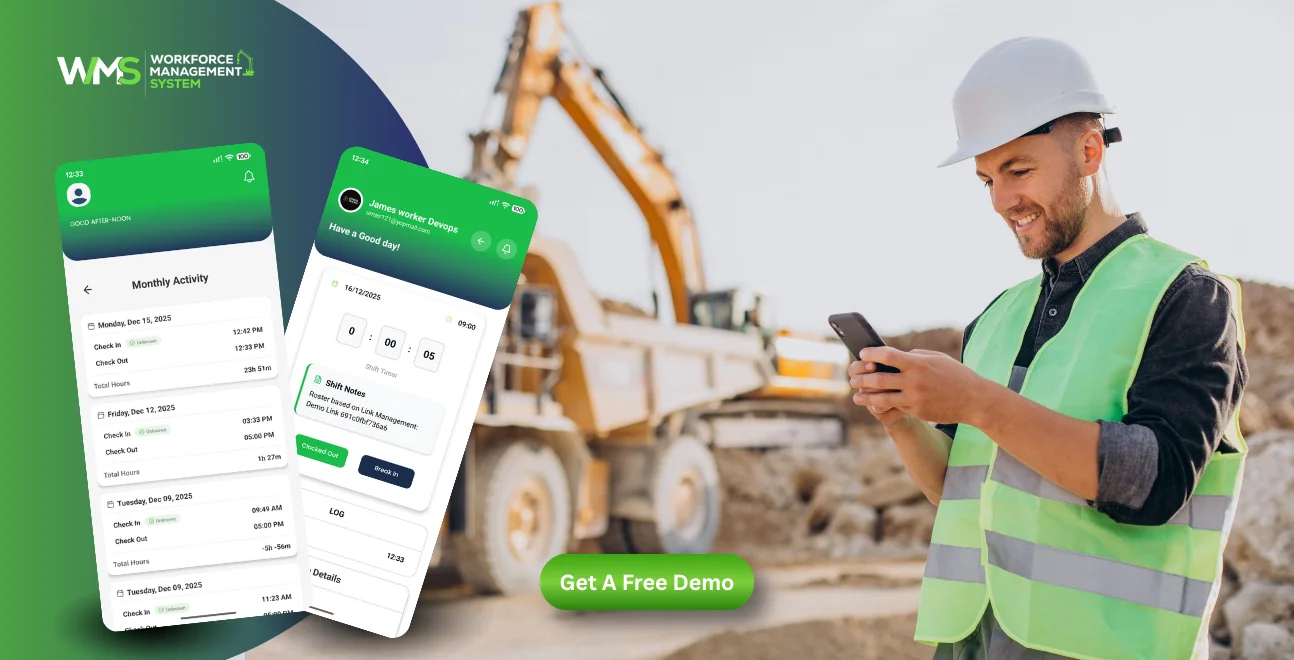
A Workforce Management System consolidates attendance, updated task information, compliance documents, and scheduling data into one system. Site managers and the head office teams can see all the information on a single dashboard, as opposed to accessing multiple disconnected sources, and report and plan much faster.
Real-Time Oversight Across Multiple Sites
A WMS can provide regional or head office managers with the ability to oversee workforce activity on multiple construction sites from a remote location, rather than having to be on site. This is especially useful for businesses that have staff working in various locations within the states or regions in Australia.
Improving Communication Between Office and Site
A WMS is a communication bridge that enables site-based information to be instantly available to the office-based decision-makers. This minimises the time delay between an incident occurring on site and the correct response being sent from management, particularly if it is a safety incident or urgent resourcing request.
Building an Audit Trail That Is Reliable
All activity recorded in a WMS, such as clock-in/clock-out, task completion, etc., is searchable and can be tracked over time. This is extremely helpful when dealing with compliance reviews, payroll issues, or client reporting, as it will eliminate the guesswork of piecing together what's happening on a particular day.
Improving Construction Productivity with Real-Time Data
Identifying Productivity Gaps Early
Real-time data shows if a crew is behind schedule before it becomes an obvious delay. This advanced warning can enable project managers to add more resources to a project or make other changes to the plan before it is too late to catch up.
Optimising Labour Allocation
Having a clear view into what tasks are moving fast and what are slow allows managers to move workers from zone to zone or from one trade to another in a more efficient manner, optimising when to apply labour to maximise its value.
Reducing Administrative Burden
By automating attendance, timesheets and task tracking, supervisors and administrative personnel are freed from data entry tasks and can spend more time on higher-value planning and coordination tasks instead of chasing paperwork.
Supporting More Accurate Forecasting
Historical monitoring data enables project managers to better predict the labour needs of a project for the next phases of the project, minimising the risks of being under-resourced in key stages of the project's construction.
Promoting Worker Safety, Wellbeing and Compliance
Verifying Safety Induction and Certification
A WMS can alert workers when they have not received required safety orientations or their White Card or working-at-heights certification is expiring, thereby minimising the chance of them being given jobs to do while they are not qualified.
Sustaining Fatigue and Working Hours Monitoring
Record of hours worked to determine patterns of over- or under-time working, which are of value to compliance with Fair Work standards and helping to minimise fatigue on the site, especially during peak times of a project.
Supporting Incident Reporting and Response
Having digital monitoring tools allows for more efficient incident logging, adding relevant information and photos and timely notification to proper safety personnel, aiding in better site safety response times.
Encouraging a Culture of Accountability
When monitoring is done in the way all the time and in a clear way, it helps build a better safety culture on site. Workers know that following the rules is being watched fairly. This can make everyone more likely to follow safety steps.
Technologies Supporting Modern Workforce Monitoring
Mobile Apps and Digital Check-In Tools
Mobile apps let workers clock in, look at their schedules and update the status of their tasks from their phone. This helps reduce the need for paper time sheets or going to the office on site.
GPS and Geofencing Systems
Location technology makes sure that attendance is accurate. It can also help track moving equipment or machines across sites. This adds another level of visibility to how things are running.
Wearable Devices and IoT Sensors
Wearables are now used to track worker safety factors. Things like tiredness or exposure to situations are monitored. The information goes to a main system for checking.
Cloud-Based Reporting Dashboards
Cloud dashboards bring together all the monitoring information into easy to read reports. This helps people in charge to see trends without having to look at numbers by themselves. They can do this from anywhere with internet access.
Key Benefits of WMS-Based Worker Monitoring
| Benefit | How It Helps Construction Teams |
|---|---|
| Real-time visibility | Managers see attendance and task progress as it happens, not after the fact |
| Reduced payroll errors | Automated time tracking removes manual timesheet mistakes |
| Improved compliance | Certification and induction tracking reduces safety and legal risk |
| Faster decision-making | Live data supports quicker resourcing and scheduling adjustments |
| Better subcontractor accountability | Clear records of attendance and output across all teams on site |
| Lower administrative workload | Less time spent chasing paperwork and manual reports |
| Stronger audit readiness | Digital records simplify compliance reviews and dispute resolution |
Selecting the Right Workforce Monitoring Solution
Assessing Your Project Scale and Complexity
The right solution for your business depends on how big and complicated your operations are. If you have a business with a few little projects, you need something different than a big business with lots of big sites and many subcontractors. So it is a good idea to think about what you need before you compare different platforms.
Prioritising Ease of Use for Site Teams
A monitoring system is only good if the people who work on site and their bosses actually use it all the time. You should look for a solution that's easy to use on a mobile phone and does not need a lot of training to use on site. This is especially important for teams that are not used to using tools.
Considering Integration with Existing Systems
The best Workforce Management System should work well with the systems you already use for payroll, project management and compliance. So you do not have to enter the info twice, and you can pull reports that feel consistent across the different departments, without that whole “each group does it their own way” situation.
Evaluating Long-Term Scalability
You should think about if a platform can grow with your business. A system that works well for a team now should also work well if your business gets bigger and you have many sites. You do not want to have to change to a new platform later on.
Comparing Core Feature Sets
| Feature to Compare | Why It Matters |
|---|---|
| Geofenced time tracking | Confirms accurate on-site attendance |
| Compliance and certification alerts | Reduces risk of non-compliant workers on task |
| Real-time dashboards | Provides instant visibility for decision-makers |
| Mobile accessibility | Ensures adoption by on-site workers |
| Subcontractor management tools | Simplifies multi-team oversight |
| Reporting and analytics | Supports long-term workforce planning |
| Scalability | Supports business growth without switching systems |
Conclusion
A dependable WMS enables construction companies to have visibility, control and accountability to manage safer, more productive construction sites. The right system puts all the data in the workforce into the competitive advantage category.
Book A DemoOptimise your operations with WMS
Streamline scheduling, compliance, and workforce management in one platform.
FAQ: Worker Monitoring on Construction Sites
A good construction checklist should have things like attendance tracking, task progress, safety certifications, geofenced clock-ins and subcontractor accountability across all the areas where work is being done.
Monitoring in construction is the process of keeping an eye on who's at work, what tasks are being completed, and if everyone is following the rules in real time so that projects stay on schedule and workers are held accountable.
You can track progress by using timesheets, logging milestones, geofencing and making daily site reports that go straight into a central worker management system dashboard.
Using a worker management system helps reduce mistakes in payroll, makes sure everyone is following safety rules, and gives managers a view of who is at work and what tasks are being done across every site.
No, it is also about tracking the work that is being done, making sure everyone is following safety rules, and how well subcontractors are performing. How productive the whole workforce is throughout the entire project.
Yes, when you have real-time information, you can see if tasks are falling behind, and managers can move workers around before small delays turn into big problems with the schedule.
Related Articles
Explore more insights on workforce management, compliance, and operations.

Top AI Solutions To Manage Construction Workforce
Explore the top AI solutions for managing a construction workforce, from onboarding to payroll and safety, with human review built in.
WorkforceMS Team
14 Sep 2026

Streamline Job Tracking with AI Construction Management Software
Discover how AI construction management software streamlines job tracking, project planning, risk alerts, defect reporting and safety compliance.
WorkforceMS Team
11 Sep 2026

Skills and Compliance Management for Construction Teams
Manage skills and compliance for construction teams with WorkforceMS. Track licences, SWMS, inductions and audits in one workforce management system.
WorkforceMS Team
10 Sep 2026
Ready to secure your operations?
