Retail staff rostering software Australia: The 2026 Construction Buyers Guide
Compare the best retail staff rostering software Australia in 2026 for construction & trade teams. Read our comprehensive buyer's guide for Fair Work compliance and award interpretation.

Share this article

Streamline your frontline operations
See how WMS simplifies scheduling, compliance and workforce management in one powerful platform.
Retail staff rostering software is a digital platform that helps Australian businesses plan, manage and communicate employee work schedules while still staying inside Fair Work Modern Awards rules. It kinda bridges the daily bookings and the legal bits, so you don’t have to babysit every change.
For construction teams, the best tools aren’t just shift planning. They go further, like dealing with complex EBAs, tracking trade certifications, and yes even working offline when you’re on remote sites. In 2026 the standout picks tend to be WorkforceMS (made for construction ), Deputy (works well for multi-location retail operations ), and Tanda (strong award interpretation).
Key benefits, quick look:
- Cut admin time by up to 80% thanks to automated scheduling
- Reduce payroll errors via built-in award interpretation
- Stay Fair Work compliant with real-time penalty rate calculations
- Coordinate crews across multiple sites from a single dashboard
Introduction
If you’re running a construction crew, a retail chain, or any trade business in Australia, you already know that getting the roster right is one of the most important things you do each week, like, literally. Still with over 120 Modern Awards floating around, complex penalty rates, and the real risk of underpayment penalties stacking up into the millions of dollars since January 2025, picking the wrong rostering tool isn’t just slow or inefficient, it’s kinda dangerous too.
Most “best rostering software” lists you’ll see online are made for cafes and clothing stores. They don’t really touch the reality of running a 45-person construction crew across three sites, where each place can operate under different EBAs, and the team members hold white cards, traffic control tickets, and electrical licences that all expire on different dates. It’s a whole different game, and those generic tools usually miss the nuance.
So this guide is kind of different. We looked at the Australian rostering software market through a construction lens, while also keeping retail and general business needs in view because WorkforceMS was built specifically for Australian trade and construction teams, not as some afterthought tacked onto a global HR platform.
You’ll get a straightforward framework for choosing the right software, a detailed comparison of the 7 best options, and some more advanced strategies that other guides just don’t cover. Whether you’re moving off spreadsheets or stress-testing your current platform, this is the only 2026 buyer’s guide you’ll need, honestly.
What is retail staff rostering software, and why do Australian businesses even need it?
Basically rostering software swaps spreadsheets and whiteboards for one central digital area where rosters can be planned, published, and managed without all that back and forth. In Australia, it has to deal with Fair Work compliance, Modern Award interpretations, plus penalty rate calculations, because the rules are not exactly simple. For construction businesses, it also needs to support EBAs, site-based allowances, and trade certification type features that most generic retail tools just don’t cover, not really, no.
The difference between rostering software and workforce management platforms
Rostering software usually means shift planning and schedule communication. Workforce management platforms go further and add time tracking, payroll processing, leave management, and compliance reporting. It’s like one tool plans the day, the other tries to run the whole system behind it.
For most Australian small businesses a workforce management platform is often the smarter buy because it removes double handling between systems. Industry research often points to the same thing: managers who roster manually can spend 3 to 7 hours per week building schedules, time that automated tools reclaim straight away.
How Australian employment law shapes rostering requirements
Australia has one of the more intricate employment setups worldwide. The Fair Work Act 2009 along with 120+ Modern Awards creates obligations around maximum weekly hours, break periods, overtime limits, and penalty rates.
And since 1 January 2025, intentional underpayment is now a criminal offence, with penalties that can reach into the millions. So your rostering software needs to apply the right rates automatically based on time of day, weekday, employee classification, and award type, and it should update when Fair Work makes annual changes. Otherwise it becomes a compliance risk, not just an admin headache.
Why construction teams need different rostering tools than retail
Retail rostering tends to track trading patterns and the General Retail Industry Award. Construction rostering has to manage multiple EBAs on the same project CFMEU, ETU, CEPU, AMWU and each one can bring different ordinary hours, allowances, and overtime triggers.
Construction teams also often require GPS verified clock in checks for site attendance, offline mobile access for remote areas, plus alerts when certifications expire, like white cards and trade licences. Generic retail systems can’t handle this kind of complexity, at least not in a reliable way, not at the scale it actually needs.
The 7 Best Retail Staff Rostering Software Options in Australia (2026)
After testing and comparing platforms against Australian compliance requirements, construction-specific features, and real-world usability, these 7 tools stand out: WorkforceMS (construction/trades), Deputy (multi-location retail), RosterElf (retail compliance), Tanda (award interpretation), ClockOn (budget small business), Connecteam (mobile-first teams), and Employment Hero (all-in-one HR). Each excels in a specific use case choose based on your industry and award complexity.
WorkforceMS: Best for Construction & Trade Teams
WorkforceMS is the only platform on this list built specifically for Australian construction and trade businesses. It handles all 120+ Modern Awards plus major construction EBAs out of the box, includes offline mobile access for remote sites, and offers flat pricing instead of per-user fees that punish seasonal crews.
The integrated STP Phase 2 payroll eliminates double-entry, and the certification tracking module auto-alerts when white cards or trade tickets expire.
Best for: Construction, labour hire, electrical, plumbing, and civil crews operating across multiple sites.
Deputy: Best for Multi-Location Retail Chains
Deputy is the most recognised name in Australian rostering, with 390,000+ workplaces globally. Its AI-powered auto-scheduling builds rosters based on demand forecasting, and the mobile app is polished.
However, Deputy operates as a global platform with construction-specific features like EBA interpretation, certification tracking, and offline access that require workarounds or aren't available. Real-world pricing climbs to approximately $20.68 per user per month once essential modules are added.
Best for: Retail chains, hospitality groups, and franchises with predictable trading patterns.
RosterElf: Best for General Retail Award Compliance
RosterElf dominates the "best rostering software Australia" SERP with its comprehensive 2026 tested review. The platform handles General Retail Industry Award penalty rates, weekend loading, and junior employee rates well.
It integrates with Xero and MYOB and offers a free browser-based roster tool with no signup required. The weakness? It's designed for retail and hospitality construction EBAs and Site-based features are absent.
Best for: Fashion stores, supermarkets, electronics retailers, and pharmacies.
Tanda: Best for Australian Award Interpretation
Tanda (Brisbane-based) includes a complete Australian award interpretation calculator that automates wage calculations for industries with complex penalty structures. It supports Microsoft Outlook integration and offers photo verification at clock-in to prevent time theft.
Tanda covers 45+ awards but lacks the full 120+ award database and construction-specific modules like certification tracking.
Best for: Hospitality, healthcare, and retail businesses prioritising award accuracy.
ClockOn: Best Budget Option for Small Business
ClockOn offers rostering from $1.40 per employee per month with a genuinely free starter package. It includes drag-and-drop roster building, live labour costing, and role-based scheduling.
The platform connects payroll, attendance, and rostering in one system. However, it's primarily payroll-first the scheduling interface is functional but lacks the AI and demand forecasting of premium competitors.
Best for: Small businesses with under 20 staff and straightforward scheduling needs.
Connecteam: Best for Mobile-First Teams
Connecteam's free plan supports up to 10 users with access to nearly all features, including scheduling, time clock, and team messaging. The mobile experience is excellent, with configurable shift swap rules and auto-approval conditions.
The limitation? It's an Israeli-founded global platform with limited Australian award interpretation you'll need manual rate configuration for Fair Work compliance.
Best for: Small teams, startups, and businesses with simple award structures.
Employment Hero: Best All-in-One HR + Rostering
Employment Hero is an HR-first platform with rostering as a secondary function. It covers 45 of Australia's 120+ Modern Awards and includes digital onboarding, contract management, and employee benefits.
The monthly minimum spend of $100-$140 and AEST-limited support make it less accessible for small trade businesses. Scheduling lacks real-time labour costing in the roster view.
Best for: Mid-size businesses with dedicated HR administrators.
How to Choose the Right Rostering Software for Your Business
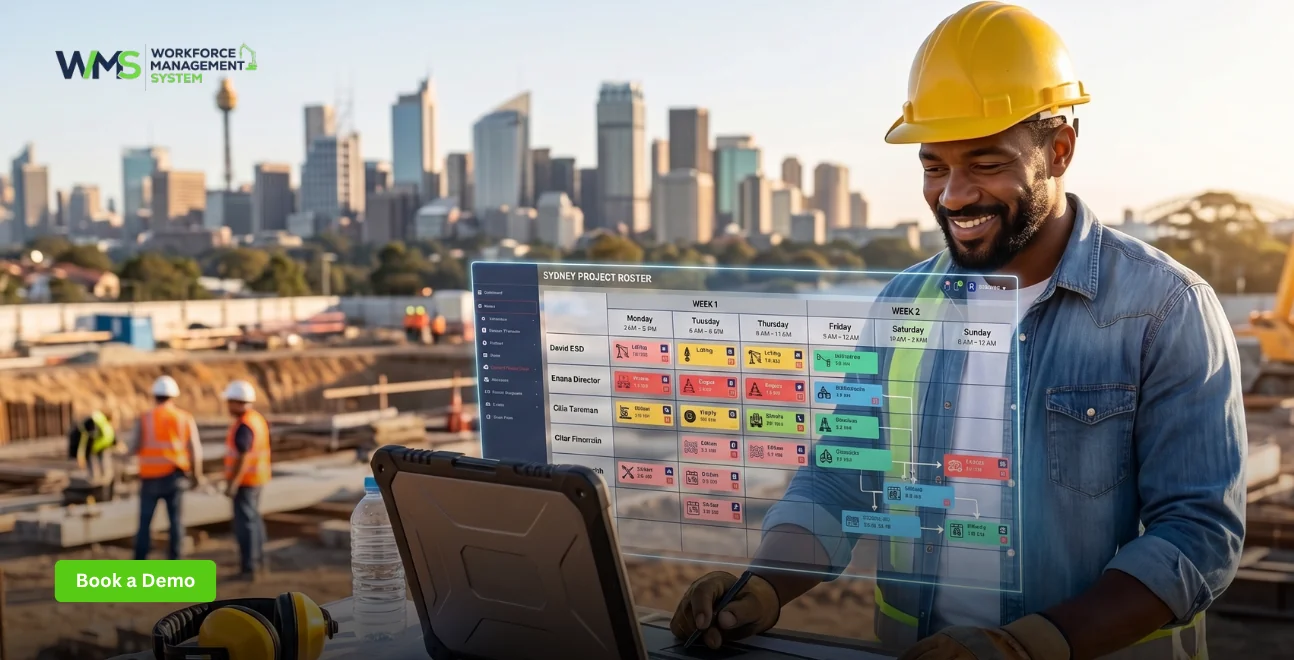
Start by mapping your award or EBA complexity, then evaluate mobile app quality for field teams, test payroll integration with your existing accounting software, and verify there are no hidden costs or lock-in contracts. For construction businesses, demand a demo using your specific EBA before signing every vendor shows polished demos, but few handle CFMEU rates correctly.
Step 1: Map Your Award or EBA Complexity
List every award or enterprise agreement your workers fall under. Retail businesses may have one (General Retail Industry Award). Construction businesses often have three to five on the same project Building and Construction General On-site Award, CFMEU EBA, ETU electrical agreement, plus labour-hire arrangements. Send your most complex agreement to each vendor and ask them to demonstrate exactly how it's configured. If they hesitate, walk away.
Step 2: Evaluate Mobile App Quality for Field Teams
Your workforce is on-site, not at desks. Test the mobile app on older Android and iPhone models in areas with poor signal. Key questions: Does it work offline? Is the clock-in process under 10 seconds? Can workers view rosters, request leave, and swap shifts without calling a manager? According to Deputy's research, 81% of contractors plan to increase construction technology investment start with the app your crew uses daily.
Step 3: Test Payroll Integration Before You Commit
Verify whether the platform integrates with your existing payroll system (Xero, MYOB, QuickBooks) or requires you to switch. Direct integration means approved timesheets flow straight into payroll without manual data entry. Check if STP Phase 2 reporting is built-in or requires a separate module. For construction, also confirm whether site allowances, travel time, and higher duties transfer correctly.
Step 4: Check for Hidden Costs and Lock-In Contracts
Per-user pricing becomes expensive fast when seasonal projects add 40 subcontractors. Look for flat-rate or project-based pricing instead. Ask specifically: Is award configuration included in the setup price or billed separately? Are compliance updates free? Is support 24/7 or business-hours only? Month-to-month contracts reduce risk and avoid annual lock-ins until you've run a full pay cycle.
Key Features Every Australian Rostering Software Must Have
Every Australian rostering platform needs four non-negotiable features: drag-and-drop scheduling with real-time labour costing, GPS-verified time tracking, automated award interpretation with compliance alerts, and a mobile app that works for field teams. Construction businesses should add offline access, certification tracking, and multi-site project codes to this list.
Drag-And-Drop Shift Scheduling with Real-Time Costing
Visual roster builders let you create and move shifts on a calendar interface. The critical addition is live labour costing seeing the dollar impact of each shift as you build it, before you publish. This prevents budget blowouts. Look for tools that flag when a shift triggers overtime or breaches minimum engagement periods.
GPS-Verified Time and Attendance Tracking
Paper timesheets are a liability. GPS-enabled digital clock-ins capture the actual site location, verify worker identity, and flag anomalies in real time. For construction labour-hire businesses with workers across multiple client sites daily, geofencing is non-negotiable. Photo verification at clock-in prevents buddy punching. Offline capability ensures remote sites with no signal still record hours accurately.
Automated Award Interpretation and Compliance Alerts
The award interpretation engine converts time data into itemised outcomes: ordinary hours, penalties, overtime tiers, and allowances. It must run the Better Off Overall Test (BOOT) where required and store evidence. The best platforms (Tanda, WorkforceMS, Deputy) check compliance before publishing rosters flagging insufficient breaks, rest period breaches, or minimum shift length violations instantly.
Mobile App with Offline Access for Remote Sites
This is where most generic platforms fail construction teams. Remote sites often have no mobile coverage. The app must store clock-ins locally and sync when the connection returns. Workers should view rosters, submit leave, and complete pre-start safety checklists through the same app. If your current tool requires a signal to function, you're losing data every day.
Retail Rostering Software vs. Construction Rostering Software: What's the Difference?
Retail rostering manages trading-pattern shifts under the General Retail Industry Award. Construction rostering must handle multiple EBAs, site-based allowances, travel time, and certification requirements on a single project. Retail tools optimise for customer flow; construction tools optimise for project codes, fatigue management, and compliance across geographically dispersed sites. The underlying technology is similar the complexity layer is entirely different.
Award Complexity: Retail Award vs. CFMEU EBAs
The General Retail Industry Award has predictable penalty structures: weekend rates, public holiday loading, and junior rates. Construction EBAs add industry allowances, tool allowances, travel allowances, site-specific loadings, and complex overtime triggers based on consecutive days or project milestones. A retail rostering tool cannot calculate a CFMEU rigger's 36-hour weekly trigger or an electrician's ETU allowance without manual configuration.
Site-Based Requirements: Geofencing and Multi-Project Allocation
Retail workers clock in at one store. Construction workers may work three sites in one day a commercial fit-out in the morning, a residential slab pour in the afternoon, and a maintenance call-out in the evening. Each site has different project codes, client billing requirements, and safety inductions. Construction rostering software must allocate hours by project, track site attendance via GPS, and maintain separate safety records per location.
Certification Tracking: White Cards vs. Retail Training Records
Retail training is typically onboarding-focused and static. Construction certifications expire white cards (every 2 years), traffic control tickets, high-risk work licences, and trade-specific tickets. If a worker's certification lapses and they show up on site, your business faces WHS penalties and project shutdowns. Construction rostering software must auto-alert managers 30, 60, and 90 days before expiry and block scheduling for unqualified workers.
WorkforceMS vs. Deputy vs. RosterElf: Feature Comparison
WorkforceMS leads for construction with full award coverage, offline mobile, and flat pricing. Deputy wins for retail scale with AI scheduling and 390,000+ customers. RosterElf excels at retail compliance with a free browser tool. The choice depends on your industry complexity and whether you need EBA handling.
| Feature | WorkforceMS | Deputy | RosterElf |
|---|---|---|---|
| Primary Focus | Construction & trades | Global scheduling | Retail & hospitality |
| Modern Award Coverage | All 120+ awards | Partial (add-on cost) | Partial |
| Construction EBA Support | CFMEU, ETU, CEPU, AMWU | Not available | Not available |
| Offline Mobile Access | ✓ Full offline mode | ✗ Requires signal | ✗ Requires signal |
| GPS Geofencing | ✓ Site-based | ✓ Location-based | ✓ Location-based |
| Certification Tracking | ✓ Auto-expiry alerts | ✗ Not available | ✗ Not available |
| STP Phase 2 Payroll | Built-in | Integration only | Integration only |
| Real-Time Labour Costing | ✓ In roster view | ✓ Separate module | ✓ In roster view |
| Pricing Model | Flat rate, no lock-in | Per-user + modules | Per-user |
| Free Plan/Trial | 14-day trial | 31-day trial | Free browser tool |
| Australian Support | Dedicated local team | Limited global | Australian team |
5 Costly Mistakes Australian Businesses Make When Choosing Rostering Software
The most expensive errors are: buying on price alone, choosing a platform that can't interpret your specific award or EBA, ignoring mobile quality for field teams, locking into annual contracts before testing, and treating rostering as a back-office payroll tool instead of a front-line operational system. Each mistake compounds into compliance risk and admin overhead.
Mistake 1: Buying on Price Alone and Missing Compliance Features
The cheapest platform often lacks the award interpretation depth your business needs. A $2/user/month tool that miscalculates CFMEU overtime or misses a Fair Work update will cost you far more in remediation than a purpose-built system. The Fair Work Ombudsman recovered $473 million for underpaid workers in 2023-24 and named construction a high-risk enforcement target.
Mistake 2: Choosing a Platform That Can't Handle Your Award or EBA
Every vendor demos with simple scenarios. Before you sign, send them your most complex award or EBA and ask for a live configuration. If they can't demonstrate CFMEU rates, site allowances, or split-shift rules in real time, the platform will require manual workarounds that erode your time savings.
Mistake 3: Ignoring Mobile Experience for Field Teams
A beautiful desktop dashboard means nothing if your crew can't clock in on a dusty tablet with gloves on. Test the mobile app under actual working conditions poor signal, bright sunlight, and older devices. If workers abandon the app and revert to paper timesheets, your compliance data disappears.
Mistake 4: Locking Into Annual Contracts Before Testing
Implementation is where most software transitions fail. A 12-month contract locks you in before you know if the award configuration is accurate, if your crew will adopt the app, or if payroll integration actually works. Choose month-to-month flexibility until you've processed at least three accurate pay runs.
Mistake 5: Treating Rostering as Payroll-Only Instead of Operational Tool
The biggest ROI comes from the front end using rostering data to forecast labour costs, optimise crew allocation across projects, and prevent fatigue breaches. Businesses that use rostering software purely as a timesheet-to-payroll conduit miss 70% of the value. Use it to manage your workforce, not just pay them.
Free vs. Paid Rostering Software: What You Actually Get in Australia
Free rostering apps cover basic shift creation, employee availability, and mobile viewing. Paid platforms add AI auto-scheduling, compliance alerts, payroll sync, and advanced reporting. For construction, the critical missing piece in free tiers is award interpretation for complex EBAs without it, you're calculating rates manually and carrying compliance risk.
What Free Rostering Apps Cover (And Where They Fall Short)
Free plans from Homebase, Sling, and RosterElf's browser tool handle shift creation, availability tracking, and basic notifications. They're sufficient for fixed-schedule teams with 2-10 staff and simple award structures. What they don't do: interpret Australian Modern Awards, calculate penalty rates automatically, integrate with Xero/MYOB payroll, or track construction certifications. Most push you toward paid plans within 30 days.
When Paid Software Pays for Itself in Compliance Savings
If your business operates under complex awards or EBAs, paid software pays for itself through error prevention, not time savings alone. A single underpayment claim can cost $50,000+ in back-pay, penalties, and legal fees. Automated award interpretation eliminates this risk. For a 20-person team, the break-even point is typically one avoided compliance breach per year.
WorkforceMS Pricing: Transparent Flat Rates vs. Per-User Models
WorkforceMS uses flat pricing rather than per-user fees that escalate with seasonal headcount changes. This matters for construction businesses that scale from 15 to 60 workers between projects. Competitors like Deputy charge per user per module adding scheduling, time tracking, and compliance as separate costs. With WorkforceMS, what you see is what you pay, with no lock-in contracts.
Real-World Example: How a 45-Person Construction Crew Cut Admin Time by 80%
A mid-tier commercial builder in Brisbane replaced spreadsheets and paper timesheets with WorkforceMS. The result: roster creation time dropped from 6 hours to 45 minutes weekly, payroll errors fell to zero, and certification expiry alerts prevented two potential WHS breaches. The operations manager now spends that reclaimed time on project planning instead of admin.
The Problem: Spreadsheets, Paper Timesheets, and Payroll Errors
The builder managed 45 workers across three active projects using Excel rosters, WhatsApp for shift changes, and paper timesheets submitted on Fridays. Payroll took 8 hours every fortnight, with 2-3 errors per pay run requiring manual reconciliation. Certification tracking was a spreadsheet that nobody updated two workers had expired white cards for three weeks before anyone noticed.
The Solution: Switching to Purpose-Built Construction Rostering
After evaluating Deputy and RosterElf, they chose WorkforceMS because it handled the Building and Construction General On-site Award plus their CFMEU EBA in one system. Setup took two days: award configuration on day one, staff import and mobile app training on day two. The certification tracking module immediately flagged the expired white cards and blocked those workers from being scheduled.
The Results: 12 Hours Saved Weekly + Zero Compliance Breaches
Within 30 days, the business achieved:
- Roster creation: 6 hours → 45 minutes per week
- Payroll processing: 8 hours → 1.5 hours per fortnight
- Payroll errors: 2-3 per run → zero
- Certification compliance: 100% tracked with 30/60/90-day expiry alerts
- Labour cost visibility: Real-time costing in the roster view prevented two overtime blowouts
The operations manager reports the biggest change is mental bandwidth no more Sunday night roster anxiety or Tuesday morning payroll panic.
The most common questions cover free options, award compliance, casual/FIFO worker support, Xero/MYOB integration, Fair Work and STP Phase 2 requirements, the difference between rostering and timesheet software, implementation timelines, and certification tracking. Most concerns centre on compliance accuracy and mobile usability.
Advanced Rostering Strategies for Multi-Site Construction Teams
Multi-site construction teams should implement cross-site labour pooling to share crews between projects, automated fatigue management to enforce rest periods across rotating shifts, and project code-based cost allocation for accurate client billing. These strategies turn rostering from a scheduling tool into a project profitability system a capability no retail-focused platform offers.
Cross-Site Labour Pooling: Sharing Crews Between Projects
When Project A is ahead of schedule and Project B is behind, labour pooling lets you reallocate qualified workers instantly. Advanced rostering software shows real-time availability across all sites, filters by trade qualification, and applies the correct EBA rates for each project. This prevents over-hiring while keeping projects on track a strategy that saves 15-20% on labour costs during peak periods.
Fatigue Management: Automated Rest Period Enforcement
Construction EBAs and WHS laws mandate minimum rest between shifts typically 10 hours. Manual tracking fails when workers pick up overtime or swap shifts across sites. Automated fatigue management blocks roster publication if a shift would breach rest requirements, flags high-risk rosters, and maintains an audit trail for WHS inspections. This is liability protection, not just scheduling.
Project Code-Based Cost Allocation for Client Billing
Every hour worked must be billable to the correct project code. Advanced rostering software lets workers select their project at clock-in, automatically allocates labour costs by client, and exports detailed breakdowns for head contractor reporting. This eliminates the Friday afternoon spreadsheet scramble to reconcile who worked where and ensures your invoices match your timesheets exactly.
2026 Trends: AI Auto-Scheduling and Real-Time Compliance Checking
The three biggest trends for 2026 are AI-powered auto-rostering that builds optimised schedules in minutes, real-time compliance checking that catches award breaches before rosters publish, and predictive labour cost forecasting that identifies budget blowouts before they happen. Construction businesses adopting these features now will outcompete those still using spreadsheets by Q3 2026.
How AI-Powered Rostering Cuts Scheduling Time from Hours to Minutes
Deputy's AI Auto-Scheduling and similar tools use demand forecasting to generate rosters based on historical data, employee availability, skills, and labour costs. For retail, this matches staffing to customer flow. For construction, the next evolution is project-milestone-based scheduling automatically adjusting crew size based on slab pour dates, fit-out phases, and inspection schedules.
Real-Time Compliance Alerts: Catching Errors Before They Cost You
The biggest shift in 2026 is moving compliance checking upstream from payroll reconciliation to roster publication. Instead of discovering a break breach or overtime trigger when processing pay, the software flags it when you build the roster. This protects workers, prevents underpayment claims, and eliminates the retro pay adjustments that frustrate both payroll and crew.
The Rise of Predictive Labour Cost Forecasting in Construction
Instead of showing what already happened, predictive forecasting shows what will happen identifying which projects will exceed labour budgets, when compliance risks are likely, and where crew shortages will emerge. For businesses managing complex projects, this visibility is the difference between catching a cost blowout at 60% completion versus discovering it at final invoice.
Your Next Steps: Start with a Free Trial Today
The fastest way to evaluate rostering software is a 14-day trial using your actual award or EBA. Import your staff list, build one week's roster, and run a test pay cycle. If the platform can't handle your specific rates or your crew won't use the mobile app, you'll know within days not months.
How to Set Up Your First Roster in Under 10 Minutes
- Import your staff via CSV or manual entry
- Configure your award or EBA send it to the vendor's support team if needed
- Build your first week using drag-and-drop or templates
- Publish and notify staff receive instant mobile alerts
- Review labour costs in real time before finalising
What Data to Prepare Before Your Trial Starts
Gather: your current award or EBA document, a list of all staff with classifications and pay rates, your typical shift patterns, and your payroll system details (Xero, MYOB, or other). Having this ready means your trial tests real-world conditions, not demo scenarios. The best platforms (WorkforceMS) include award configuration in the free trial setup.
Related Resources for Australian Business Owners
Explore our guides on Workforce Management System for small businesses, the Building and Construction General On-site Award explained, and STP Phase 2 payroll requirements. These resources help you understand the full compliance landscape before choosing your rostering platform.
Best Workforce Management System for Small Business Australia
Our comprehensive guide compares the top workforce management platforms for Australian SMBs, covering award interpretation, STP compliance, and pricing transparency.
Understanding the Building and Construction General On-Site Award
A plain-English breakdown of the most common construction award in Australia, including ordinary hours, overtime triggers, allowances, and rest period requirements. Essential reading before configuring any rostering system.
STP Phase 2 Payroll Guide for Australian Employers
Everything you need to know about Single Touch Payroll Phase 2, including disaggregated data requirements, ATO deadlines, and how to ensure your payroll software is compliant.
Conclusion
Choosing the right retail staff rostering software in Australia isn't about finding the most features it's about finding the platform that handles your specific complexity without creating new problems. For retail and hospitality businesses, Deputy and RosterElf offer proven solutions. For construction, labour hire, and trade teams, generic tools break down under the weight of multiple EBAs, site-based allowances, and certification requirements.
WorkforceMS was built exclusively for Australian construction and trade businesses not as a global platform with Australian features bolted on, but as a purpose-built system that understands CFMEU rates, offline site access, and project-based cost allocation. With all 120+ Modern Awards, built-in STP Phase 2 payroll, and flat pricing that doesn't punish seasonal crews, it's the only rostering software that treats compliance as a core feature, not an afterthought.
Start your free 14-day trial today and see the difference a construction-focused platform makes. Our Australian-based support team will configure your award or EBA during setup so your first roster is accurate, compliant, and built for how you actually work.
Optimise your operations with WMS
Streamline scheduling, compliance, and workforce management in one platform.
Retail Staff Rostering Software FAQ
RosterElf offers the strongest free option with a no-signup browser tool for basic shift creation. For small teams (under 10), Connecteam and Homebase also have usable free tiers. However, no free tool handles complex Australian award interpretation you'll calculate penalty rates manually. For construction or multi-award businesses, a paid platform is essential for compliance.
Yes quality Australian rostering software includes built-in award interpretation engines that automatically apply base rates, shift loadings, overtime tiers, and penalty rates based on the relevant Modern Award. The best platforms (Tanda, WorkforceMS, Deputy) update these rules when Fair Work issues annual changes. Always verify your specific award is supported before purchasing.
Absolutely. Casual teams benefit most from availability tracking, shift bidding, and instant notifications. For FIFO (fly-in-fly-out) construction workers, look for rostering software with swing pattern support pre-built 2:1, 3:1, or 4:1 rotation templates that automatically calculate remote site allowances and fatigue management rest periods.
Most Australian rostering platforms connect via API, pushing approved timesheets directly into your accounting software. This eliminates manual data entry and reduces errors. WorkforceMS, Deputy, RosterElf, and Tanda all offer Xero and MYOB integrations. Check whether the integration handles disaggregated STP Phase 2 data some only sync totals, not the detailed breakdowns the ATO requires.
Quality Australian rostering software is designed with local compliance in mind, including accurate timesheet records, leave tracking, and payroll systems that apply correct Modern Award rates. For STP Phase 2, verify whether compliance is built-in (WorkforceMS) or requires a separate integration (most competitors). The ATO mandates disaggregated data reporting for every pay run.
Rostering software is for planning upcoming shifts who works when, at what cost, under which award. Timesheet software records actual hours worked for payroll processing. The best platforms integrate both, letting you compare rostered vs. actual time, flag discrepancies, and auto-approve timesheets that match the roster exactly.
For a small team (under 20), expect 1–2 days for setup and training. For larger or multi-site operations, allow 1–2 weeks for award configuration, data migration, and staff onboarding. The critical path is award/EBA setup once rates are configured correctly, roster building becomes faster immediately. Most businesses see full ROI within the first pay cycle.
Only construction-specific platforms offer this. WorkforceMS includes automated certification tracking with expiry alerts for white cards, traffic control tickets, high-risk work licences, and trade-specific tickets. Generic retail rostering tools (Deputy, RosterElf) do not include this feature you'd need a separate system or manual tracking, creating compliance gaps.
Related Articles
Explore more insights on workforce management, compliance, and operations.

Security Operations and Monitoring Workforce Planning
Plan guard rosters, track live attendance and cover every shift with WorkforceMS. Strengthen security operations and monitoring with smarter workforce planning.

Muhammad Asim
09 Oct 2026

Telehealth and Digital Healthcare Scheduling WMS
Simplify telehealth and digital healthcare scheduling with WorkforceMS. Manage rosters, remote clock-ins and compliance records in one easy-to-use platform.
Muhammad Asim
08 Oct 2026

Healthcare Workforce Management for Aged Care
Simplify rostering, credential tracking and payroll for aged care healthcare teams. Discover how WorkforceMS gives your carers more time with residents.
Muhammad Asim
05 Oct 2026
Ready to secure your operations?
