Timesheet Software for Small Business Australia (2026)
Timesheet software for small business Australia automates hours capture, rostering, and payroll sync so owners stop manually re-keying time into pay runs. The best options in 2026 combine Fair Work Award interpretation, GPS clock-in, and direct payroll sync.

Share this article
Streamline your frontline operations
See how WMS simplifies scheduling, compliance and workforce management in one powerful platform.
Timesheet software for small business Australia automates hours capture, rostering, and payroll sync so owners stop manually re-keying time into pay runs. The best options in 2026 combine:
- Automated Fair Work Award interpretation (including construction's MA000020)
- Mobile clock-in with GPS/site verification
- Direct payroll sync (Xero, MYOB, KeyPay)
- Job/project-level cost tracking
- Free tiers for sole traders, paid tiers for growing teams
Introduction
Chasing paper timesheets, fixing payroll errors, and guessing which Award rate applies to a Tuesday overtime shift: it's a familiar grind for Australian small business owners. Generic timesheet apps solve the clocking-in problem but leave the compliance and job-costing problem untouched, which is exactly where most underpayment disputes start.
This guide compares timesheet software for small business Australia across general use, free tiers, sole traders, consultants, and an angle no other guide on this topic covers in depth: construction and trades businesses governed by the Building and Construction General On-site Award (MA000020).
We built WorkforceMS because construction businesses were stuck choosing between generic time trackers that ignore Award rules, and enterprise payroll platforms that ignore job-site reality. Below is a straight comparison, a compliance checklist, and a buyer's framework so you can choose confidently.
What Is Timesheet Software?
Timesheet software is a digital tool that records employee hours via mobile app, GPS, or biometric clock-in, then syncs those hours directly to payroll and job-costing systems, replacing paper sheets or spreadsheets and reducing manual data entry errors.
How timesheet software differs from a paper or spreadsheet timesheet
Paper and spreadsheet timesheets rely on manual transcription at every stage from clock-in to payroll, creating multiple points where hours, rates, or Award classifications get entered incorrectly. Digital timesheet software captures hours at the source (mobile app or terminal) and pushes that data straight into payroll, removing re-entry. It also creates a timestamped, tamper-evident audit trail, which matters directly for Fair Work Act compliance (see Fair Work Act & STP Compliance below).
Core features every Australian small business needs
At minimum, look for mobile clock-in/out, GPS or location verification, payroll integration (Xero, MYOB, or KeyPay), manager approval workflows, and award/overtime rule handling. Businesses with rostered or shift-based teams also need rostering built in rather than as a bolted-on add-on, since roster-to-timesheet accuracy is where most pay disputes originate.
Best Timesheet Software for Small Business Australia (2026)
The best timesheet software for small business Australia in 2026 depends on your workforce type: general small teams are well served by all-in-one platforms with rostering and payroll sync, while construction and trades businesses need Award-specific interpretation and job-costing that generalist tools don't provide.
WorkforceMS: best for construction & trades job costing
WorkforceMS automatically applies MA000020 rules (RDO accrual, site allowances, travel time, and overtime multipliers) directly from clocked hours, and ties every hour to a job or site so you see real-time labour cost per project, not just a payroll total at the end of the pay cycle.
General-purpose alternatives at a glance
Generalist platforms suit retail, hospitality, and office-based teams well, offering solid rostering and biometric or GPS clocking. Where they fall short for construction businesses is Award depth: most handle standard Modern Awards but require manual workarounds for MA000020's site-based allowance and RDO structures.
Free Timesheet Software for Small Business Australia
Free timesheet software for small business Australia typically covers basic clock-in/out and manual timesheet entry for a small number of users, but usage caps, limited payroll integrations, and capped GPS/geofencing features are common trade-offs once a business grows past a handful of staff.
What free plans typically limit
Free tiers commonly cap active users (often 5–10), restrict payroll integrations to one provider, and remove advanced features like geofencing, job costing, or Award interpretation, precisely the features construction businesses need most.
When free tiers stop being enough
Once you're managing rostered shifts, multiple job sites, or Award-covered casual and part-time staff, the compliance risk of a free, generic tool typically outweighs the cost saving, particularly given Fair Work penalties can reach thousands of dollars per breach.
Timesheet Software for Builders and Construction Teams
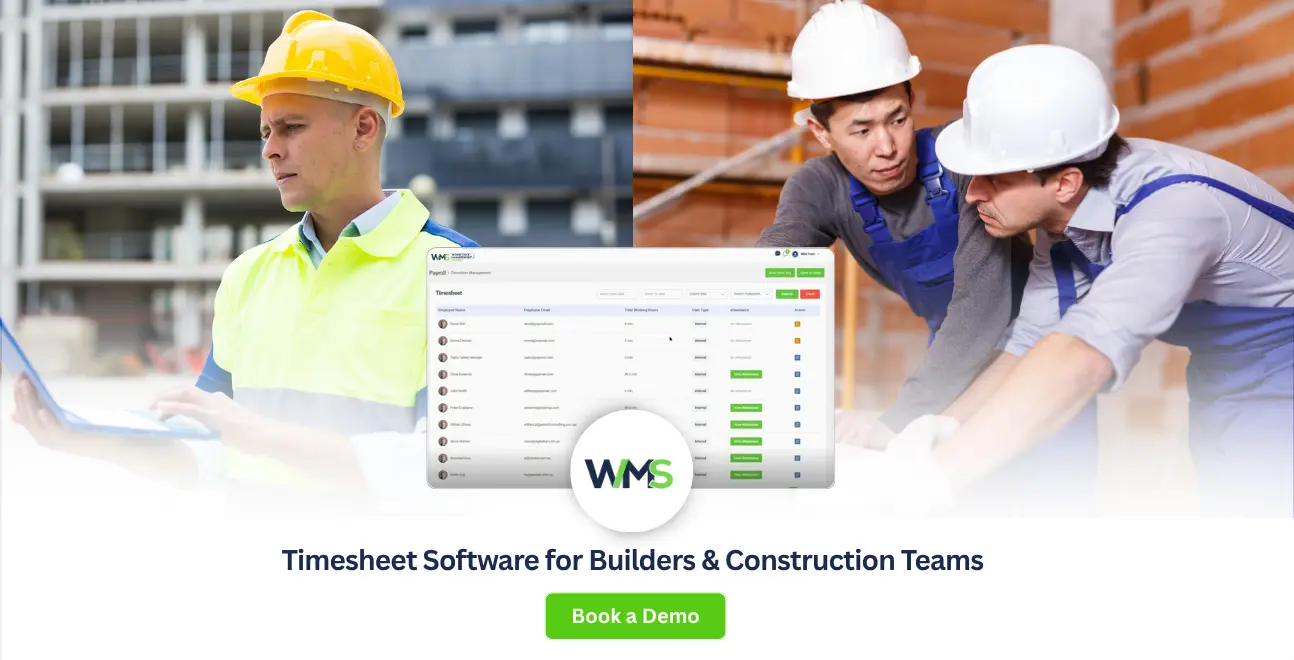
Timesheet software for builders needs to interpret the Building and Construction General On-site Award (MA000020) automatically, covering RDO accrual, site allowances, and overtime, and link hours to specific jobs or sites so labour cost is visible per project, not just per pay run.
Award interpretation (MA000020) and RDO tracking
MA000020 layers site allowances, travel entitlements, and overtime rules on top of base classification rates, and getting any one element wrong compounds across every pay run. Software that auto-applies these rules from the timesheet rather than relying on a payroll officer's manual interpretation significantly reduces underpayment risk.
Job-costing and site-based clock-in
Construction businesses need to know labour cost per job, not just total wages. GPS or site-based clock-in tied to a specific project lets owners see real-time cost against quoted budgets, catching cost overruns before the job is finished rather than after final pay run reconciliation.
Timesheet Software for Sole Traders and Consultants
Timesheet software for sole traders and consultants prioritises billable-hours tracking and client invoicing over rostering or Award compliance, so a lightweight, single-user tool with time-to-invoice sync is typically a better fit than an enterprise workforce platform.
Billable-hours and client invoicing sync
Consultants and sole traders bill clients directly, so the priority feature is tracking time against a project or client and exporting that directly into an invoice, a different workflow from staff-payroll-focused timesheet tools.
Simpler, single-user setup
Without employees, Award interpretation and rostering are irrelevant. A stripped-down app that tracks time against clients or projects, with minimal setup, avoids paying for workforce-management features that add no value to a single-operator business.
Timesheet Software vs Spreadsheets
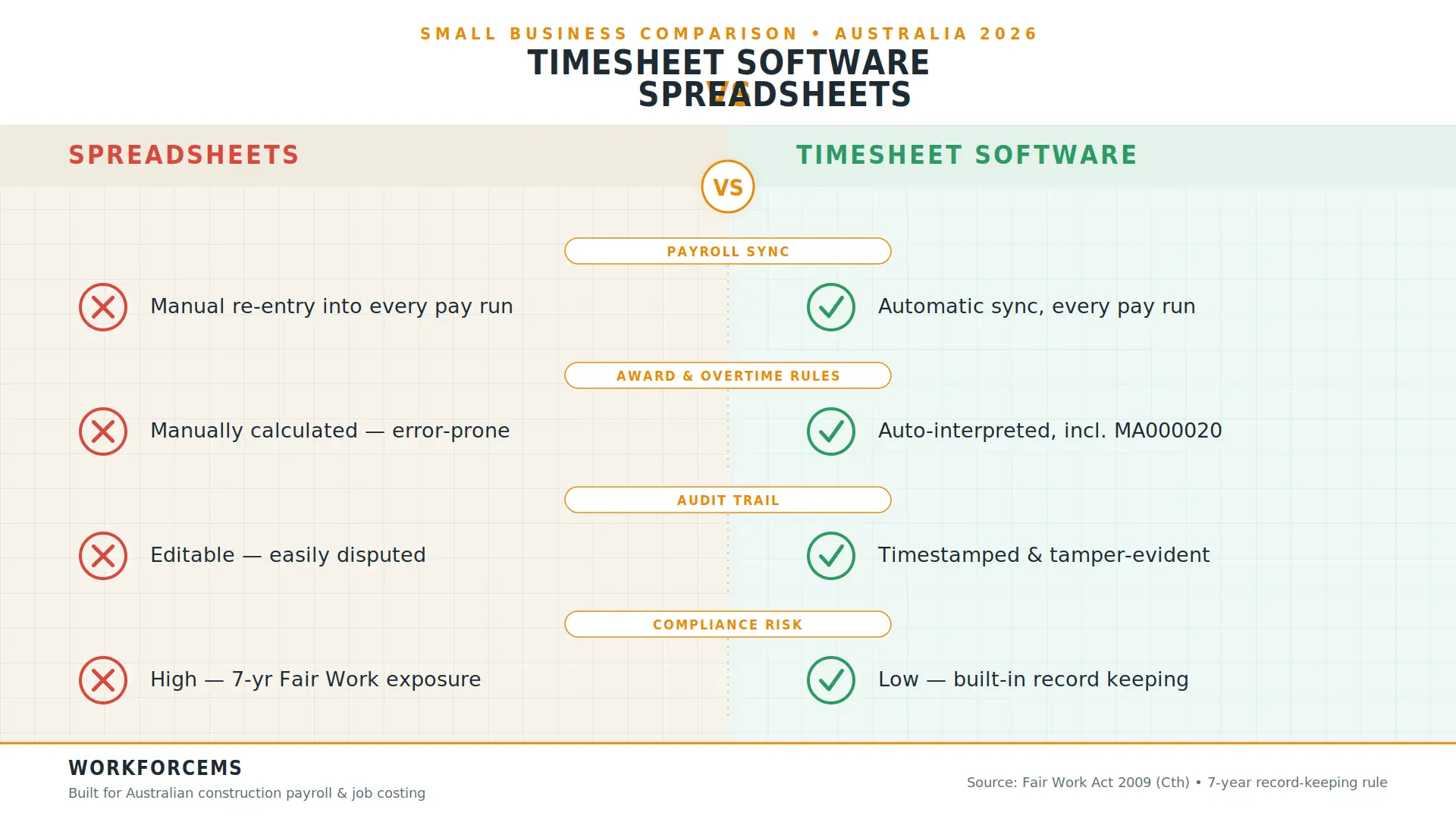
Timesheet software reduces manual data entry, applies Award rules automatically, and creates a tamper-evident audit trail: three protections a spreadsheet cannot provide, which matters directly for Fair Work Act compliance and underpayment disputes.
| Factor | Spreadsheet | Timesheet Software |
|---|---|---|
| Payroll sync | Manual re-entry | Automatic |
| Award/overtime rules | Manually applied | Automatically interpreted |
| Audit trail | Editable, easily disputed | Timestamped, tamper-evident |
| Compliance risk | High | Low |
Mistakes Small Businesses Make With Timesheets
Common mistakes include not recording hours for part-time or casual staff paid hourly, paying a flat salary without tracking whether it covers Award entitlements, and missing classification levels where an Award applies, each of which creates direct underpayment exposure during a Fair Work audit.
Fair Work Act & STP Compliance: What Your Timesheet Records Must Cover
Under the Fair Work Act 2009, Australian employers must keep employee time and wage records for seven years from the date each record is made, in a legible, English, tamper-evident format accessible to Fair Work inspectors and employees on request.
7-year record-keeping rule
The seven-year rule applies regardless of business size: a sole trader with one casual employee has the same obligation as a large corporation. Records must include hours worked, overtime, and any averaging or time-in-lieu arrangements, and must be produced within a short timeframe if requested by an employee or Fair Work inspector.
STP Phase 2 and payroll sync
Single Touch Payroll Phase 2 requires more detailed reporting to the ATO with each pay run, which is far easier to satisfy accurately when timesheet data flows directly into payroll rather than being manually transcribed and prone to transposition errors.
How to Choose the Right Timesheet Software for Your Business
Choosing the right timesheet software comes down to matching the tool to your workforce type (rostered shift teams, project/job-based construction crews, or single-operator consultants), then confirming payroll integration and Award interpretation depth before committing.
Match software to workforce type
A retail team needs strong rostering; a construction crew needs job costing and MA000020 interpretation; a consultant needs client-billable time tracking. Choosing based on workforce type first prevents paying for unused features or, worse, missing critical compliance features.
Check payroll integration compatibility
Confirm the software integrates directly with your existing payroll platform (Xero, MYOB, or KeyPay) before purchasing. A tool that requires manual export/import negates much of the time-saving and error-reduction benefit of moving off spreadsheets in the first place.
WorkforceMS: Built for Construction Job Costing
WorkforceMS was built specifically because construction businesses were choosing between generic timesheet apps that ignore MA000020, and enterprise HR platforms overbuilt for office teams. It applies award rules automatically from clocked hours and ties every hour to a job or site, giving owners live labour-cost visibility against the original quote, not just a payroll total at pay-run time.
Timesheet Software Trends for 2026
Payday Super changes from 1 July 2026 are pushing more construction and trades businesses toward software with real-time payroll sync, since superannuation now needs to be processed closer to each pay event rather than quarterly.
Expect continued growth in GPS/geofenced clock-in adoption as Fair Work enforcement activity around record-keeping increases across sectors, including construction and hospitality.
Comparison Table
| Business Type | Priority Features | Recommended Approach |
|---|---|---|
| Construction/trades | MA000020 interpretation, job costing, GPS site clock-in | WorkforceMS |
| Retail/hospitality shift teams | Rostering, biometric clock-in | General-purpose platform |
| Sole trader/consultant | Billable-hours tracking, invoicing sync | Lightweight single-user app |
| Growing SMB (10–50 staff) | Payroll sync, approval workflows, Award compliance | Mid-tier all-in-one platform |
Conclusion
Choosing timesheet software for small business Australia isn't just about clocking hours, it's about closing the gap between fieldwork and payroll accuracy. Generalist tools cover rostering and basic Award rules well; construction and trades businesses need deeper Award interpretation and job-level cost visibility that generic platforms weren't built for.
WorkforceMS was purpose-built to close that gap: automatic MA000020 interpretation, site-based clock-in, and real-time job costing in one platform.
See how WorkforceMS handles Award compliance and job costing for your crew and start a free trial today.
Optimise your operations with WMS
Streamline scheduling, compliance, and workforce management in one platform.
Frequently Asked Questions
Timesheet software is a digital tool that captures employee hours via mobile app or clock-in terminal and syncs them directly to payroll, replacing manual paper or spreadsheet processes and reducing data-entry errors.
Yes, several platforms offer free tiers for small user counts, though these typically cap features like GPS geofencing, Award interpretation, and payroll integrations, which matter more as your team or compliance risk grows.
Under the Fair Work Act 2009, employee time and wage records must be kept for seven years from the date each record is made, in a legible, accessible, tamper-evident format.
The best option for construction businesses is software that automatically interprets the MA000020 Building and Construction Award and links hours to specific jobs or sites for real-time labour cost tracking. WorkforceMS is purpose-built for this.
Yes, where a Modern Award applies, records should reflect classification levels, penalty rates, and loadings correctly, since generic hour totals alone don't demonstrate compliance during a Fair Work review.
Yes, though sole traders typically need lightweight, client-billable time tracking rather than the rostering or Award-interpretation features built for businesses with employees.
Most established timesheet platforms integrate directly with Xero, MYOB, or KeyPay, syncing approved hours straight into a pay run without manual re-entry.
Prioritise mobile clock-in, GPS/location verification, payroll integration, Award interpretation depth relevant to your industry, and manager approval workflows before comparing price.
Yes, even on fixed-price jobs, tracking labour hours per site is essential for understanding true job profitability against the original quote, separate from client billing.
From 1 July 2026, superannuation contributions move toward processing closer to each pay event rather than quarterly, increasing the value of timesheet software that syncs in real time with payroll.
Related Articles
Explore more insights on workforce management, compliance, and operations.

AI-Powered Employee Management for Modern Businesses
Discover how AI-powered employee management helps businesses simplify scheduling, attendance, payroll, and compliance across shift-based teams.

Muhammad Asim
01 Oct 2026

Top AI Solutions To Manage Construction Workforce
Explore the top AI solutions for managing a construction workforce, from onboarding to payroll and safety, with human review built in.
Muhammad Asim
14 Sep 2026

Streamline Job Tracking with AI Construction Management Software
Discover how AI construction management software streamlines job tracking, project planning, risk alerts, defect reporting and safety compliance.
Muhammad Asim
11 Sep 2026
Ready to secure your operations?
