Workforce Optimisation Software for Construction Teams
Running a construction crew is hard work, and keeping tabs on who is where doing what gets messy fast. Workforce optimisation software brings scheduling, time tracking, and payroll into one clear system.

Share this article
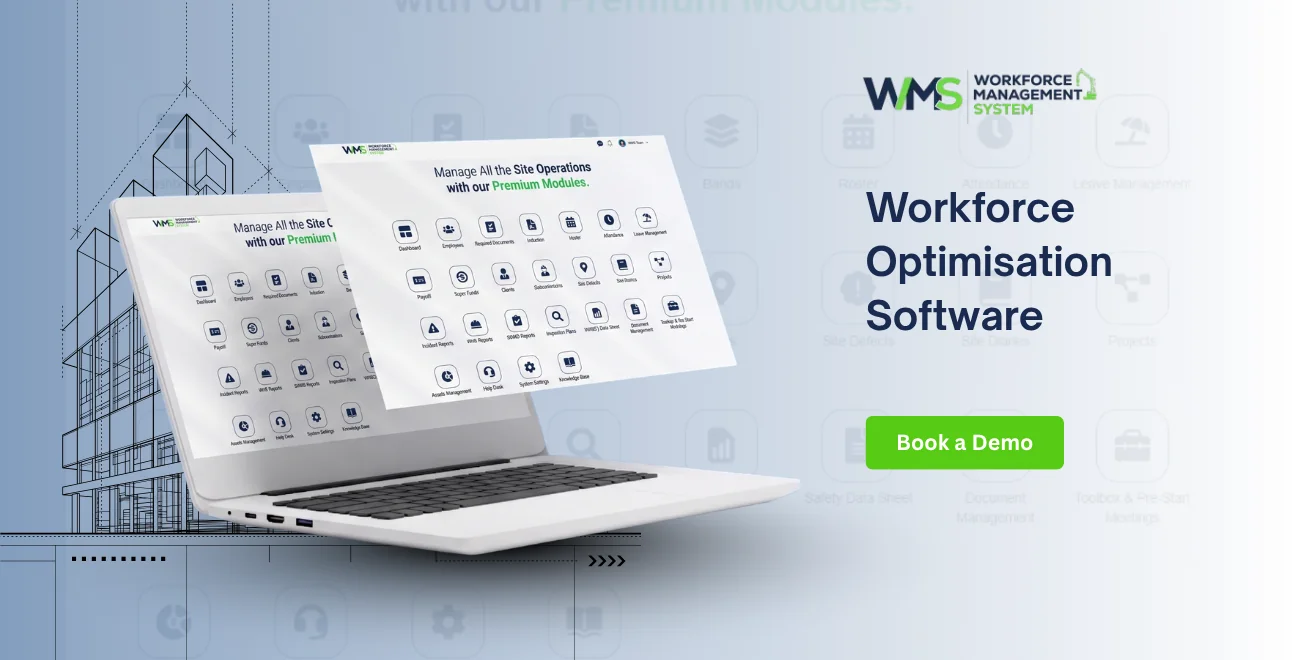
Streamline your frontline operations
See how WMS simplifies scheduling, compliance and workforce management in one powerful platform.
Running a construction crew is hard work, and trying to keep tabs on who is where doing what, and for how long? yeah that part gets messy fast.
Workforce optimisation software tackles this by bringing scheduling, time tracking, and payroll into one clear system.
In this article we walk through what the software does, how it actually helps construction teams day to day, and how WorkforceMS supports Australian builders every single day.
What Is Workforce Optimisation Software?
Workforce optimisation software is basically a digital tool that helps companies plan, oversee, and monitor their people in real time. In construction terms it means allocating the right worker to the right job, logging hours properly, and stopping labour hours from going unused. Instead of relying on paper timesheets or those chaotic spreadsheets, site supervisors get one straightforward view across the entire team.
Usually the platform combines scheduling, time tracking, payroll, and reporting into a single place. That way, details can flow automatically between teams so there's less manual data entry, and fewer annoying errors. When a construction business is managing multiple sites at once, this kind of visibility is no longer a "nice to have" thing, it's become a must.
Construction work is different from office work in one pretty obvious way: the team is always moving. People rotate between sites, crews swap from week to week, and weather or material delays can derail even a schedule that was well planned. A simple diary, or a spreadsheet you just keep updating, can't really keep up with that pace so more Australian builders are switching to software that's built for this exact kind of environment.
Workforce Optimisation vs Workforce Management
In everyday use, these two terms are usually treated like the same thing, and most construction businesses use them interchangeably, with no real difference in meaning. The table below kinda shows how the two compare in practice.
Main goal
Common tools
Used in practice
Term used by providers
WorkforceMS: both terms, same platform
Same tools, same features, same benefits
Features of Workforce Optimisation Software
Workforce optimisation software is sorta built around a handful of core features that work together, to give construction businesses that full picture of their workforce, not just a partial glance. And yeah, these features are really meant for site based work, not like stuff that got copied from generic office tools and then pasted over.
Scheduling and Crew Tools
With WorkforceMS, supervisors can create and tweak rosters fast, based on who is actually available and what specific skills are needed for each job. The platform supports crew centered scheduling, not only single shifts, which feels more like how construction teams truly operate day to day.
There's also real time visibility baked into the scheduling tools. So if someone calls in sick, or if a site is delayed, supervisors can see who is free right away and swap or reassign tasks with basically no downtime. Workers get automatic notifications too, about their shifts. So everyone knows where they are meant to be, without supervisors having to ring people individually.
Time Tracking and Payroll Integration
Accurate time tracking kinda sits at the centre of WorkforceMS, like for real. The GPS-verified clock-ins stop buddy punching and timesheet fraud , which are both pretty common issues on large sites. And once data links straight into a job or a cost centre project managers can basically see where the labour money is going, right down to individual projects too.
After time is tracked properly, it moves directly into payroll without any manual re-entry. That whole link between time tracking and payroll is what helps WorkforceMS cut labour costs by 3 to 8 percent every year once the buddy punching and fraud are removed, and it also lowers the hours that admin staff spend processing wages each pay cycle.
Reporting and Crew-Level Insights
WorkforceMS also sort of supports crew-level reporting, so businesses can monitor productivity across whole teams rather than only individual workers. This is especially handy for labour hire companies and bigger construction firms that often move teams of workers between different projects and sites all throughout the year.
With real-time dashboards, scheduling, time tracking, and payroll data get tied up in one place, so supervisors and the finance teams get the same, accurate picture always, even when things change.
How Workforce Optimisation Software Improves Construction Productivity
Productivity on site sort of depends on having the right people, with the right skills, in the right place at the right time. Workforce optimisation software makes this easier because it helps supervisors plan ahead and then adjust fast when stuff changes, you know, on the fly. Instead of having to chase and fix problems after they happen, teams can catch issues early, and stop them from messing with the project timeline.
Reporting tools also play a role in productivity. Managers can follow crew performance over time , and see trends in absences or downtime, then make smarter staffing choices. This kind of clarity simply wasn’t really possible with paper systems, and it gives construction businesses a noticeable advantage versus slower competitors who are still stuck on manual tracking methods.
Mobile access matters almost as much. Field workers, and also site supervisors need tools that really work right there, not just back in the office. A mobile first platform lets the crew members clock in, review the schedules, and coordinate together from wherever they're at, which helps reduce the hiccups that often appear because of imperfect, back and forth communication between the office and the worksite.
How Workforce Optimisation Software Improves Workforce Efficiency
Efficiency in construction isn't only about moving quickly. It's more like making sure each hour of labour goes into the right job, at the right site, with the right amount of oversight. Workforce optimisation software helps with this, because it gives companies a clean view of where people are, what they're currently doing, and how their time measures up against similar tasks from past projects.
If a company can view labour information in real time, those little, annoying inefficiencies get way easier to spot. A crew that keeps dragging on one particular task longer than expected, or a site that is frequently short staffed during the busy rush windows shows up in the reporting clearly, instead of staying hidden until the very end.
Then supervisors can adjust things early, rather than waiting around and realising it only after the job is done, which can quietly turn into a lot of unnecessary cost.
Over time, that steady flow of accurate labour data also sharpens planning for upcoming projects. Businesses can line up labour hours across comparable jobs, notice which teams perform best under certain conditions, and use that insight to write schedules and quotes that actually match reality.
Keeping this kind of continuous momentum is hard with manual methods, since the information required to spot those trends is usually not recorded consistently enough to be truly useful.
Best Practices for Workforce Optimisation in Construction

Getting the most out of workforce optimisation software really seems to depend on how it is set up, and how it is used day to day too. A few simple habits can help construction companies see results faster, and also keep the data accurate as time keeps moving.
Keep Crew Data Up to Date
Supervisors should update crew availability, skills, and site assignments on a regular basis, so the scheduling tools are basically always matching what is happening for real. If worker info is a bit old, it can mess up scheduling decisions, even if the software is working as designed. If you set one small time each week, just to review and adjust that data, the whole system stays smoother and more stable, overall.
Use Reporting to Guide Decisions
A lot of businesses install the platform, then almost never revisit the reporting tools afterward, and they end up missing the real payoff of workforce optimisation. Taking a look at labor cost reports, plus crew performance metrics on a routine schedule can help spot patterns early, like deciding on a different crew size, revising site schedules, or sharpening how future projects are estimated and quoted.
Benefits of Workforce Optimisation in WMS
WorkforceMS brings all the benefits of workforce optimisation into one simple platform built for Australian construction. Here is a quick look at what it delivers:
| Benefit | What It Means for Your Business |
|---|---|
| Lower labour costs | GPS clock-ins stop time fraud, cutting labour costs by 3–8% a year |
| Accurate payroll | Automated time data reduces underpayments, overpayments, and award errors |
| Better crew planning | Move whole crews between sites quickly without confusion |
| Real-time cost visibility | See labour spend by job or cost centre as it happens |
| Improved safety | Centralised data supports compliance and reduces site risk |
| Less admin time | Automated timesheets cut payroll processing from a full day to just hours |
These benefits do not work alone, they work together. You get costs, cleaner payroll and better planning when you have accurate and real-time workforce data that your construction business can use. When this data is working correctly other improvements happen easily because you are making decisions about scheduling, payroll and safety based on the good information.
Signs Your Business Needs Workforce Optimisation
Some construction businesses keep using processes even when they are not working well anymore. There are signs to look out for. Sometimes paper timesheets get errors. You might not notice scheduling problems until it is too late. Then you do not have enough workers on site. The people who do payroll have to spend a lot of time checking data that should have been right in the first place.
These problems get worse as your business gets bigger. A small team might be okay with using spreadsheets for a while but when you have more projects and workers mistakes are more likely to happen. If your business is having these problems it is usually a sign that you should get workforce optimisation software because it will save you money quickly in just a few months.
How WorkforceMS Simplifies Workforce Optimisation
For construction businesses getting started with optimising their workforce is the toughest part. It can be really tough to switch from using paper or separate tools when you're already really busy. WorkforceMS is made to make this change easy. It is set up to work well on devices and people do not need a lot of training to use it whether they are workers or supervisors.
The great thing about WorkforceMS is that everything is in one place. Construction businesses do not have to deal with a lot of accounts, spreadsheets or other tools to see what is going on with their workforce. When you make changes to schedules it automatically updates the time tracking and then the time tracking automatically updates the payroll. There are no steps to worry about.
This makes it easy for construction businesses of any size to start making their workforce without needing a big team of people to manage everything. WorkforceMS is what makes this possible for construction businesses. That is really important, for WorkforceMS and construction businesses.
Choosing the Right Software
Picking the platform is a big deal and construction businesses should take their time to figure out what they need before they sign up. The thing is, not every provider really gets what it is like to work on a site so you should look for software that is made for construction not just something that was made for an office and then changed a bit.
A good place to start is to see if the software can do things like schedule crews, work with your payroll system, and be easy to use on a phone for the people who are out in the field. It is also important to make sure it understands the rules and rates for Australia.
If a platform looks great in a demo but it cannot really handle the work on a site it will just cause problems later. So it is an idea to try out the system on a real project before you commit to using it fully.
Conclusion
The right software can really help construction businesses get work done, save money on labor and make better decisions about their workforce. This is because it gives them the information at the right time. When you have all your tools in one place, like scheduling, time tracking, payroll, reporting and compliance it makes it easier to get things done every day. It helps your business grow in the long run.
For construction companies in Australia who want to manage their workforce in a way, getting the right software can be a big advantage over other companies. Construction businesses need to find the construction software to help them with this. Construction software is very important for construction businesses.
Optimise your operations with WMS
Streamline scheduling, compliance, and workforce management in one platform.
Frequently Asked Questions About Workforce Optimisation Software
Workforce optimisation software is a tool that helps construction businesses plan and oversee their workers. It does this in real time. This software combines scheduling and time tracking and payroll into one system. This makes it easy for construction businesses to manage their workers.
For construction teams WorkforceMS is an option. It is built for Australian construction. WorkforceMS offers crew-based scheduling and GPS time tracking. It also has payroll integration and real-time reporting in one platform.
Yes workforce optimisation software is the same as Workforce Management System. People use these terms interchangeably. They cover the tools, including rosters and timesheets and payroll and reporting. Workforce optimisation software and Workforce Management System are basically the same thing.
Workforce optimisation software can save construction businesses a lot of money on labour costs. It typically cuts labour costs by 3 to 8 percent a year. This is because it stops buddy punching and timesheet fraud. It does this through GPS-verified clock-ins. Workforce optimisation software helps construction businesses save money by reducing labour costs.
If a construction business has timesheet errors it may need workforce optimisation software. Scheduling problems that are discovered late are another sign. If payroll staff are spending much time checking data this is also a sign. These are all signs that a construction business needs workforce optimisation software.
To choose the right workforce optimisation software you need to consider a few things. Look for software that supports crew scheduling. It should also connect with your payroll system. The software should work well on devices. It should also understand award rates and compliance rules. Workforce optimisation software should do all these things.
Related Articles
Explore more insights on workforce management, compliance, and operations.

Security Operations and Monitoring Workforce Planning
Plan guard rosters, track live attendance and cover every shift with WorkforceMS. Strengthen security operations and monitoring with smarter workforce planning.

Muhammad Asim
09 Oct 2026

Telehealth and Digital Healthcare Scheduling WMS
Simplify telehealth and digital healthcare scheduling with WorkforceMS. Manage rosters, remote clock-ins and compliance records in one easy-to-use platform.
Muhammad Asim
08 Oct 2026

Healthcare Workforce Management for Aged Care
Simplify rostering, credential tracking and payroll for aged care healthcare teams. Discover how WorkforceMS gives your carers more time with residents.
Muhammad Asim
05 Oct 2026
Ready to secure your operations?
